Configuring pH 330i/340i
12
Configuring
Note
You can leave the configuration menu at any time with <M>. The parameters
already changed are stored.
Procedure for configuring (factory settings appear in bold typeface):
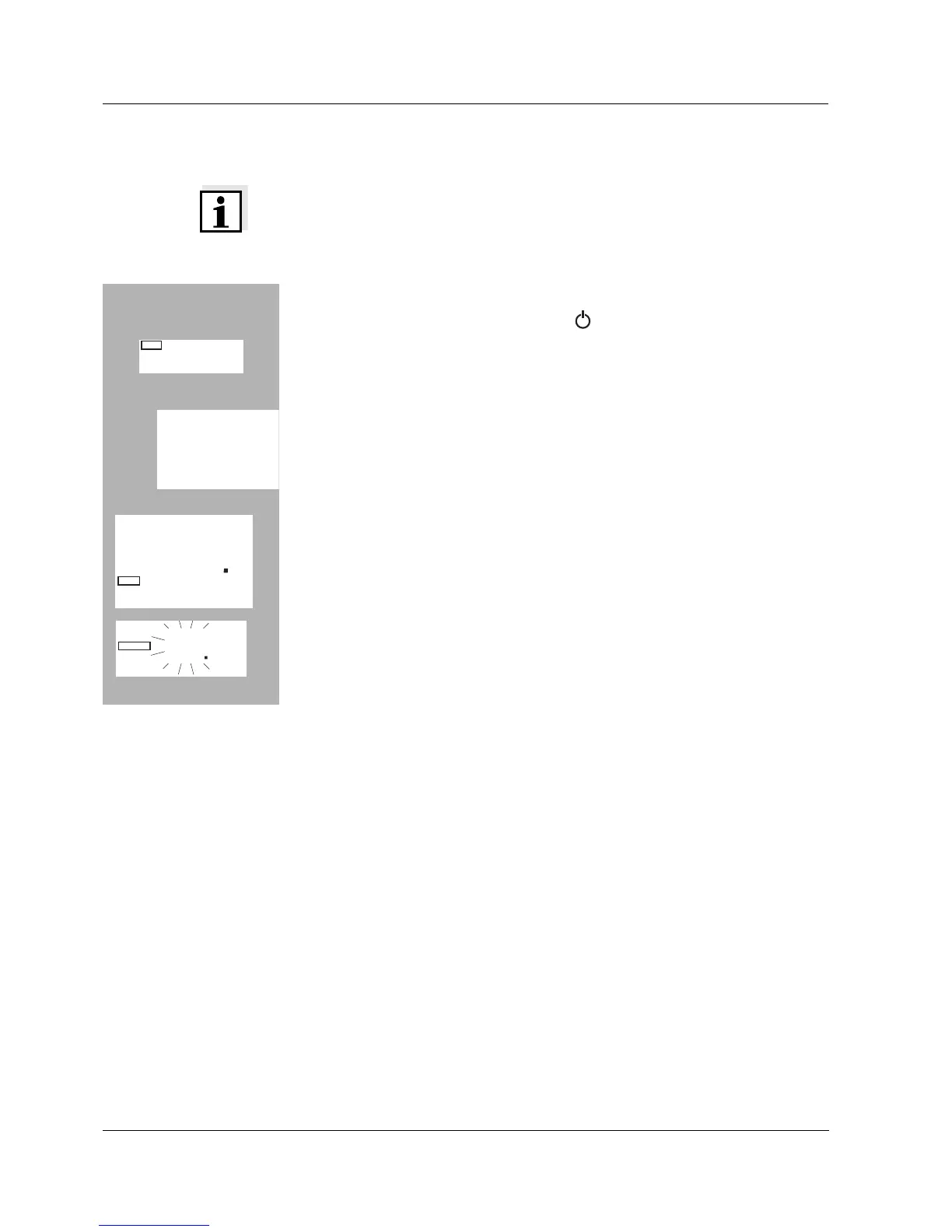
l Switch off the measuring instrument.
l While pressing the <M> key, press <>.
l Select the required Baud rate with <▲> <▼>.
Selection: 1200, 2400, 4800, 9600 Baud.
l Then press the <RUN/ENTER> key.
l Select the required display during the pH calibration with <▲> <▼>.
Selection: Buffer nominal value (/pH) or current electrode voltage (mV).
l Then press the <RUN/ENTER> key.
l Set the required calibration interval with <▲> <▼>.
Selection: 1... 7... 999 d.
l Then press the <RUN/ENTER> key.
l Select the date and time step-by-step with <▲> <▼>. In between, press
the <RUN/ENTER> key each time.
l When the last <RUN/ENTER> key has been pressed, the instrument
changes to the last active measuring mode.
Baud
0
40
8
LC
A
pi
sd
/pH
7
3n
t
pH
Time
I
d
Day.Month
4
00
9


 To Next Page