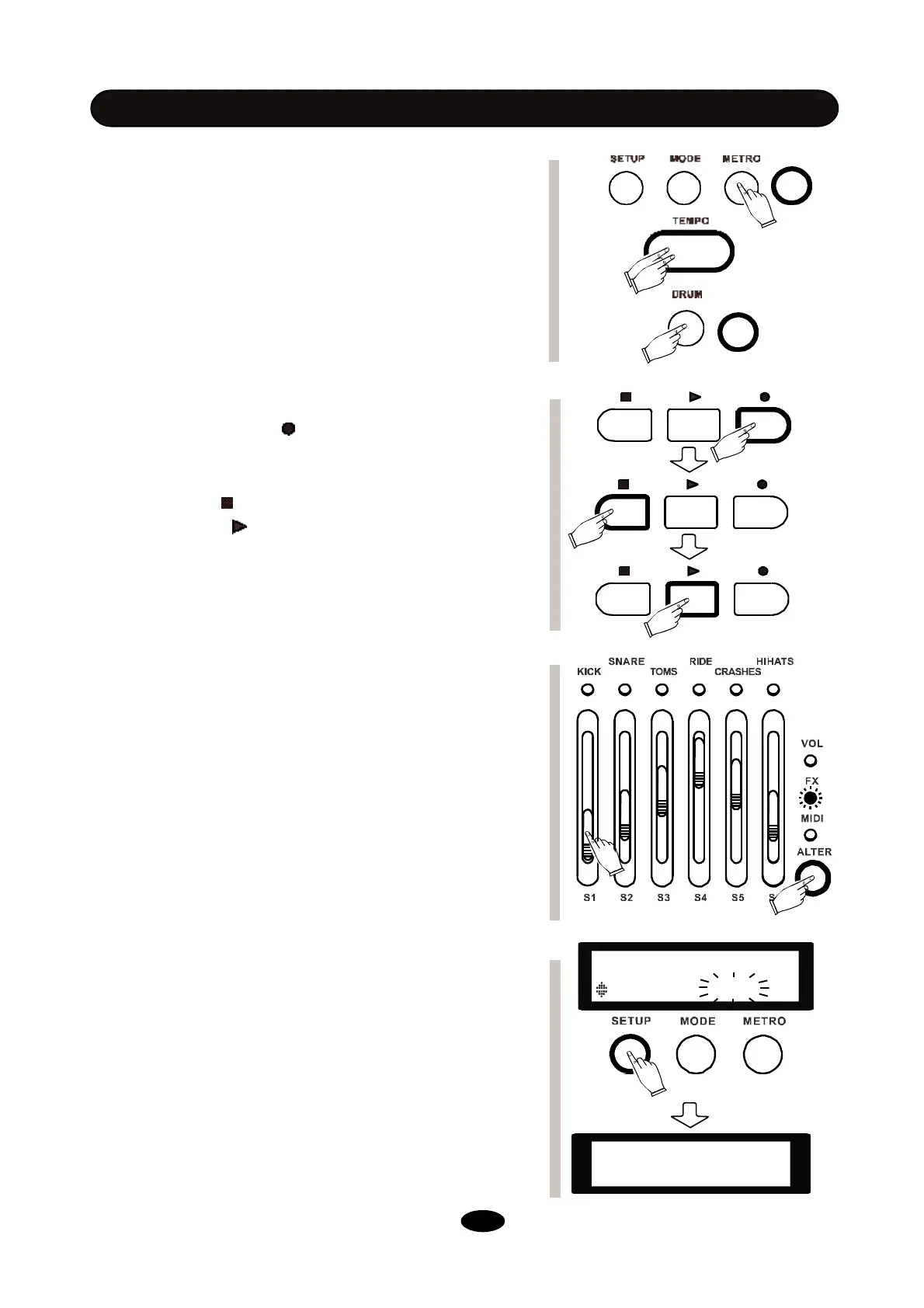
- Press METRO button, use -/+ button or scroll wheel to
activate metronome. Use PAGE DOWN/UP to adjust met-
ronome volume, tempo, time signature and sound.
- Tap tempo button at a desired rate to get a new tempo.
You can also change the tempo by scroll wheel or -/+ button
after you press tempo button.
- Don’t need the drum track in the demo pattern? Simply
press DRUM button to mute it. You can also press ACCOMP
button to mute other accompaniment tracks.
TO RECORD A DRUM TRACK
- Press the record button in KIT mode, set the tempo for
recording, and press the record button again to start
recording.
- Use stop button to pause your recording. You can either
press play button to continue recording or press stop
button to finish and save your recording.
- While saving your recording, on the screen will show ”Save
the song to”, use scroll wheel or -/+ button to locate the place
for saving, and press enter to confirm.
- If you are in PATTERN mode, you can record along with
demo song.
TO USE THE MIXER
- Press the ALTER button to switch between 3 modes for
faders. In VOL mode, all the faders control the volume of
different pads.
- In FX mode, S1 controls reverb level, S2 controls com-
pression ratio, and S3-S6 change to a 4-Bank equalizer.
- In MIDI mode, 6 faders are assigned to 6 different
controllers. You can use them to control track volume or
various effects in any DAWs or plug-ins.
TO RESTORE FACTROY SETTINGS
- Press SETUP, and use PAGE DOWN/UP to locate RE-
SET menu.
- Use -/+ or scroll wheel to select what you want to restore.
Kits: Initialize all the kits, including user kits.
Settings: Initialize all system settings.
Xtalk: Initialize cross talk to default.
Songs: Initialize all user patterns.
All: Initialize everything to factory settings.
- Press ENTER to confirm. The screen will show RESET OK.
- Reboot the module to complete.
BASIC OPERATION
SETUP
RESET Kits
----Reset OK----
--------------------
14


 To Next Page