A
PPENDIX
7.7
7
4
When the Linux Printer Configuration window appears,
click the Add Printer icon on the toolbar at the top of the
window.
5
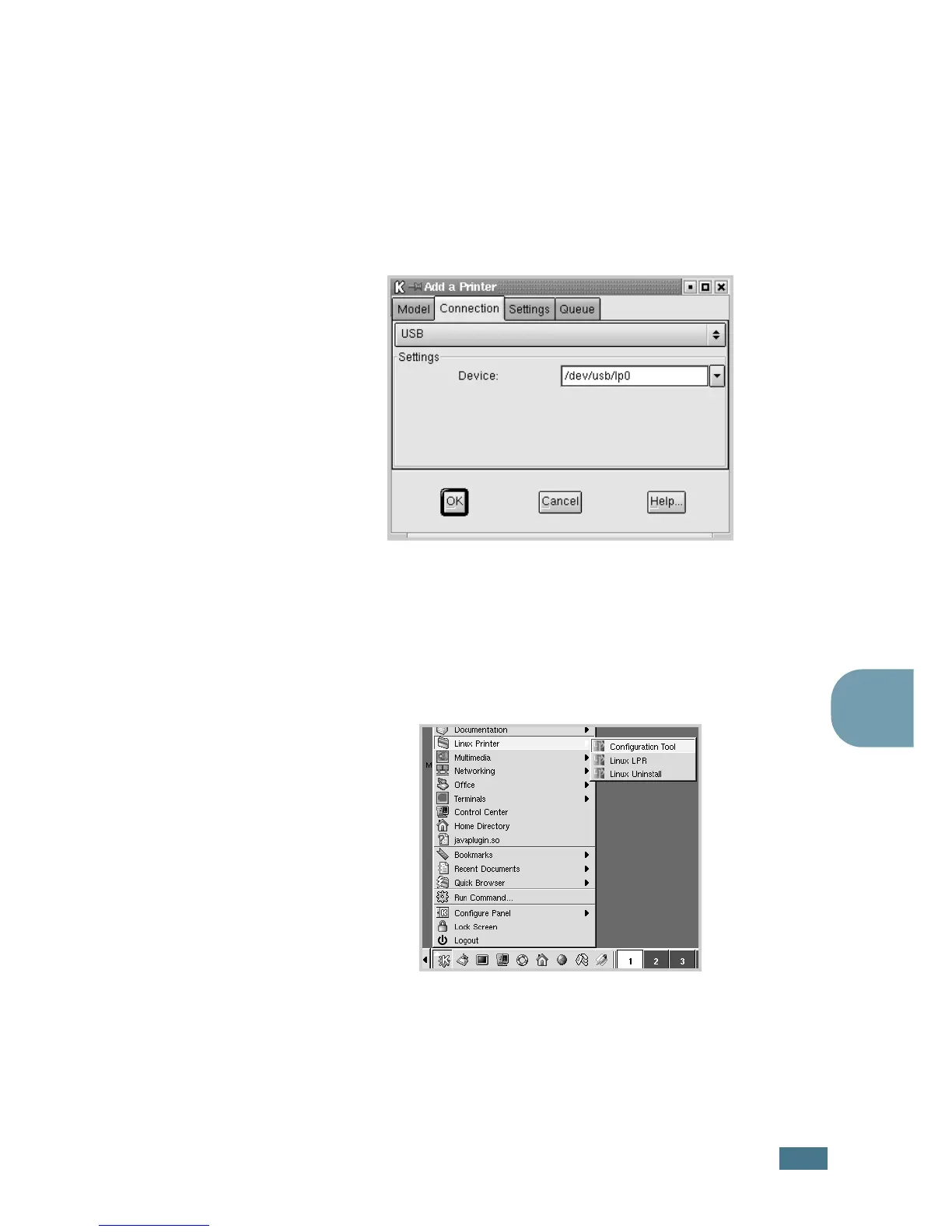
Click the Connection tab at the top of the Add a Printer
window.
Ensure that the printer port is set properly. If not proper,
change the device setting.
6
Click OK.
Uninstalling the Printer Driver
1
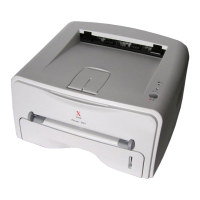
From the Startup Menu icon at the bottom of the desktop,
select Linux Printer and then Configuration Tool.
You can also access the Linux Printer Configuration window
by typing in “linux-config” from the Terminal screen.
2
In the Linux Printer Configuration window, select the
Uninstall command from the File menu.









 To Next Page