U
SING
P
RINT
M
ATERIALS
3.9
3
In Manual Feed mode, you can’t cancel a print job by pressing
the button.
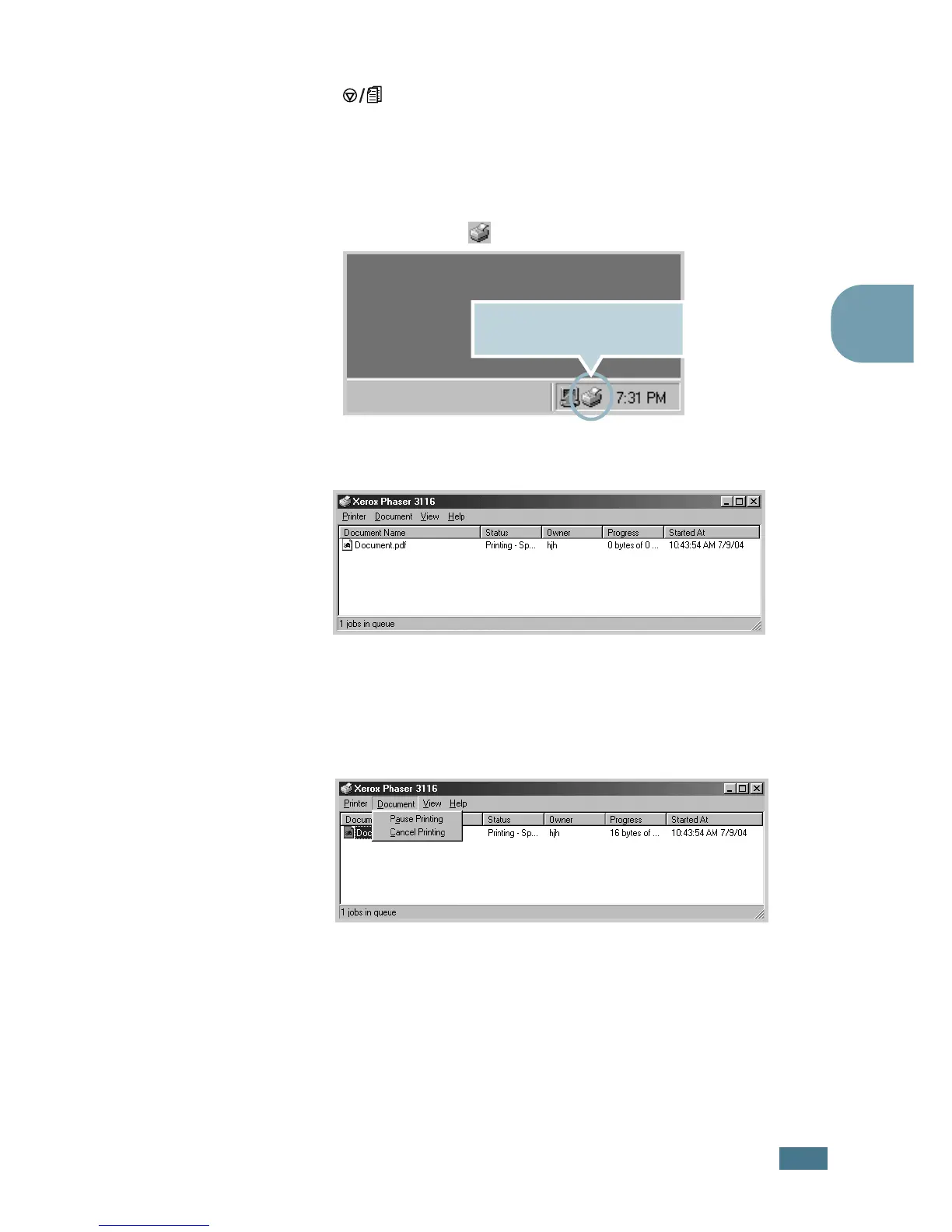
To cancel a print job in Manual Feed mode:
1
Turn the printer off.
2
Double-click the icon at right bottom of the window.
3
Select a job you want to cancel.
4
For Windows 98/Me, select Cancel Printing from
Document menu.
For Windows 2000/XP, select Cancel from Document
menu.
5
When the jobs are removed from the list. Turn the printer
on.
Double-click this icon to view
the queue of the print jobs.









 To Next Page