P
RINTING
T
ASKS
4.16
Printing Watermarks
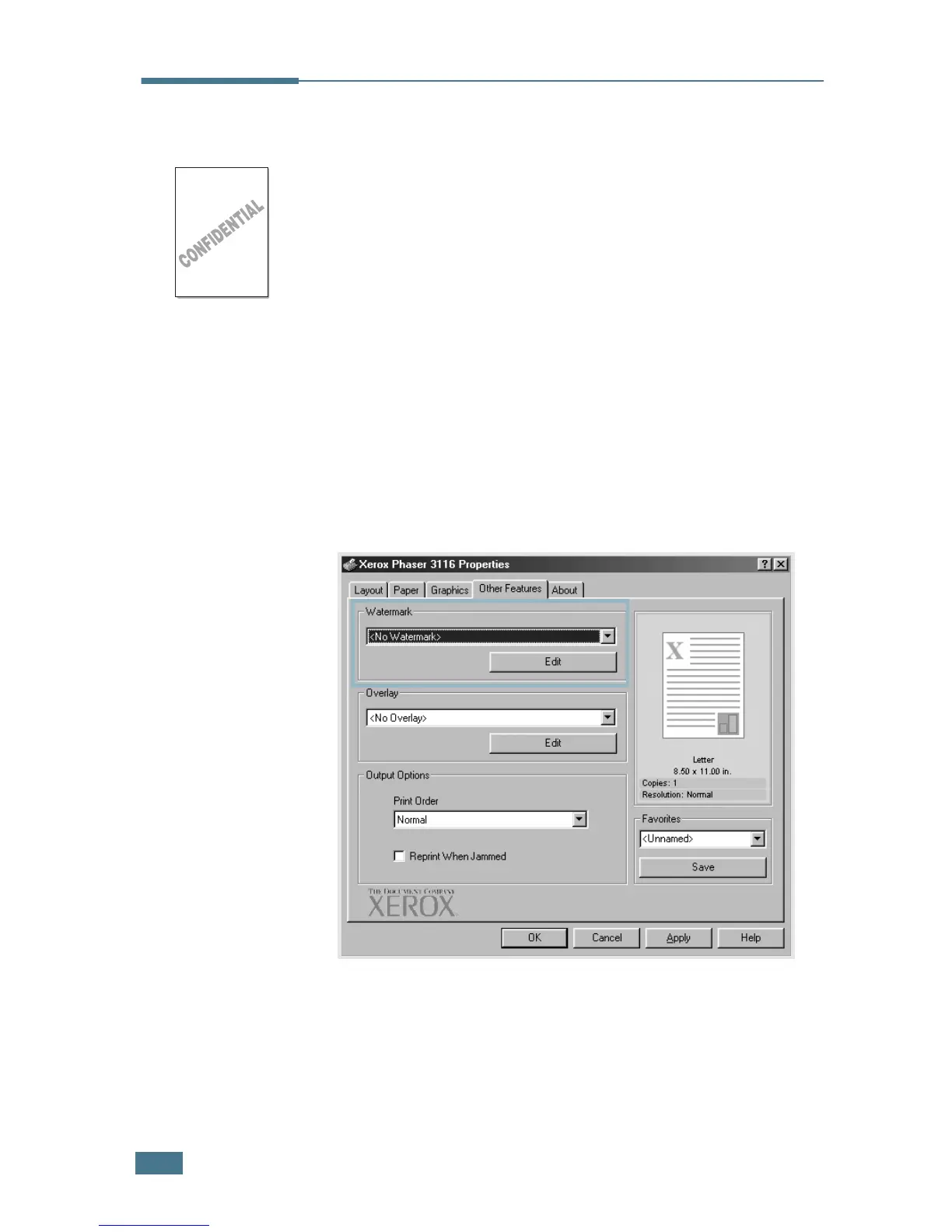
The Watermark option allows you to print text over an existing
document. For example, you may want to have large gray letters
reading “DRAFT” or “CONFIDENTIAL” printed diagonally across
the first page or all pages of a document.
There are several predefined watermarks that come with the
printer, and they can be modified or you can add new ones to
the list.
Using an existing Watermark
1
To change the print settings from your software application,
access the printer properties. See page 4.2.
2
Click the Other Features tab, and select the desired
watermark in the Watermark drop-down list. You will see
the selected watermark in the preview image.
3
Click OK to start printing.









 To Next Page