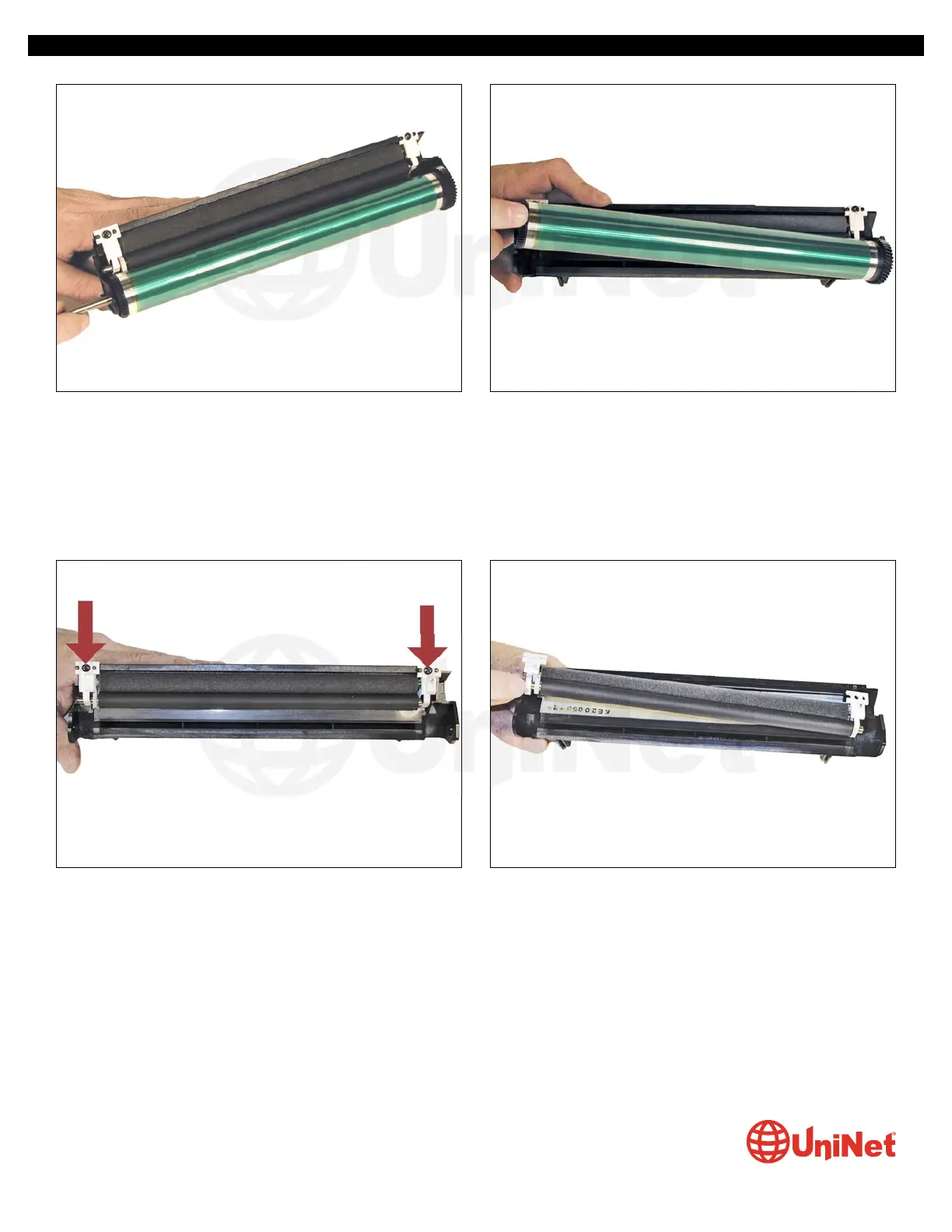
13. On the waste section, remove the drum axle by pulling it
out from the small straight gear side. Note the conductive
grease on the large helical gear side of the axle.
14. Remove the drum.
15. Remove the two screws on the PCR assembly. 16. Pry up the white plastic holders and remove the PCR
assembly.
XEROX PHASER 3600 • TONER CARTRIDGE REMANUFACTURING INSTRUCTIONS
© 2012 UniNet Imaging Inc. All trademark names and artwork are property of their respective owners. Product brand names mentioned are intended to show compatibility only.
UniNet Imaging does not warrant downloaded information. Unauthorized sale, reproduction or distribution of this article is prohibited. For additional support, please contact techsupport@uninetimaging.com
www.uninetimaging.com


 To Next Page
 Loading...