EasyManua.ls Logo

Xerox VersaLink C605XT - User Manual

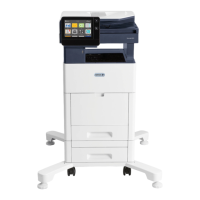
Xerox VersaLink C605XT
285 pages
Print Icon
To Next Page IconTo Next Page
Loading...
VERSION 3.0
J
UNE 2018
702P05471
Xerox
®
VersaLink
®
C605 Color
Multifunction Printer
User Guide

Table of Contents

Questions and Answers

  • A
    Ann BrownAug 15, 2025
    What to do if my Xerox VersaLink C605XT resets or powers off frequently?
    • J
      Jennifer RyanAug 15, 2025
      If your Xerox All in One Printer resets or powers off frequently, try the following: * Ensure the power cord is correctly plugged into both the printer and the outlet. Power off the printer, confirm that the power cord is plugged in correctly to the printer and the outlet, then power on the printer. * Power off the printer, then power it on again to resolve a system error. * If the printer is connected to an uninterruptible power supply, power it off and connect the power cord to a suitable outlet.
  • T
    Tracy CookAug 26, 2025
    How to solve automatic 2-sided printing problems with my Xerox VersaLink C605XT All in One Printer?
    • D
      Dawn ReynoldsAug 26, 2025
      To resolve automatic 2-sided printing issues on your Xerox All in One Printer: * Make sure that you are using a supported paper size and weight for 2-sided printing. Note that envelopes, cardstock, and labels cannot be used for 2-sided printing. * Confirm that your printer model supports automatic 2-sided printing. * Check that the correct setting is enabled in the print driver. In the print driver Printing Options tab, select 2–Sided Print.
  • A
    Andrew SchmidtAug 30, 2025
    What to do if the paper tray of my Xerox VersaLink C605XT All in One Printer will not close?
    • J
      Jason SimmonsAug 31, 2025
      If the paper tray on your Xerox All in One Printer will not close, consider the following: * If the tray is extended for legal-size paper, the tray protrudes when it is inserted into the printer. * Check for any debris or objects blocking the tray. * Ensure that the tray is not blocked by the table or shelf on which it is located. * If the paper lift plate at the back of the tray is not locked down, replace the tray.
  • R
    Robert WheelerSep 4, 2025
    What to do if my Xerox VersaLink C605XT All in One Printer does not power on?
    • M
      Matthew MoranSep 4, 2025
      If your Xerox All in One Printer doesn't power on, there are several potential reasons. First, ensure the power switch is turned on by pressing the Power/Wake button on the printer control panel. If that doesn't work, check that the power cord is securely plugged into the outlet. Try turning the printer off and then plugging the cord back in securely. Sometimes, the printer needs a full reset: power it off, unplug the power cord, wait 30 seconds, plug it back in, and then power it on. The problem might also be with the outlet itself, so test it with another appliance or try a different outlet. Finally, ensure the power source matches the printer's electrical specifications.
  • E
    Erin OsborneNov 9, 2025
    Why my Xerox VersaLink C605XT All in One Printer does not print?
    • J
      Jonathan WigginsNov 9, 2025
      There are several reasons why your Xerox All in One Printer might not be printing: * The printer is in Power Saver mode: Press the Power/Wake button on the control panel. * The printer has an error: If the Status LED is blinking amber, follow the instructions on the control panel to clear the error. * The printer is out of paper: Load paper into the tray. * The incorrect paper is loaded for the print job: Load the correct paper in the appropriate tray and specify the correct paper size, type and color at the printer control panel. * The paper settings for the print job do not match any paper loaded in the paper trays at the printer: Select a paper tray containing the correct paper from the print driver. * A toner cartridge is empty: Replace the empty toner cartridge. * No co...
  • C
    claudiawagnerNov 19, 2025
    How to fix Xerox All in One Printer that does not power on?
    • E
      ecollinsNov 19, 2025
      If your Xerox All in One Printer doesn't power on, consider these potential causes and solutions: * The power switch is not turned on: Press the Power/Wake button on the printer control panel. * The power cord is not plugged into the outlet correctly: Power off the printer, then plug the power cord securely into the outlet. * The printer requires a full reset: Power off the printer, then unplug the power cord and wait 30 seconds. Plug the power cord into the outlet securely, then press the Power/Wake button. * Something is wrong with the outlet connected to the printer: Plug another electrical appliance into the outlet, then check if it operates properly. Try a different outlet. * The printer is connected to an outlet with a voltage or frequency that does not match the printer s...

Xerox VersaLink C605XT Specifications

General IconGeneral
Print TechnologyLaser
FunctionalityPrint, Copy, Scan, Fax
Print Speed (Black)55 ppm
Print Speed (Color)55 ppm
Maximum Monthly Duty Cycle120, 000 pages
Print Resolution1200 x 2400 dpi
Scan Resolution600 x 600 dpi
ConnectivityUSB, Ethernet, Wi-Fi, NFC
Display5-inch Color Touchscreen
Duplex PrintingAutomatic
Fax Speed33.6 Kbps
Memory2 GB RAM
Mobile PrintingApple AirPrint, Google Cloud Print
Paper SizesLetter, Legal, A4, A5, A6
Scan DestinationsEmail, Network Folder, USB
Maximum Paper SizeLegal

Related product manuals