CClleeaanniinngg tthhee CCoolloorr--DDeennssiittyy SSeennssoorrss
If the print or color density is too light, missing, or the background is foggy, clean the color-density
sensors.
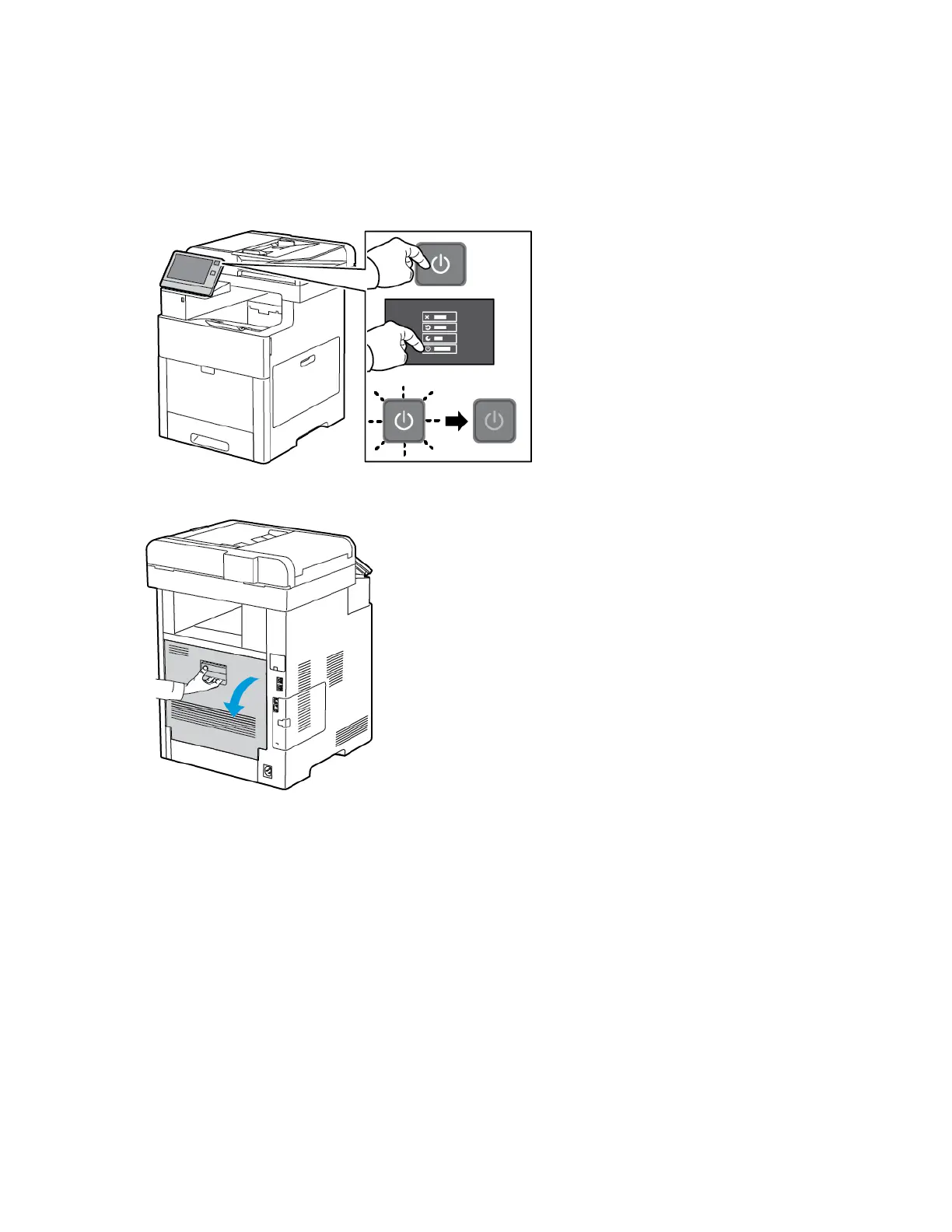
1. Power off the printer.
2. Lift the rear door release and pull open the door.
190
Xerox
®
VersaLink
®
C605 Color Multifunction Printer
User Guide
Maintenance


 To Next Page
 Loading...