XFP ENGINEERING MANUAL • Approved Document No. DFU1200510 Rev 3 • Page 27 of 36
ENABLE/DISABLE OUTPUT DELAYS
This function can be used to globally disable or enable any delays to outputs that have been programmed
into the panel. When selected, press the Accept4button and the following window will appear:
Use the 5and6 buttons to toggle between enabled and disabled and press the Accept4button to
select the desired option. Alternatively, to return to the previous menu press the Escape3button.
MONITOR A POINT
This function allows you to view the current analogue status of any point (any addressable device on
the system). When selected, you will be prompted to enter the loop on which the device you want
to monitor is located and the device’s address :
Use the 5,6 and Accept4 buttons to select the desired loop and address. The panel will tem-
porarily disable the point in question and return back its analogue values, for example:
To return to the Engineer Functions submenu press the Escape3button.
TEST DEVICE OUTPUTS
This function allows you to assert the output(s) of any addressable device to check it is working cor-
rectly. It can be used, for example, to assert a detector’s internal or remote LED (if connected) or to
check that an I/O unit is functioning correctly. Addressable devices typically have three output chan-
nels (1, 2 and 3), the functions of which depend upon its type - please refer to the device manufac-
turers technical data for further information. When selected, you will be prompted to enter the loop
on which the device you want to test is located, the device’s address and the relevant output bit
code (0 to 7, as explained in the table below):
Use the 5,6 and Accept4 buttons to select the desired loop, address (device) and output bit code.
OUTPUT BIT CODES AND WHICH OUTPUT CHANNELS THEY ASSERT
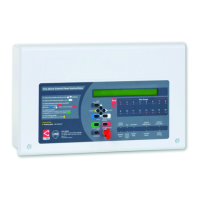
XFP 16 ZONE ANALOGUE ADDRESSABLE FIRE ALARM PANEL
CODE
OUTPUT CHANNELS ASSERTED
0
No output channel asserted
1
Output channel 1 asserted
2
Output channel 2 asserted
3
Output channels 1 and 2 asserted
4
Output channel 3 asserted
5
Output channels 3 and 1 asserted
6
Output channels 2 and 3 asserted
7
All output channels asserted


 To Next Page
 Loading...