XFX GeForce 9300 Motherboard
30
Integrated Peripherals Menu
Select
Integrated Peripherals
from the CMOS Setup Utility menu and press
Enter
to display the Integrated Peripherals menu.
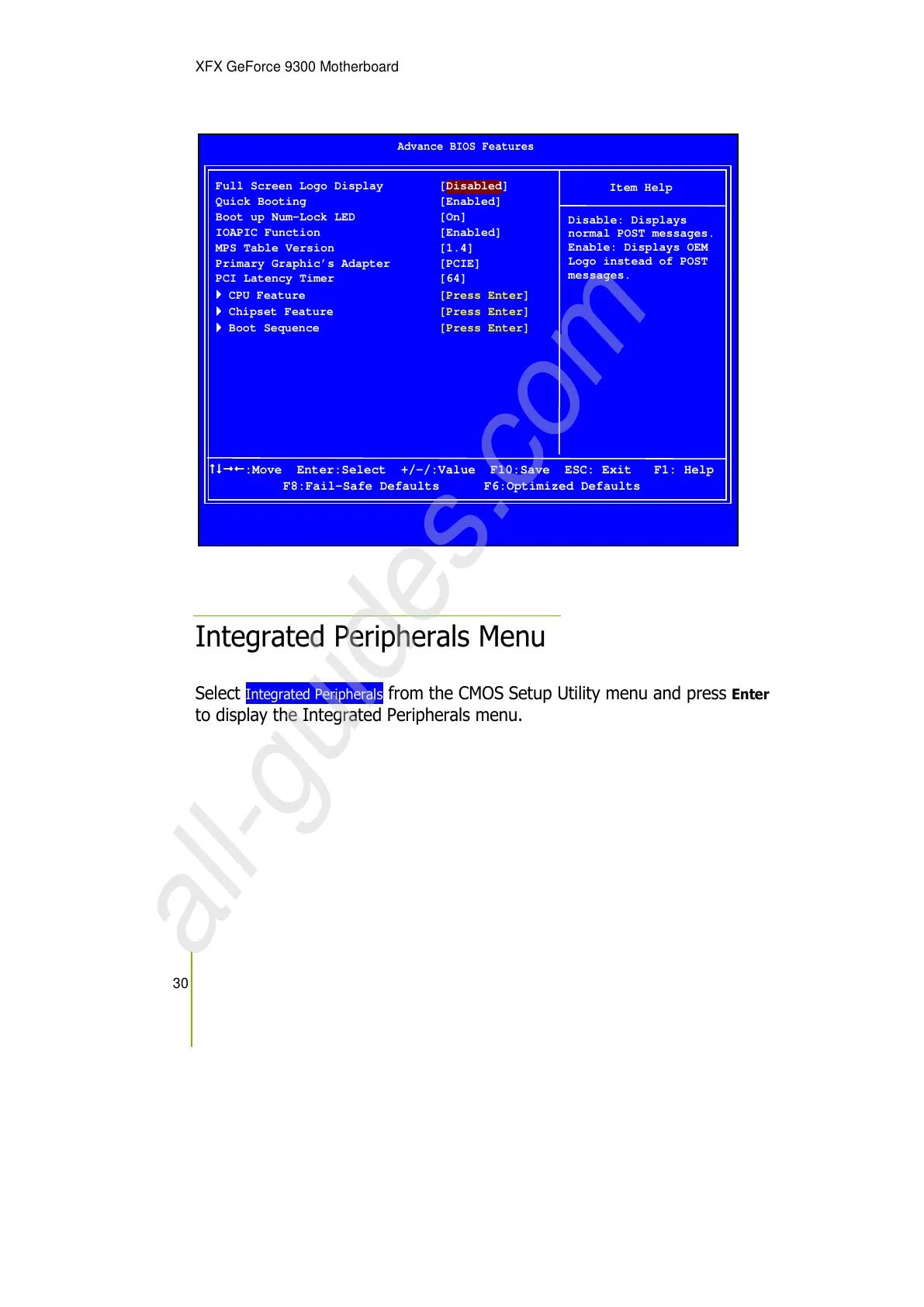
Full Screen Logo Display [Disabled]
Quick Booting [Enabled]
Boot up Num-Lock LED [On]
IOAPIC Function [Enabled]
MPS Table Version [1.4]
Primary Graphic’s Adapter [PCIE]
PCI Latency Timer [64]
CPU Feature [Press Enter]
Chipset Feature [Press Enter]
Boot Sequence [Press Enter]
Item Help
Disable: Displays
normal POST messages.
Enable: Displays OEM
Logo instead of POST
messages.
:Move Enter:Select +/-/:Value F10:Save ESC: Exit F1: Help
F8:Fail-Safe Defaults F6:Optimized Defaults


 To Next Page