XFX GeForce 9300 Motherboard
24
Power Interface). Prepare give control to OS loader (INT 19).
00 Pass control to OS Loader (typically INT 19H).
AA Enter OS (Vista or Windows XP).
Jumper Settings
The motherboard contains a 3-pin BIOS configuration jumper that
enables all board configurations to be done in the BIOS Setup
program.
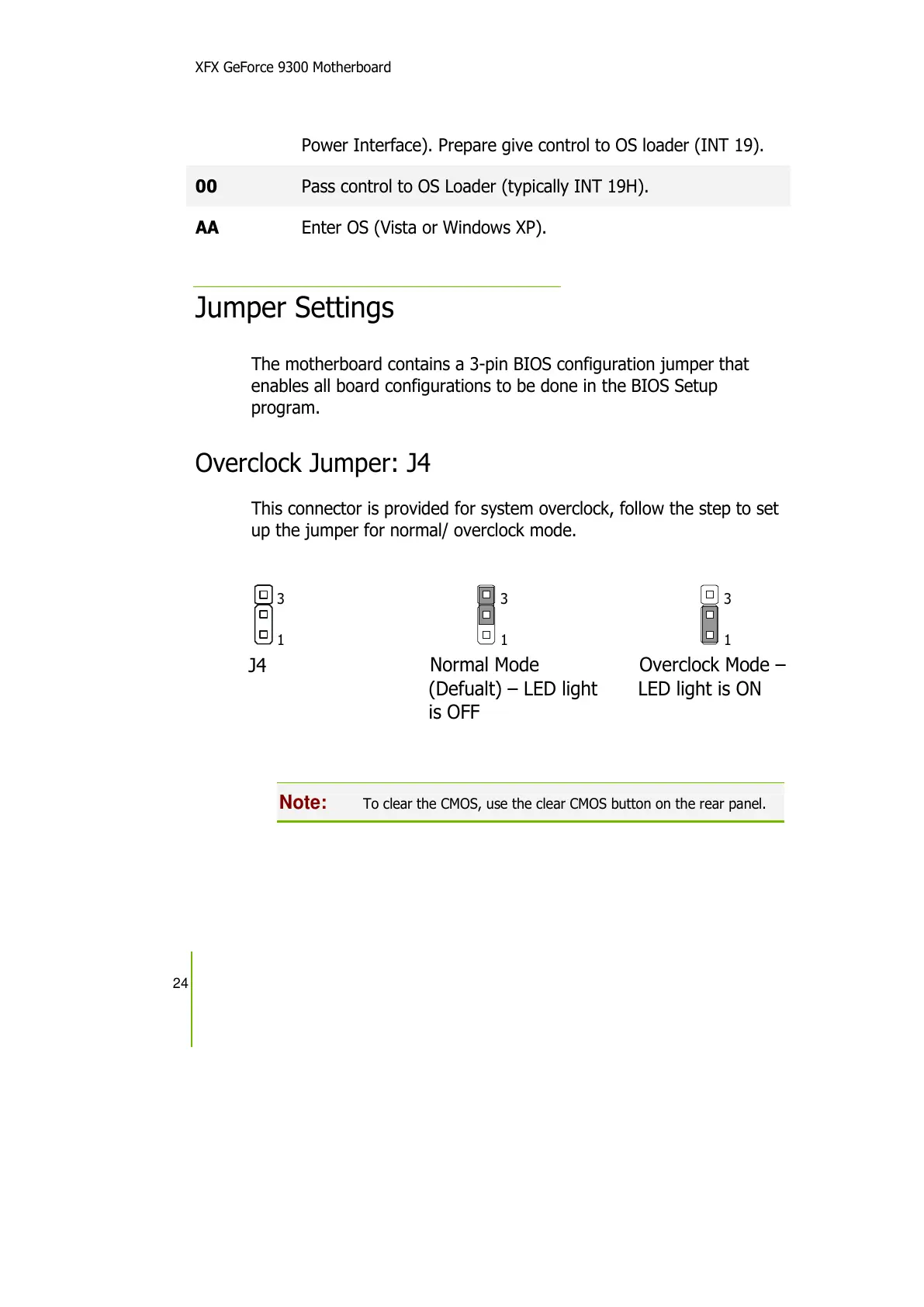
Overclock Jumper: J4
This connector is provided for system overclock, follow the step to set
up the jumper for normal/ overclock mode.
Note:
To clear the CMOS, use the clear CMOS button on the rear panel.
J4
3
1
3
1
3
1
Normal Mode
(Defualt) – LED light


 To Next Page