This option is for connecting the key cutting machine via Bluetooth. The device can connect to a key
cutting machine after you select the serial number.
10.1 Select
Steps:
① Click 'Search new device'.
② Click the serial number and the machine is connected then.
This option is for searching and connecting to WIFI.
10.2 WLAN connection
Steps:
① Click 'Scan'.
② Choose the WIFI you want and enter the password. Key TOOL PLUS will connect
to WIFI then automatically.
Fig.10.1
10 Settings
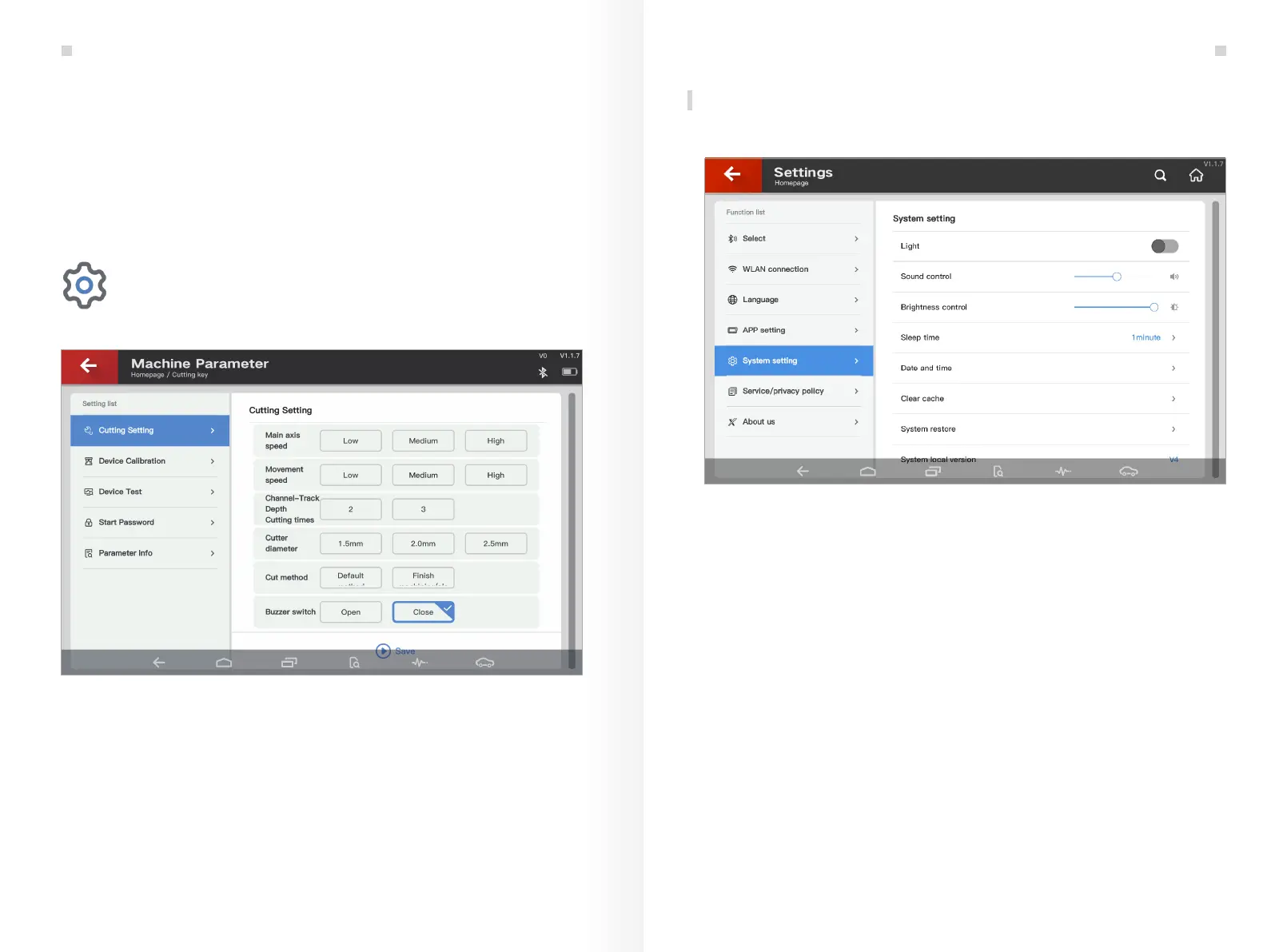
General Setting page can be entered through the shortcut button of setting as shown in Fig. 10.1.
Fig.9.2.5
Machine Parameter supports the initialized setting and adjustment of the key cutting machine.
Machine Parameter
Settings
37 38
Extended Function: Cutting Key


 To Next Page