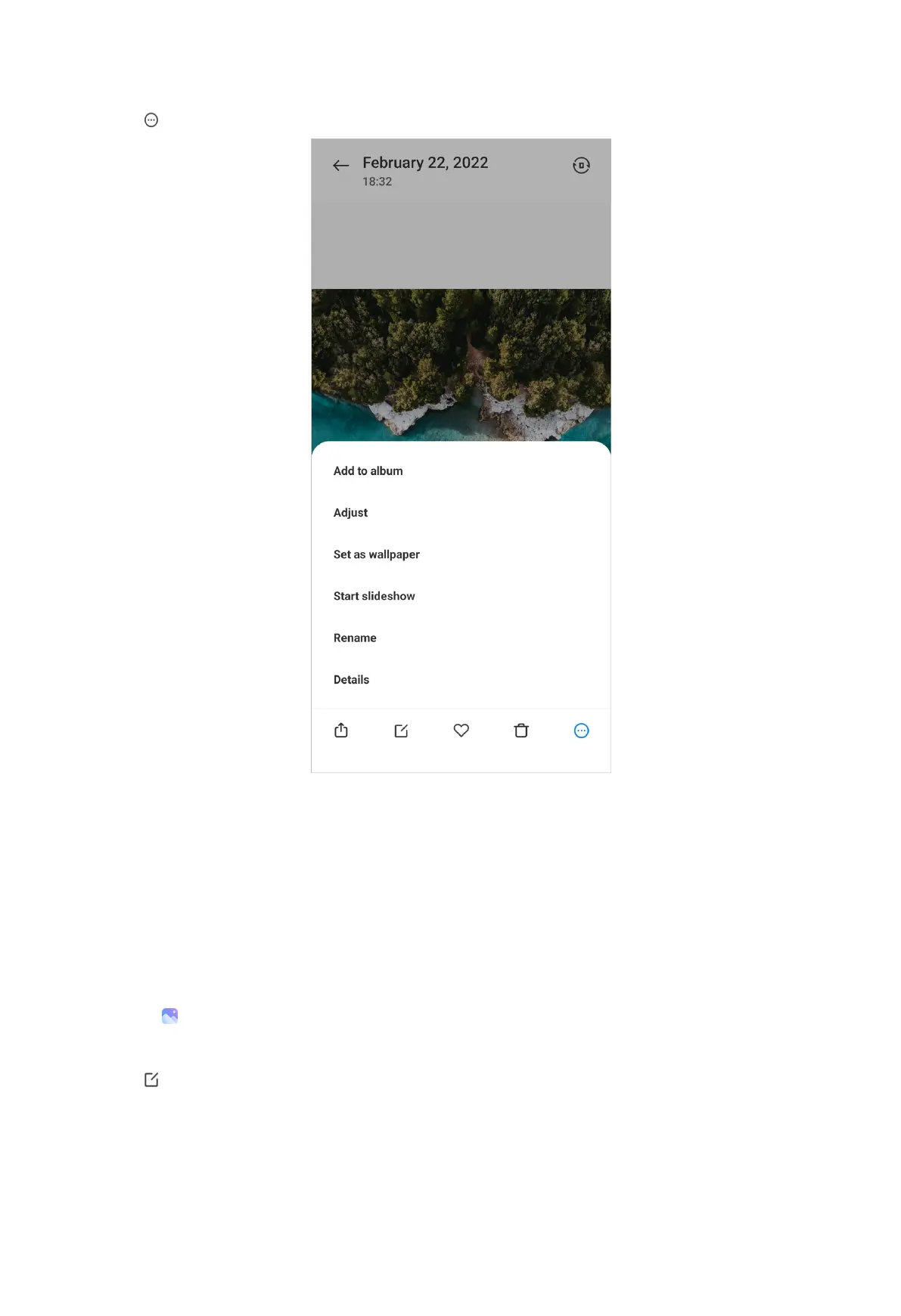
3. Tap to manage the picture.
• Tap Add to album to move the picture to an album.
• Tap Adjust to adjust the picture.
• Tap Set as wallpaper to set the picture as wallpaper.
• Tap Start slideshow to showcase the picture in a slideshow.
• Tap Rename to change the picture name.
• Tap Details to view and edit information about the picture.
Edit pictures
1. Go to Gallery > Photos.
2. Choose a picture.
3. Tap to edit the picture.
95



 To Next Page