12
Installing
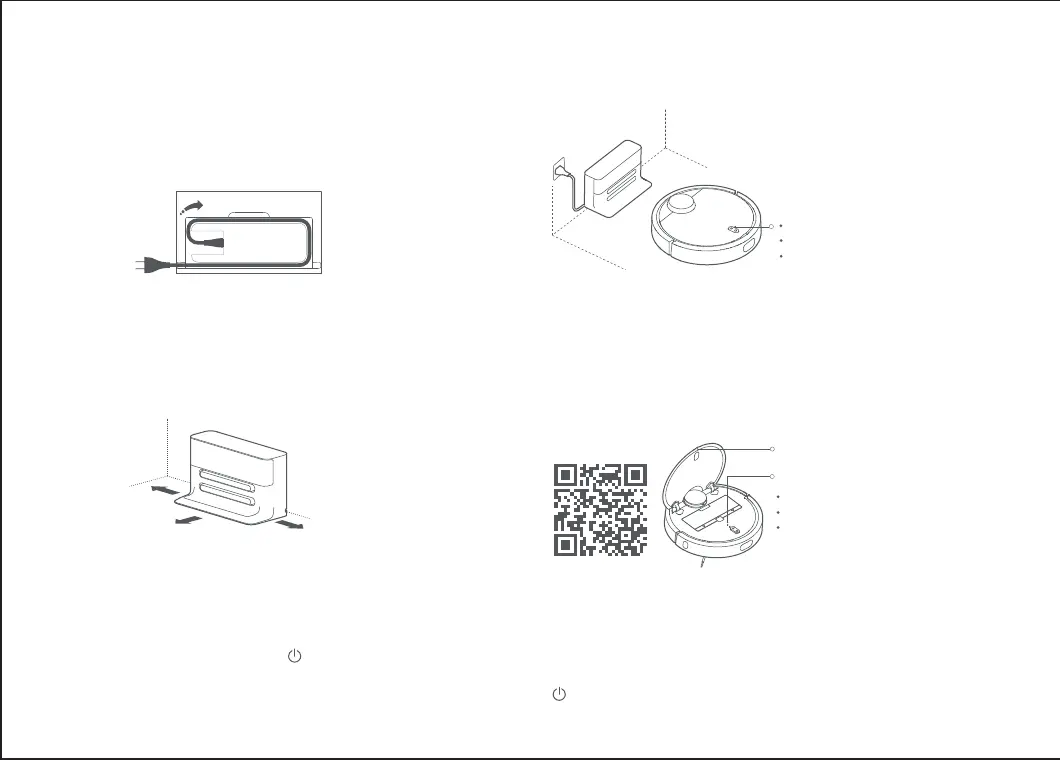
When the unit's indicator turns from pulsing white light to
solid light, it shows that it is fully charged. Press the buon
or command from Mi Home App to start cleaning.
Connect the Mi Home App
(this step can be skipped)
4
Start cleaning5
The color of the indicator displays
the power level
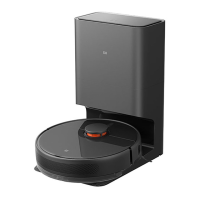
Turn the unit on and recharge
3
Press and hold the buon to turn it on. Wait for the
indicator to light up and then charge the unit by placing
it on the Charging Dock.
White : ≥50% :
Yellow : 20% -50%
Red
:
<20%
Note: It may not turn on with insufficient power. Please place the unit
directly on the charging dock.
Connect the power cord, and put the excess
cord back in the box.
1
Scan the QR code or go to App Store to download the
Mi Home App.
Note: The Unit may inadvertently tug or pull on the power cord if
it is hanging off the ground, which could cut off power to the
Charging Dock
Note: See ‘Reseing the Wi-Fi’ in the ‘User Manual’ if your phone
is unable to connect to the device aer trying several times
Wi-Fi Indicator
Slow blinking: to be connected
Fast blinking: connecting
Solid light: connected
Bin Release
Place the Charging Dock on level ground
against a wall and connect it to the power
2
Note: Ensure there is 0.5 meters or more space on either side of
the Charging Dock and more than 1 in front
>0.5m
>0.5m
>1m






 To Next Page