15
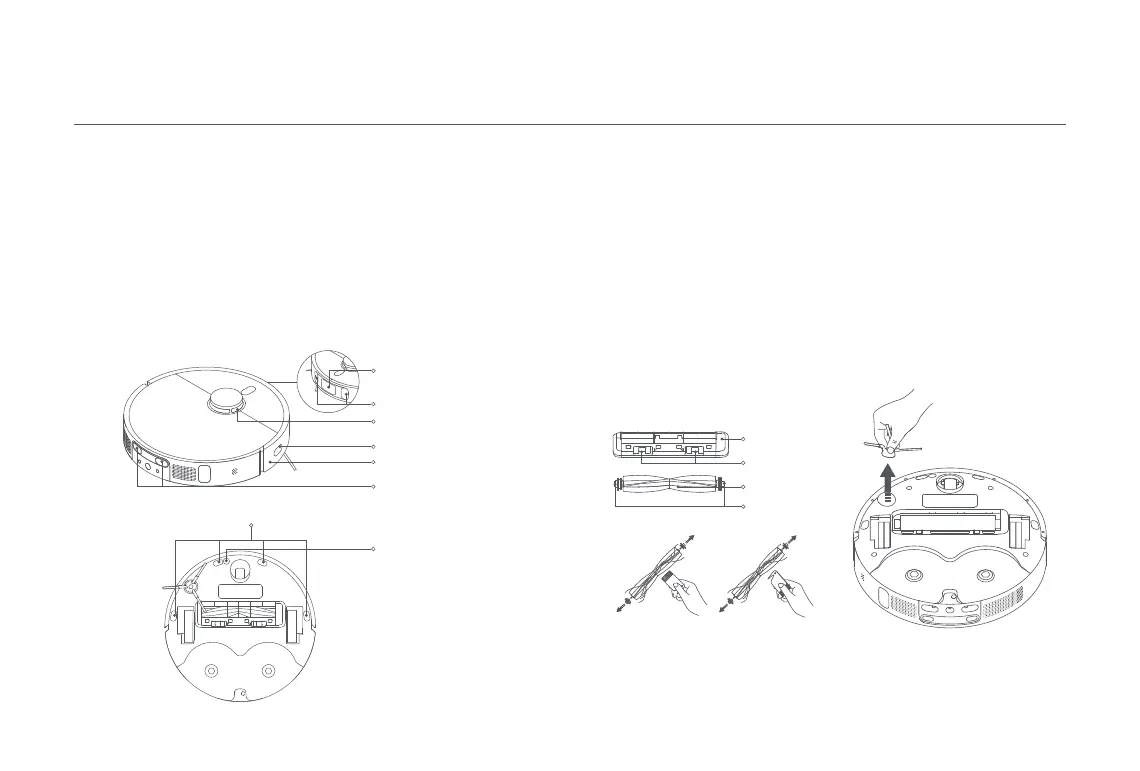
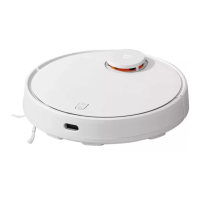
Use a soft cloth to clean all sensors and charging contacts in the robot
vacuum:
· The cliff sensors and the ultrasonic sensor on the bottom of the robot
vacuum.
· The charging contacts on the back of the robot vacuum.
· The edge sensor on the side of the robot vacuum.
· The LDS laser sensor on the top of the robot vacuum.
· The bumper, the AI visual recognition sensor, and the line laser sensors
on the front of the robot vacuum.
Sensors and Charging Contacts
Line Laser Sensor
AI Visual Recognition Sensor
Cliff Sensor
LDS Laser Sensor
Ultrasonic Sensor
Charging Contacts
Edge Sensor
Bumper
Brush Cover
Clip
Brush
Brush Bearings
CAUTION: If too much hair is tangled in the brush, or if the hair is tightly tangled, do
not forcibly pull on it, as this could damage the brush.
Brush and Side Brush
1. Flip the robot vacuum over and pinch the clips to remove the brush
cover.
2. Lift the brush out of the robot vacuum, then clean the brush bearings.
3. Use the included cleaning tool to cut any tangled hairs on the brush,
and remove the hairs and other debris from the brush.
4. Remove the side brush upwards to clean it.
5. Reinstall the brush, the side brush and the brush cover, and ensure
they are securely in place.
Notes:
· It is recommended to replace the brush every 6–12 months for optimal cleaning performance.
· It is recommended to replace the side brush every 3–6 months for optimal cleaning performance.










 To Next Page