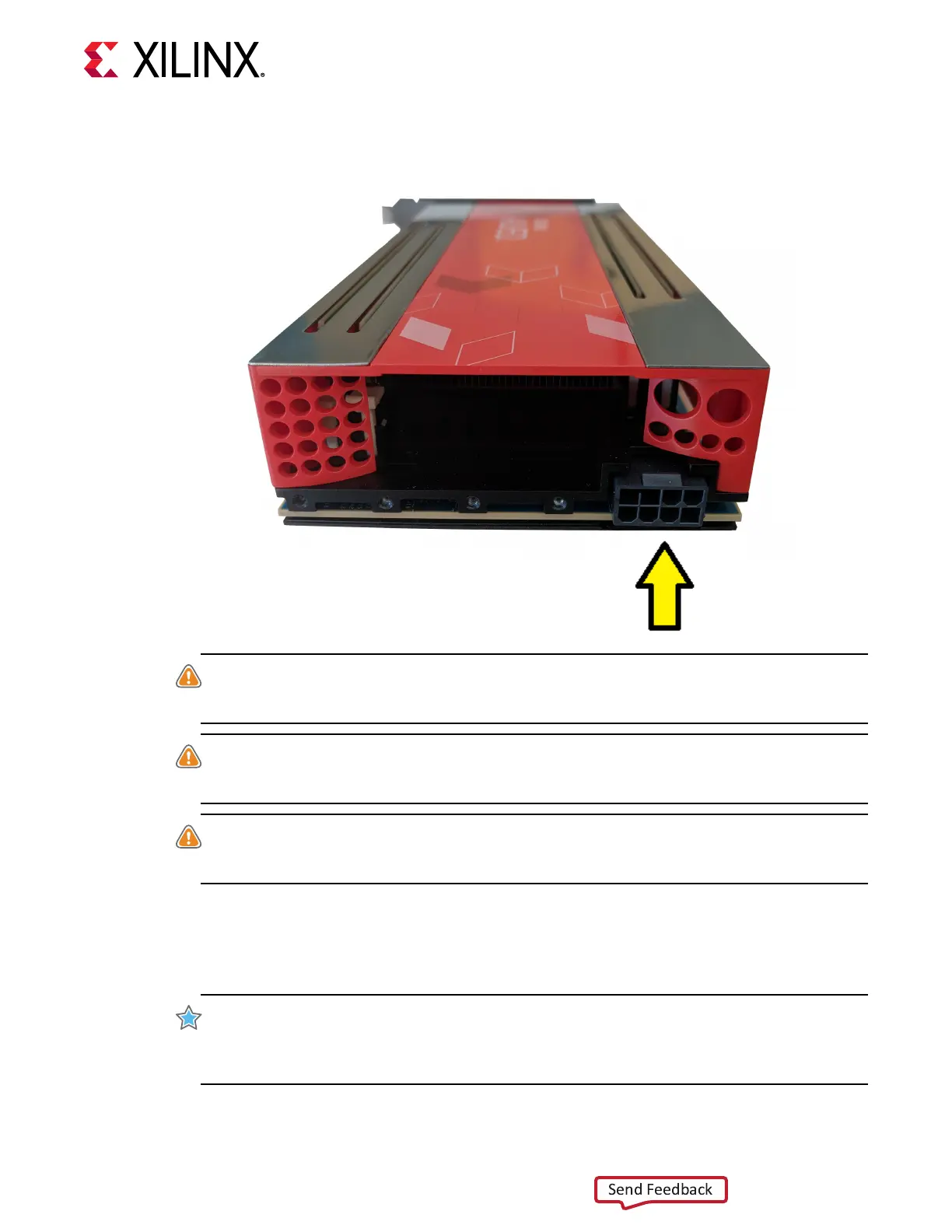
Figure 5: Connecting the Power Cable to Passively Cooled Cards
WARNING! Alveo cards are not compable with an ATX12V/EPS12V power source. Do not force
connecon to a CPU (ATX12V/EPS12V) power source. This will damage the Alveo card and void the
warranty.
ATTENTION! Les cartes Alveo ne sont pas compables avec une source d'alimentaon ATX12V /
EPS12V. Ne forcez pas la connexion à une source d'alimentaon CPU (ATX12V / EPS12V). Cela
endommagerait la carte Alveo et annulerait la garane.
WARNUNG! Alveo-Karten sind nicht mit einer ATX12V / EPS12V-Stromquelle kompabel.
Erzwingen Sie keine Verbindung zu einer CPU-Stromquelle (ATX12V / EPS12V). Dadurch wird die
Alveo-Karte beschädigt und die Garane erlischt.
The power-supply can have an 8-pin or a 6-pin power connector
conguraon. Some power
supplies label this cable PCIe Auxiliary Power or VGA. These connector conguraons are not
pin compable with other power source types. Do not force a connecon to any power
source other than PCIe Auxiliary Power.
IMPORTANT!
Only 140W of power is available with the 6-pin connector (65 Was from PCIe
connector with 12V source, and 75 Was from the 6-pin AUX connector). 215W is available with the
8-pin connector (65 Was from PCIe connector 12V source, and 150 Was from the 8-pin AUX
connector).
Chapter 3: Card Installation Procedures
UG1301 (v1.8) February 5, 2021 www.xilinx.com
Getting Started with Alveo Accelerator Cards 18


 To Next Page