4. Express Keys
Notes:
a.
he graphics tablet's shortcut keys are designed to work with US English keyboards. Keys may not
function correctly with the other keyboard languages.
b. By default, the graphics tablet'
s express keys are mapped to standard Photoshop keyboard
shortcuts. Keys
can be customized to function efficiently in other software.
4.1. In the Express Keys tab, each express key has default.
You may choose your preferred functions for the graphics tablet's shortcut keys. Use the "Reset
Customer
Defined "option to program custom keystrokes.
You can set each shortcut key for different software
18
he graphics tablet's shortcut keys are designed to work with US English keyboards. Keys may not
function correctly with the other keyboard languages.
s express keys are mapped to standard Photoshop keyboard
can be customized to function efficiently in other software.
4.1. In the Express Keys tab, each express key has default.
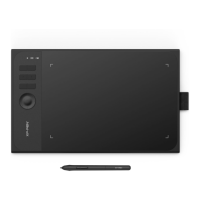
Image 3-25: Express keys
You may choose your preferred functions for the graphics tablet's shortcut keys. Use the "Reset
Defined "option to program custom keystrokes.
.
Image 3-26: Action Setting
You can set each shortcut key for different software
.
he graphics tablet's shortcut keys are designed to work with US English keyboards. Keys may not
s express keys are mapped to standard Photoshop keyboard
can be customized to function efficiently in other software.
You may choose your preferred functions for the graphics tablet's shortcut keys. Use the "Reset













 To Next Page