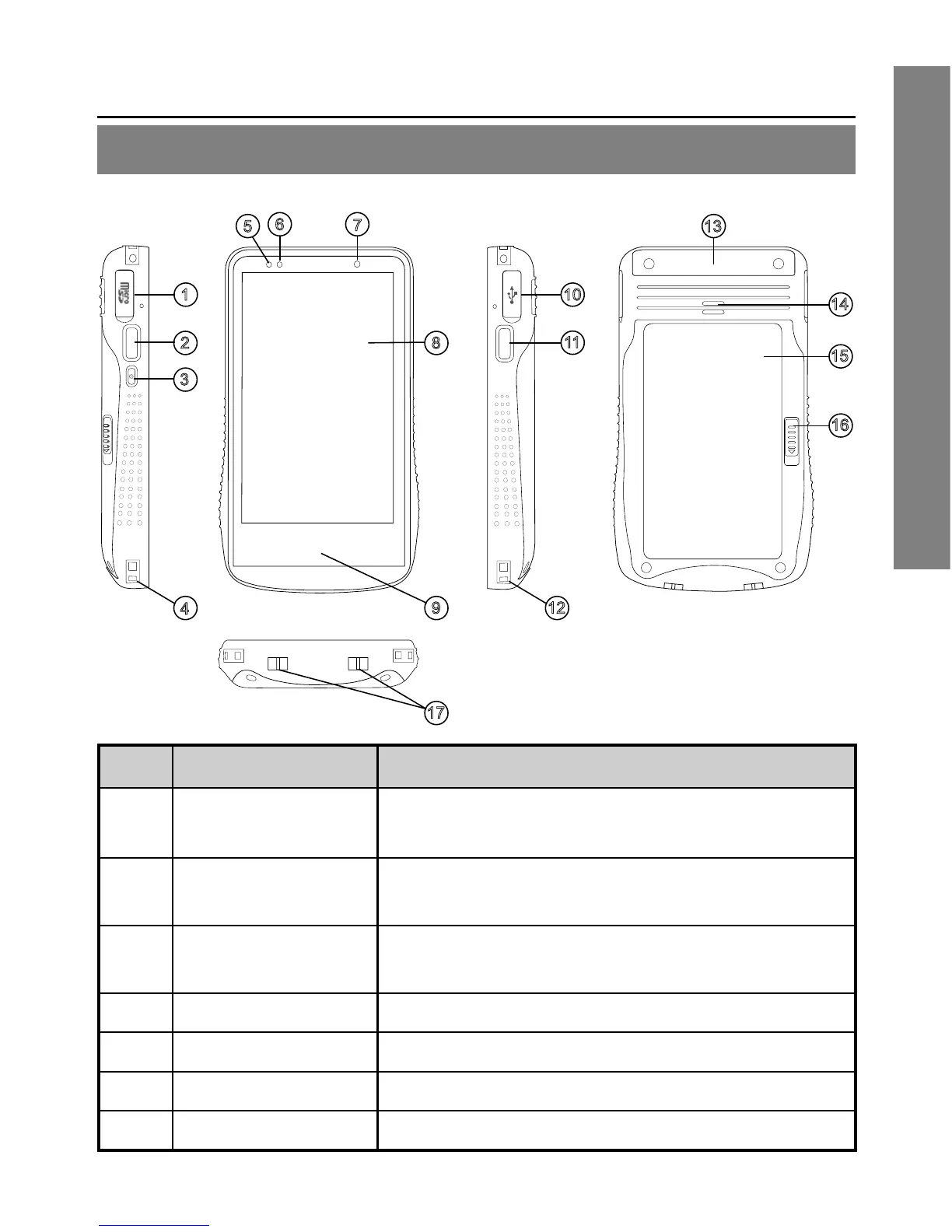
No. Item Description
1
MicroSD card
cover
Open the cover to access the MicroSD card
slot
2 Left side key
Congurable shortcut key. Default as Menu
key
3 Power key
Press and hold to turn the device on or off.
If the device is on, press to suspend.
4 /12 Strap eyelet Attach the anti-drop string
5 Congurable LED Software congurable LED
6 Device LED Power and Wi-Fi connection status indicator
7 Light sensor Auto screen brightness control
Getting Started


 To Next Page