8
Battery Charging
Charging the Device
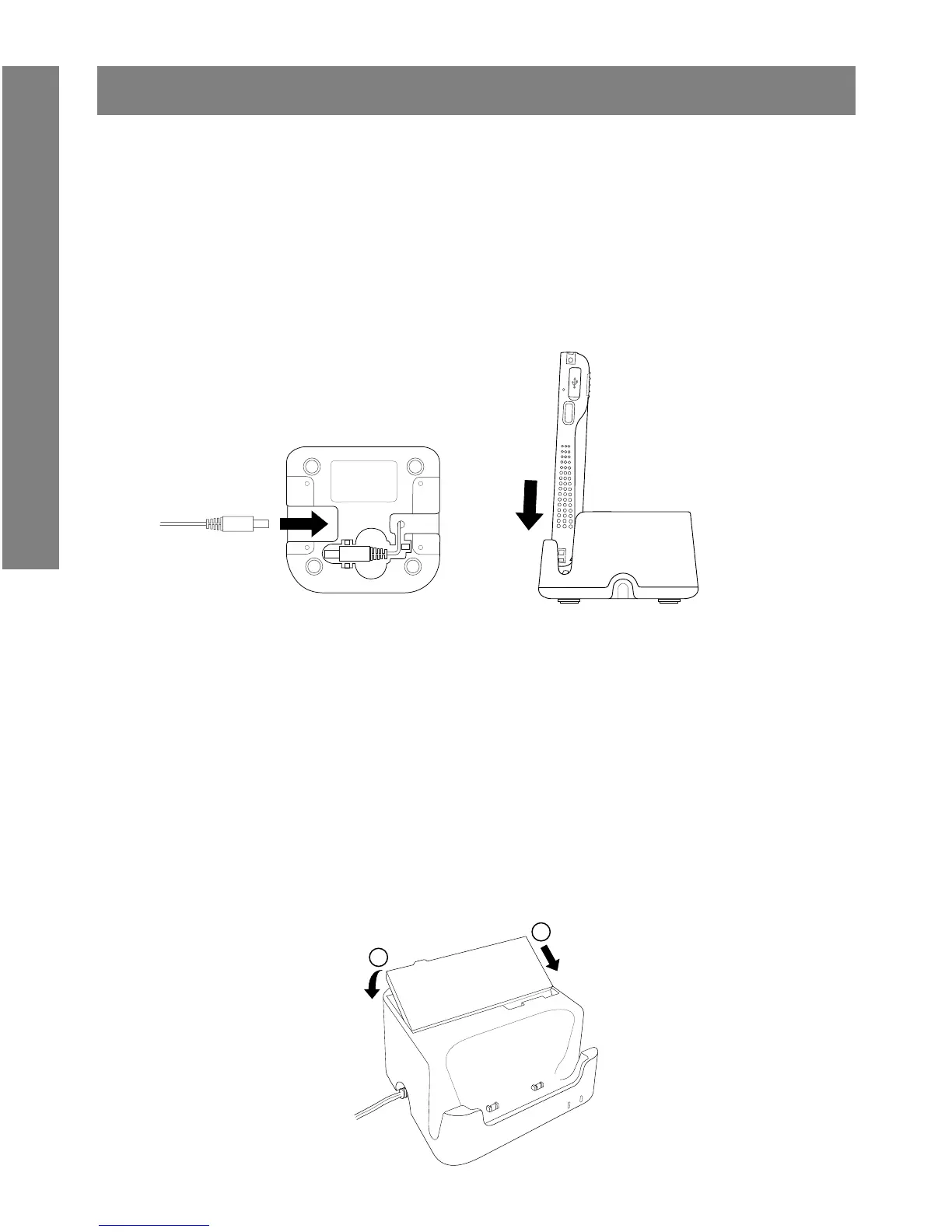
1. Connect the AC/DC adaptor to the DC jack of the cradle.
2. Plug the AC/DC adaptor into a suitable power socket. The cradle
power LED will turn green when power is supplied to the cradle.
3. Insert the device to the cradle slot. The device LED will ash amber
while charging, then it will turn green when fully charged.
Note: Alternately, use the approved travel adaptor to charge the device
via the USB connector.
Charging the Spare Battery
1. Align the battery metal contacts with the contact plates of the
battery slot.
2. Press the battery down to t into the battery slot. The cradle battery
LED will turn red while charging, then it will turn green when fully
charged.


 To Next Page