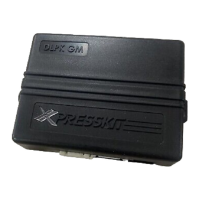
Rev.: 20191108
Platform: DBALL2
Firmware: BMW03
© 2019 Directed. All rights reserved.
Installation Guide
Update Alert: Firmware updates are posted to the web on a regular basis. We recommend
that you check for firmware and/or install guide updates prior to installing this product.
† BMW and MINI are registered trademarks and property of their respective companies.
One universal transponder bypass module and one factory programmed key is required to install a remote starter.
Doorlock and for BMW and MINI vehicles. dditional module KIBMW5 Electronic Ignition Interface A
is required for some BMW vehicles which have Key Barrel and Ignition Switch with ribbon cable
(type 2 and type 3). Features include door locks, turn signals, windows and sunroof, door trigger
sensing, hood pin, trunk/hatch, ignition and tach output.
Index
Vehicle Application Guide................................................................................................................................................
A Note Regarding Climate Controls.................................................................................................................................
Immobilizer Interface.......................................................................................................................................................
Installation - Wiring Diagram
Type 1 (Automatic Transmission)....................................................................................................................................
Type 1 (Manual Transmission)........................................................................................................................................
Locating components .....................................................................................................................................................
Type 2 (Automatic Transmission)....................................................................................................................................
Type 2 (Manual Transmission).........................................................................................................................................
Type 2 Connection Guide for KIBMW5..........................................................................................................................
.
Type 3 (Automatic Transmission)....................................................................................................................................
Type 3 (Manual Transmission).........................................................................................................................................
Programming
Module Programming......................................................................................................................................................
Module Reset..................................................................................................................................................................
Feature & Option List.......................................................................................................................................................
Feature Programming......................................................................................................................................................
LED Diagnostics and Troubleshooting............................................................................................................................
Warranty...........................................................................................................................................................................
02
02
03
04
05
06
07
08
09
10
11
13
14
15
15
16
17


 To Next Page
 General