3.Anyscan A30M Main Interface and Functional
Buttons Descriptions
3.1 Main Interface
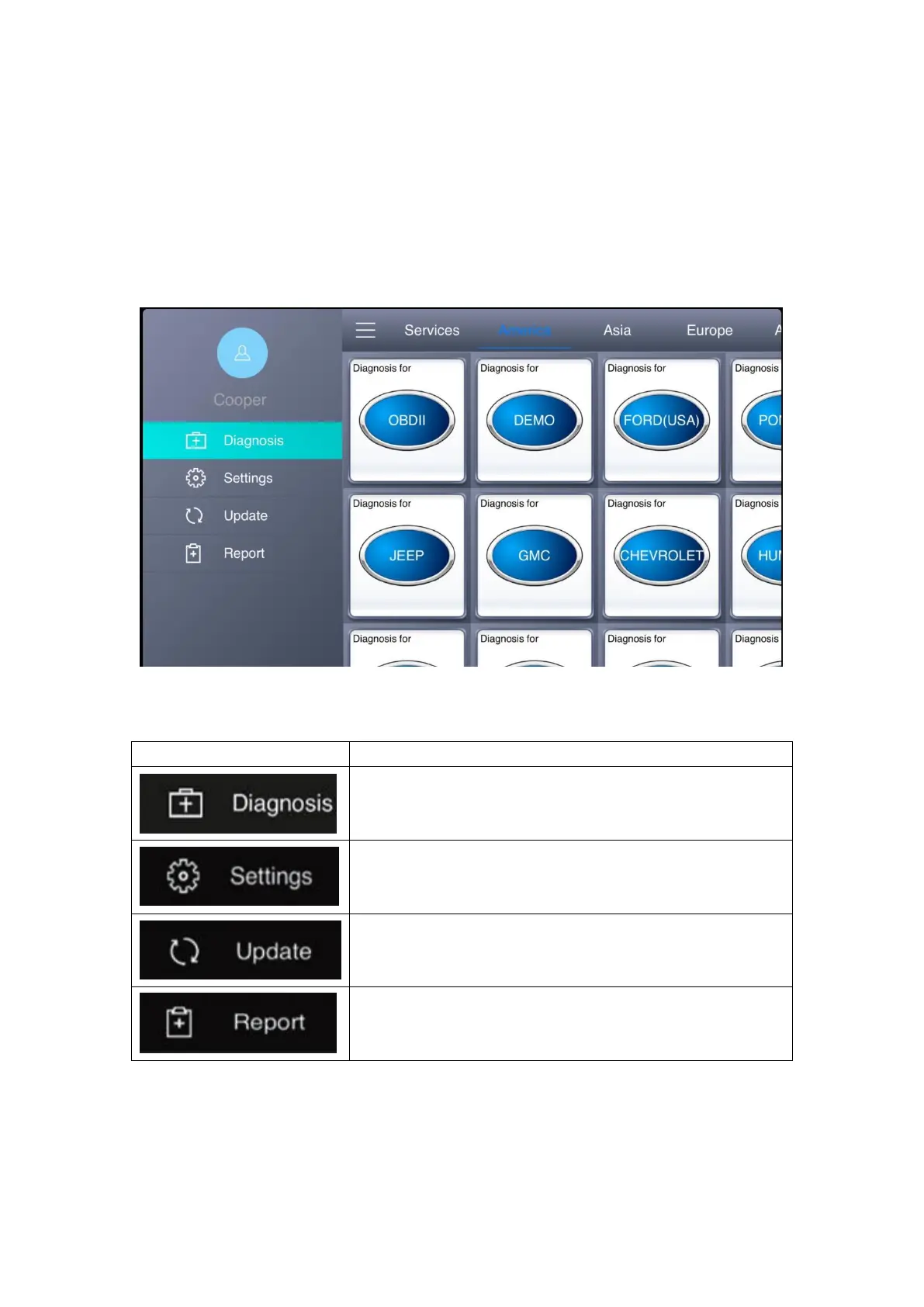
Tap on Anyscan A30M application icon, the main interface and sub-menus will be shown as
below。
3.2 Sub-menus and Function Buttons
It can read diagnostic information, view live data,
perform actuation tests and special functions etc.
Access the language setting and other settings.
Click Update after connecting to internet, you can then
download the latest diagnostic software directly.
Users can view all the diagnostic reports and data
generated in the diagnosis process.
4.Vehicle Connection Diagnosis
Anyscan A30M can be connected to vehicles in the following way:



 To Next Page