25
3 UPDATE & DELETE
UPDATE SOFTWARE
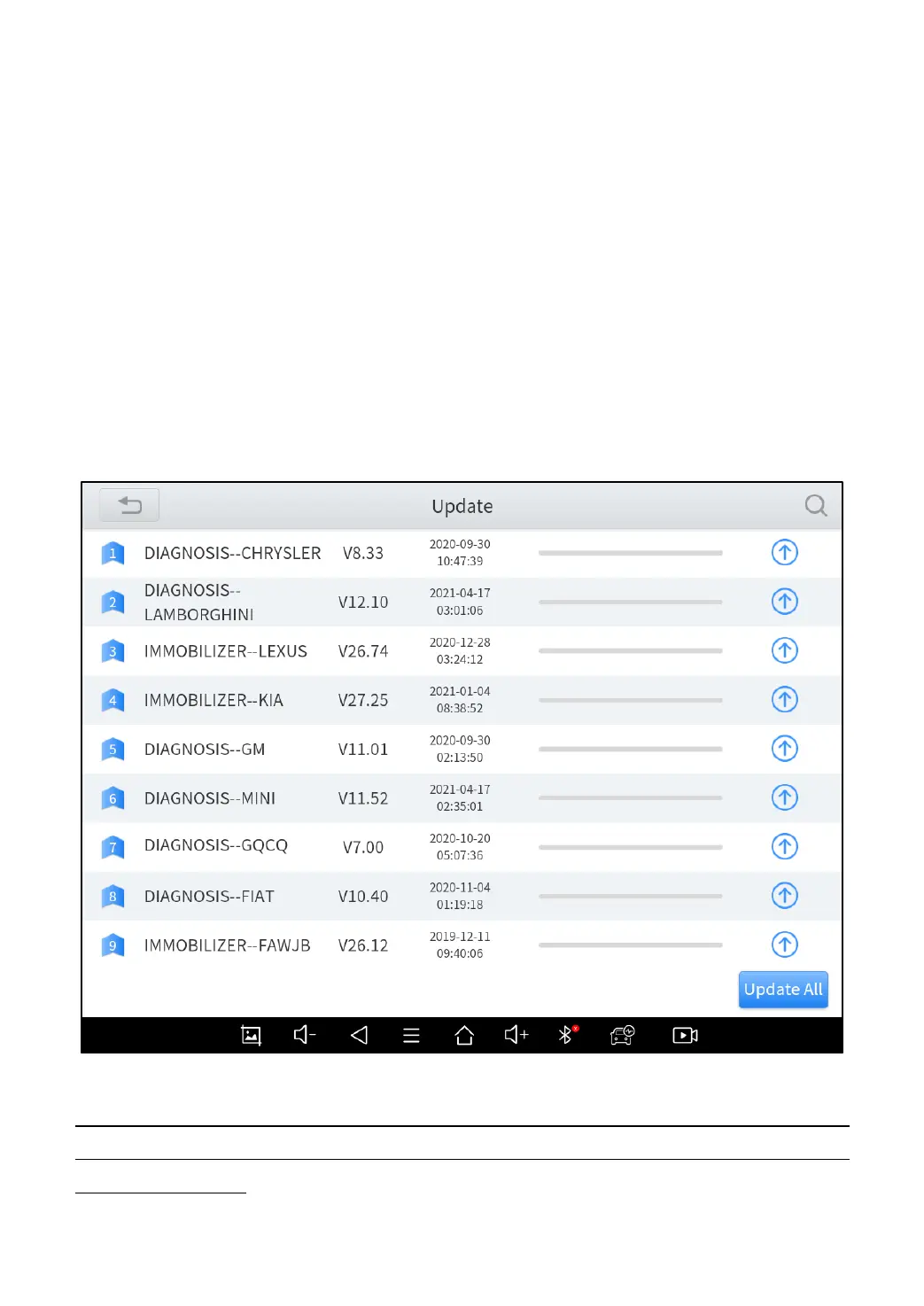
After activating the device, please update the software in "Update" first.
The device will pull all currently supported software packages from our
servers, and you can download them as needed. To access the update
application, open the diagnosis application and click UPGRADE, and it will
show as below:
Figure 3-1 Sample of How to Update Vehicle Software
D9 PRO Smart Diagnosis System has a three-year free subscription when activated.
When you click “update” and it shows “your device is now out of subscription”, please
contact your dealer.



 To Next Page