29
VEHICLE SELECTION
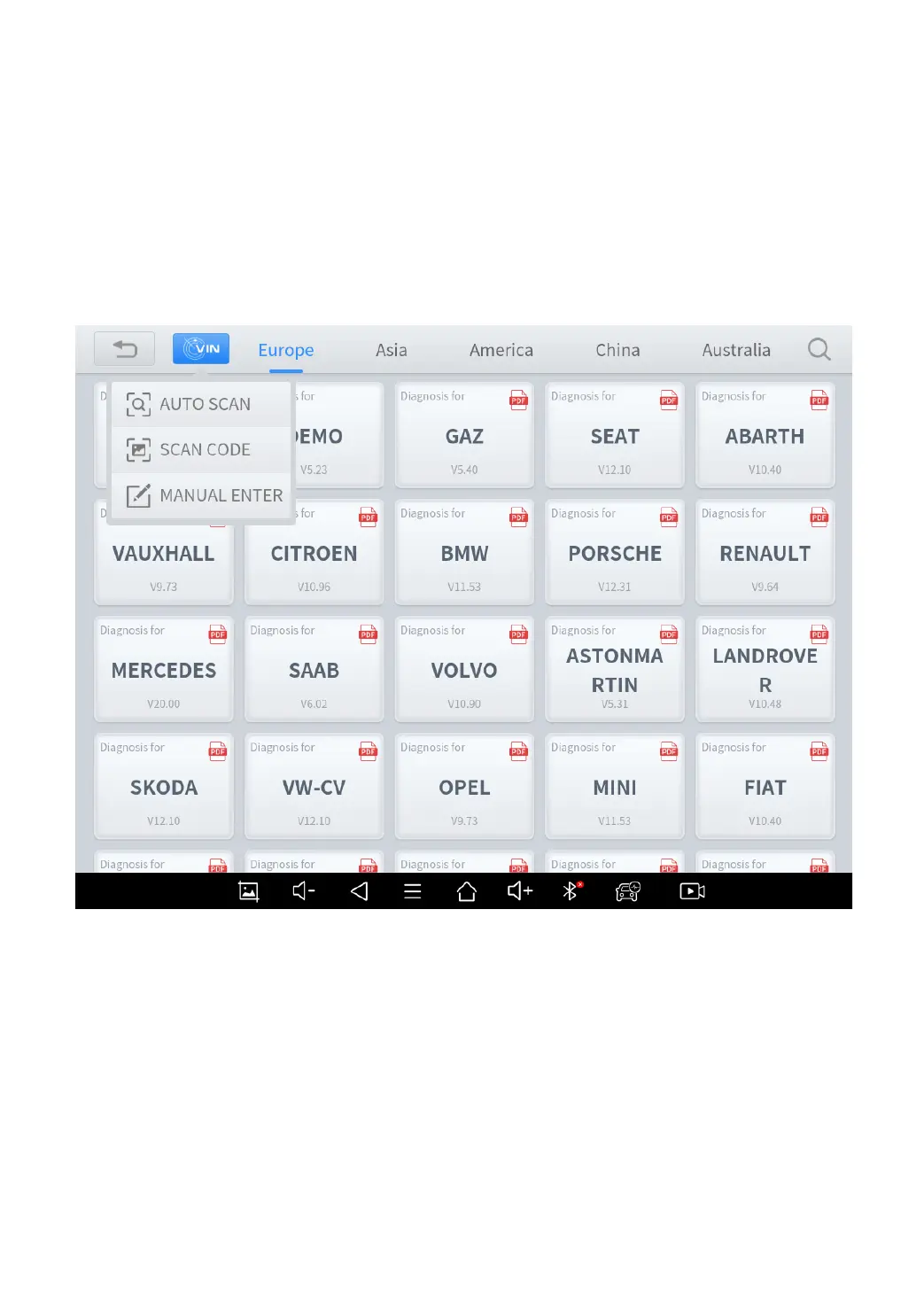
Click the “Diagnosis” icon on the main screen and get into the diagnosis
menu. All brands will be shown on the screen.
Please select the region of your vehicle, click the correct brand, and start
the diagnosis process.
Fig 4-2 Sample of Vin Identification
Click the VIN button in the upper left corner, you can choose to enter
the vehicle diagnosis through the first 3 ways of AUTO SCAN/SCAN
CODE/MANUAL ENTER.
⚫ AUTO SCAN



 To Next Page