VEHICLE CONNECTION
WIFI CONNECTION
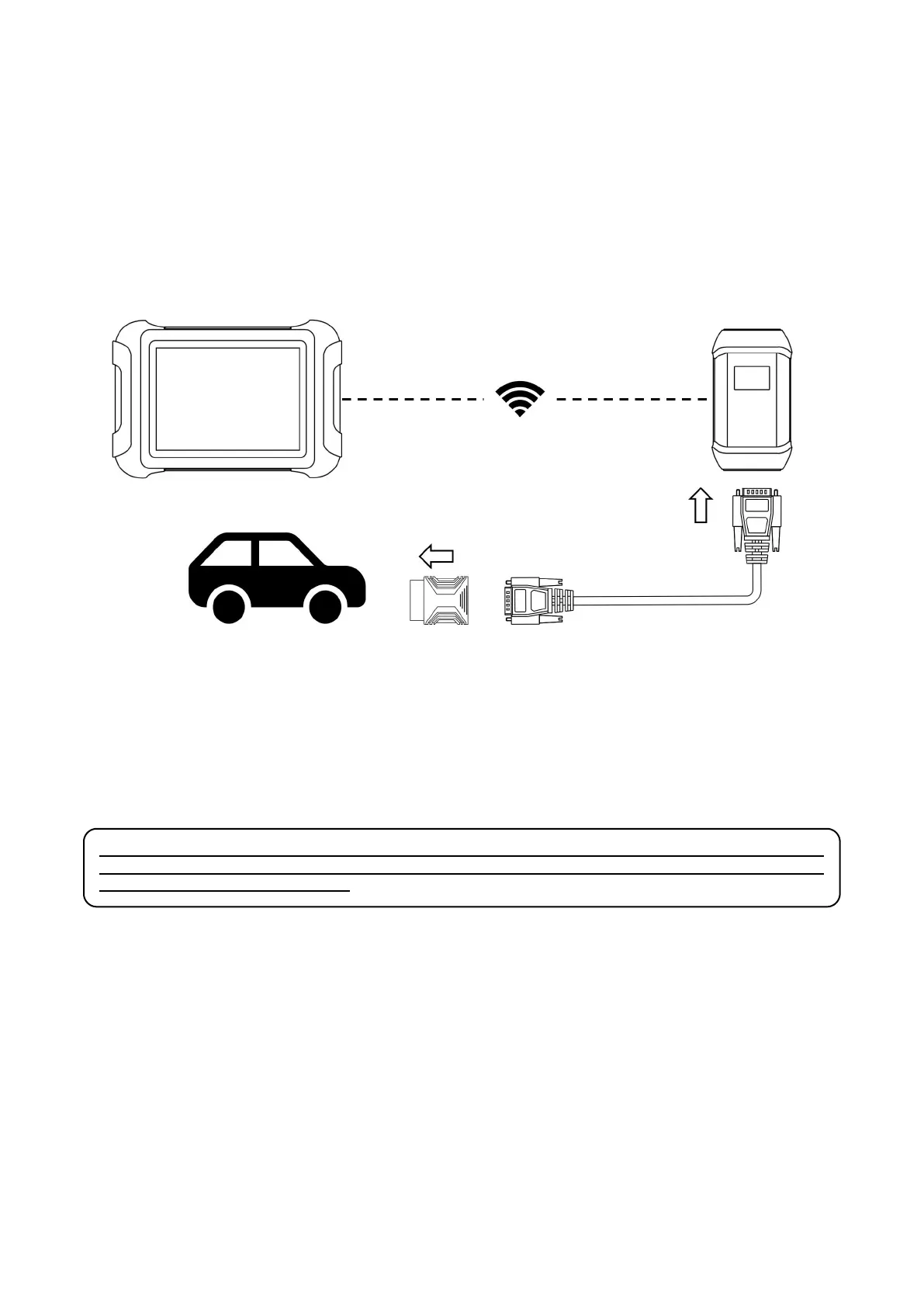
The WIFI connection method is shown in the figure below:
The scan tool must be connected to the vehicle’s OBD-II port so that the tablet can establish correct vehicle
communication. Please perform the following steps:
1 Turn on the tablet
2 Connect VCI with Vehicle via main test cable and OBD adapter, make sure WIFI connection works fine
3 Switch on the ignition and tap on the Diagnostic application to start your diagnosis.
⚠
Note: The vehicle’s DLC is not always located under the dash; for the location of the DLC, please refer to
the vehicle owner’s manual. Some older vehicles are not compatible with the OBD
Ⅱ
-16 adapter, please make
sure you’re using the correct adapter.
WIRED CONNECTION
When using functions such as ECU programming & coding, please use the USB 3.0 to TYPE-B main cable to connect the
tablet to the VCI box to prevent the failure of function execution due to unstable data transmission and thus any other
damage.



 To Next Page