Xtreme Power Conversion Corporaon
C60 User’s Manual
Page 4
Uninterrupble Power Supply
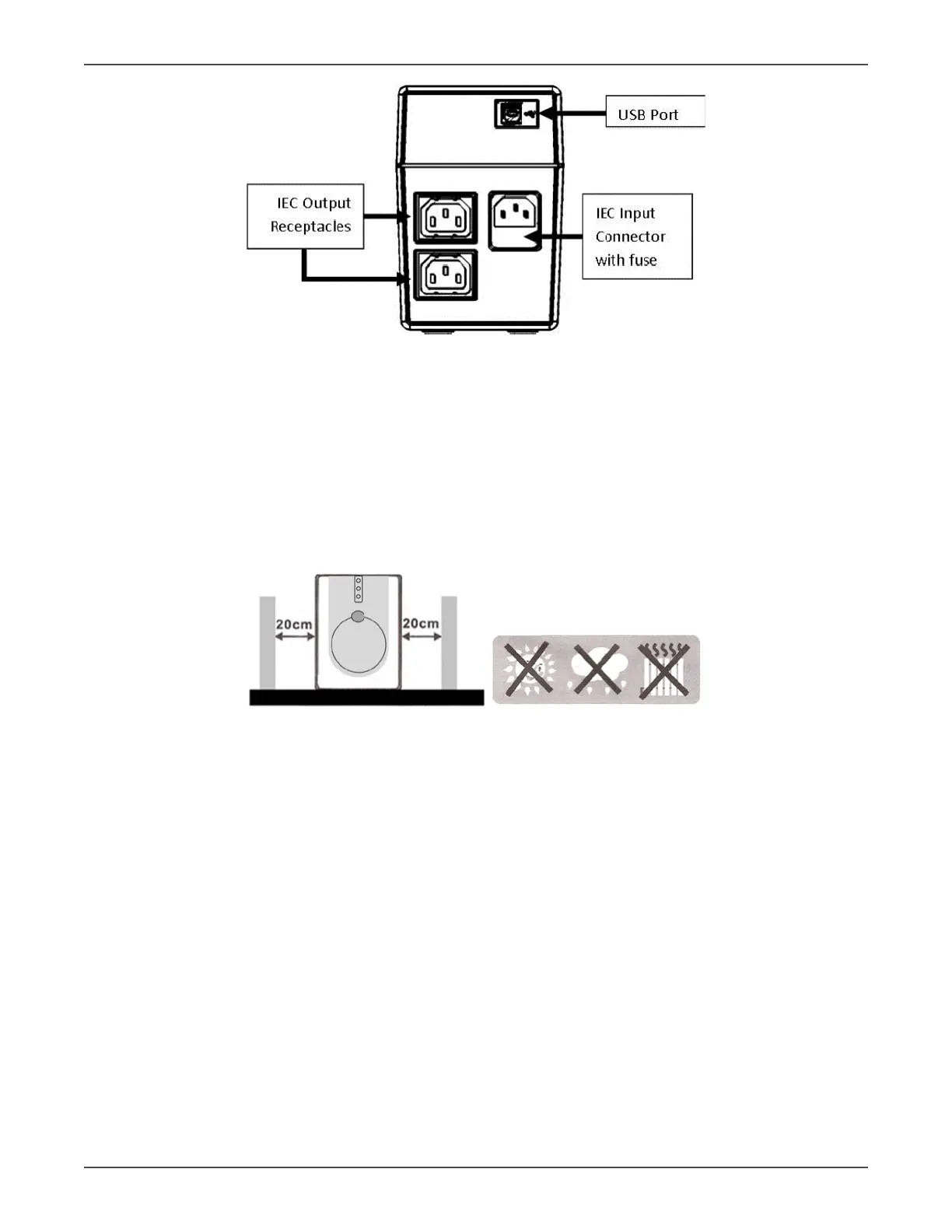
Rear view - C60i-800
Installaon & Inial Startup
Note: Before installaon, inspect the unit and packaging to make sure that nothing inside has been damaged.
Placement & Storage
Install the UPS in a protected area that is free of excessive dust and has adequate air ow. Place the UPS away
from other units at least 7.8 in (20 cm) to avoid interference. DO NOT operate the UPS where the temperature and
humidity is outside the specied limits. (See Specicaons for details).
Connect UPS to Ulity and Charging
Before the inial use of the UPS, plug the UPS input cord into a wall outlet and turn the UPS on by depressing the
Power switch on the front of the UPS. For best results, the baeries in the UPS should be charged for at least 8
hours before use. The UPS charges its baery while it is connected to AC ulity power and powered on.
Connecng the Loads
Plug the loads to be supported by the UPS into the output receptacles on the rear of the UPS. Simply turn the
power switch on the UPS on and the devices connected to the UPS will be protected by the UPS unit.
CAUTION: NEVER connect a laser printer or scanner to the UPS. This may cause damage to the unit.
Turn UPS ON/ OFF
To turn the UPS unit on, press the Power switch on the front of the UPS. To turn the UPS unit o, press the Power
switch on the front of the unit again.
Connecng Local Monitoring Soware
If it is desired to use the Local Monitoring Soware, and if your UPS is equipped with USB communicaons, con‐
nect a USB cable from your computer to the UPS,and install the soware from the CD.



 To Next Page