-13-
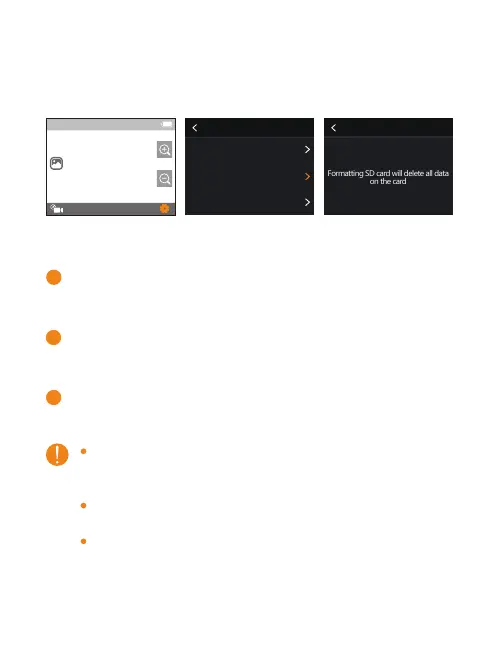
B. SD Card Formatting
Insert the SD card in the state of turning off and
then turn on the camera
Tap Settings mark and swipe down to find the
setting Format SD
Tap it and Confirm to complete the format.
The camera supports Class 10 UHS-U3 or above,
64GB to 256GB, please ensure the quality of SD
card.
You must format the SD card on the camera before
using.
If your SD card isn't compatible with the camera, it
will pop up “SD Card Unavailable, Please Format”
when you turn on the camera. It will also pop up
“Please Format SD Card” when you press any
button.
settings
Voice Control
Format SD
Factory Reset
4K60
00:01:03/00:07:01
Format SD Confirm
Format SD at once
Formatting SD card will delete all data
on the card
1
2
3


 To Next Page