-31-
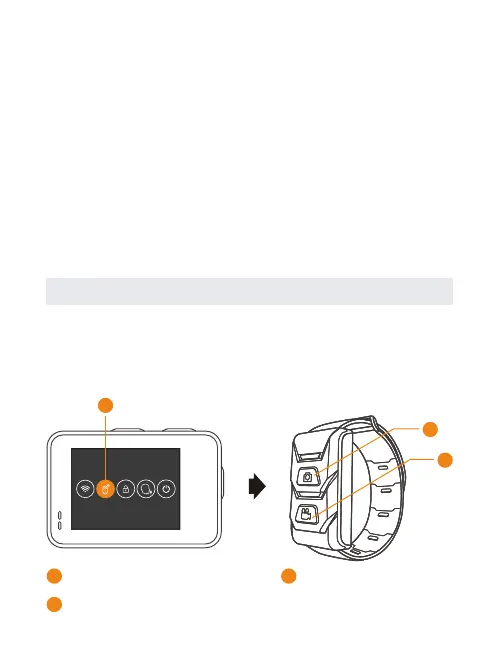
Remote Control Instruction
Swipe down on the screen with your finger after powering
the camera on to find the Remote Control setting. Choose it
and camera is connected to Remote Control Watch.
1
3
2
2
1
Remote Control Setting
Press to take a photo
3
Press to record video
Inversion Mode
Turn on to change the up and down direction of the
content displayed on the screen.
Format SD
Format your SD card to delete all data on the card.
Factory Reset
This will restore all of your camera’s original settings, clear
all device connections.
Information
Know about the information of the camera.


 To Next Page