-14-
Operation Instructions
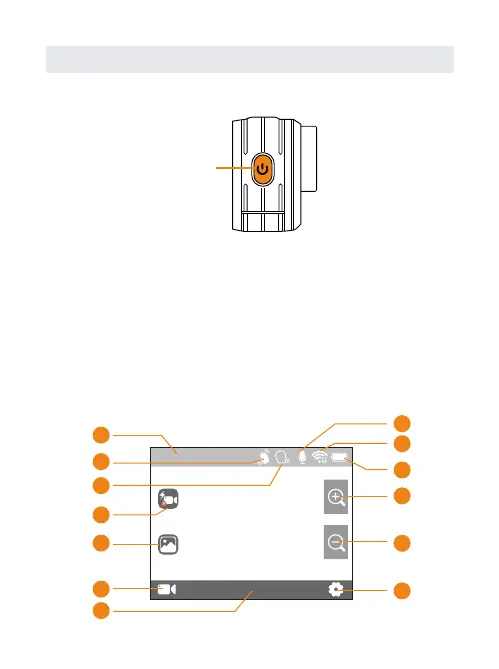
Turn ON/OFF
Main Interface Instruction
Power Button
Extended press「Power Button」:Turn on the camera.
Extended press「Power Button」:Turn off the camera.
This screen gives you total access to your camera’s
settings and provides information about your camera.
The settings shown vary by mode.
00:00:00/00:07:01
4K30
9
10
11
12
13
1
2
3
4
5
6
8
7


 To Next Page