-12-
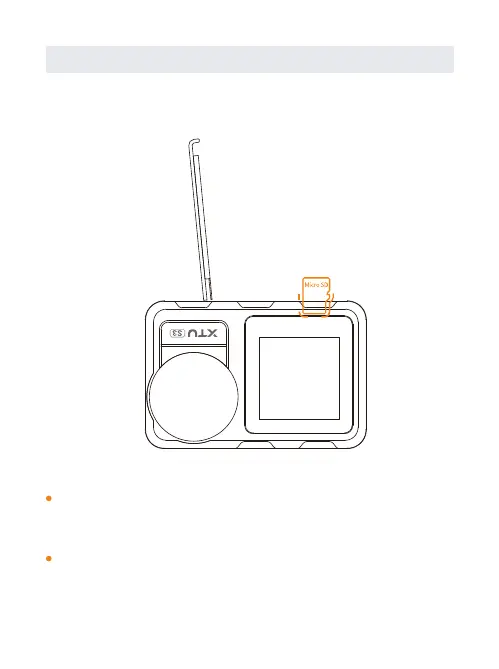
A. SD Card Insertion and Out
Find the Micro SD card slot in the camera, and insert
the card into the camera as the direction mark shows
and push inside.
SD card out: Press down the SD card until you’ve heard
a insertion sound; Then the SD card will pop out along
with a pop sound.
SD Card Insertion and Formatting


 To Next Page