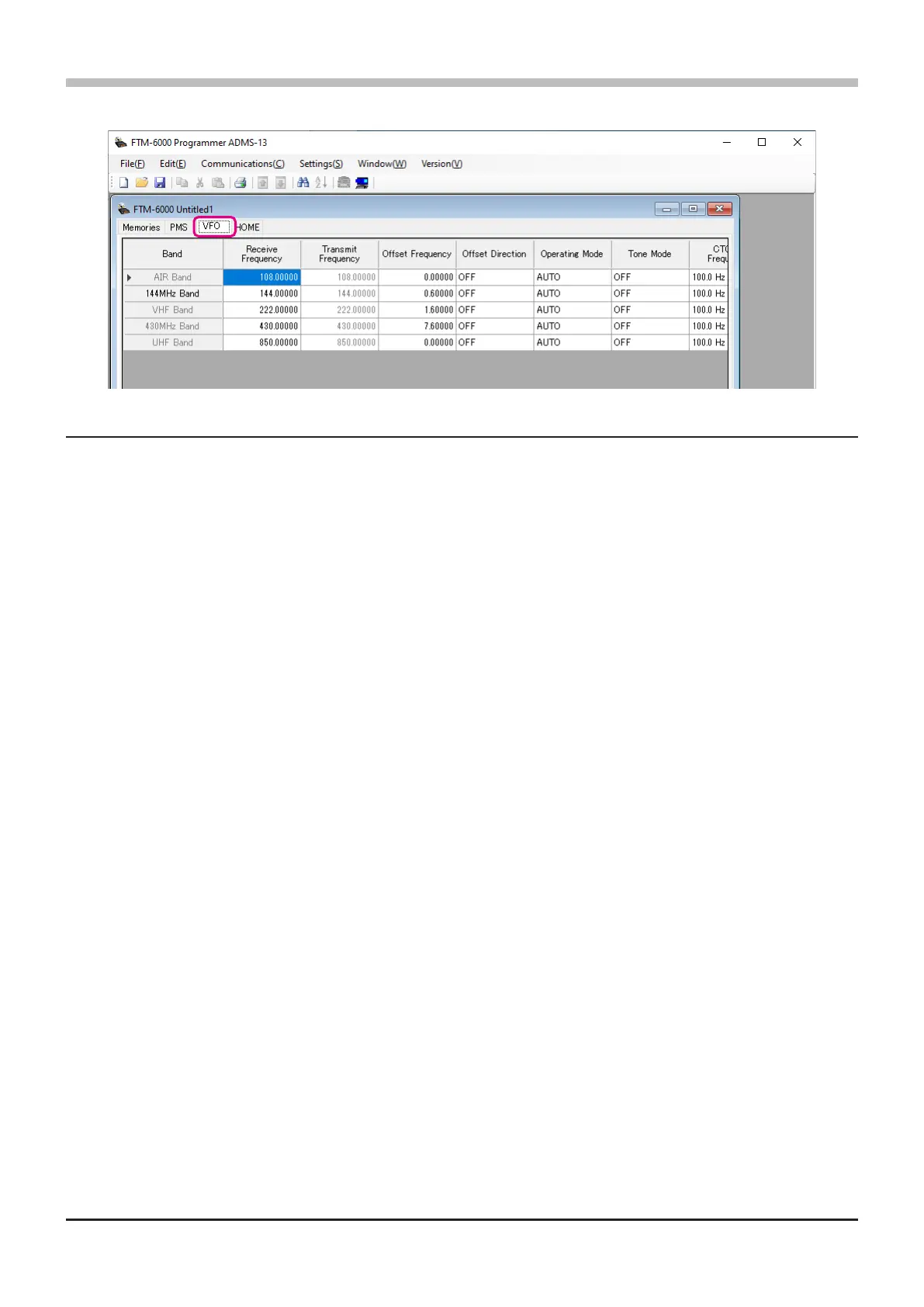
VFO
Edit the VFO congurations for each band on this page template.
About the setting items of VFO frequencies
• Receive Frequency
Enter the VFO frequencies for each band. The FTM-6000R/E default Frequencies are pre-entered into the
ADMS-13 standard template.
A frequency that is out of the transceiver’s range cannot be entered. When the error pop-up window is
opened, enter the correct frequency.
• Transmit Frequency
The transmit frequency display is grayed out, and it will be set automatically, in accordance with the
receive, and the oset frequencies.
• Oset Frequency
When a transmit frequency is not entered, transmission will be performed at a frequency obtained by
adding/subtracting the oset frequency to/from the receive frequency.
• Oset Direction
Set the frequency shift direction.
OFF: The transmit frequency is not shifted.
-RPT: The transmit frequency is shifted to the minus oset.
+RPT: The transmit frequency is shifted to the plus oset.
• Operating Mode
Select the operating mode for receive channel.
FM: The selected frequency band is set to FM mode.
AM: The selected frequency band is set to AM mode.
• Tone Mode
This item selects the Audio Squelch Code type.
• CTCSS Frequency
This item selects the Tone Frequency of the Tone Squelch.
• DCS Code
Select the DCS code when DCS is set.
22



 To Next Page