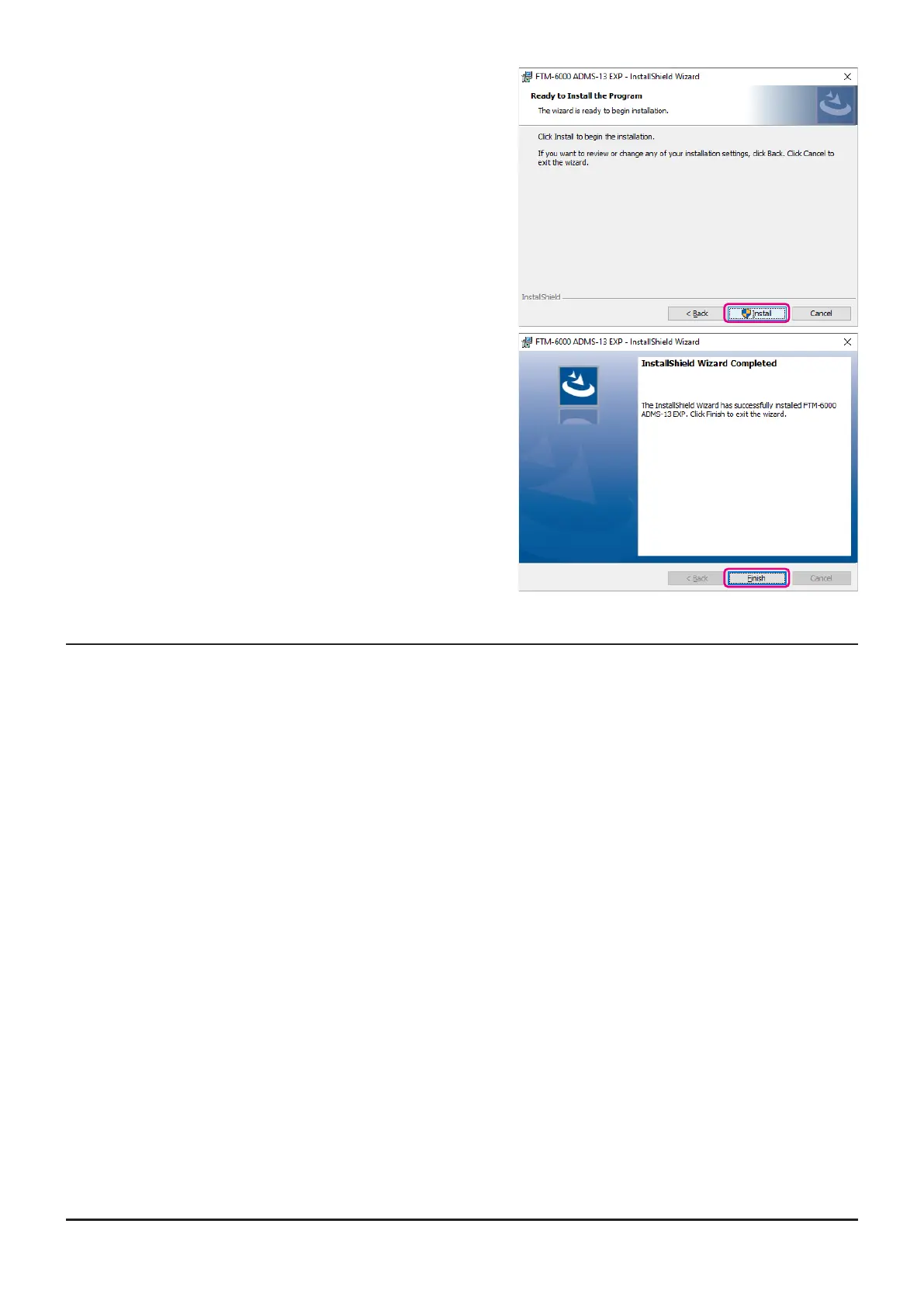
5. Click the [Install] button.
• When the [User Account Control] dialog box opens,
click the [Yes] button.
6. When the installation is nished, the dialog box shown
right will open. Click the [Finish] button, to complete
the installation of the software.
Unistalling the ADMS-13
The procedure to uninstall the ADMS-13 on a Windows 10
®
(64 bit) computer is shown below for the pur-
pose of explanation.
1. Disconnect the USB Cable from the computer.
2. Click the [Start] button and then click “Settings”.
3. Click “Apps”.
4. Select “FTM-6000 ADMS-13 EXP” and then click “Uninstall”.
• When the “User Account Control” dialog box opens, click the left mouse button on [Yes].
• The uninstall of the software will start. The unistall procedure ends with this.
6



 To Next Page