Setup of the ADMS-13
The procedure to install the ADMS-13 on a Windows 10
®
(64 bit) computer is shown below for the purpose
of explanation.
Preparation
Please download the ADMS-13 software from the Yaesu Website for details (http://www.yaesu.com/).
Download the ADMS-13 Programming Software to the same folder, and extract the downloaded zip le.
Start up the computer as an “Administrator” user.
ADMS-13 Programming Software Installation
1. Start up the computer as an “Administrator” user.
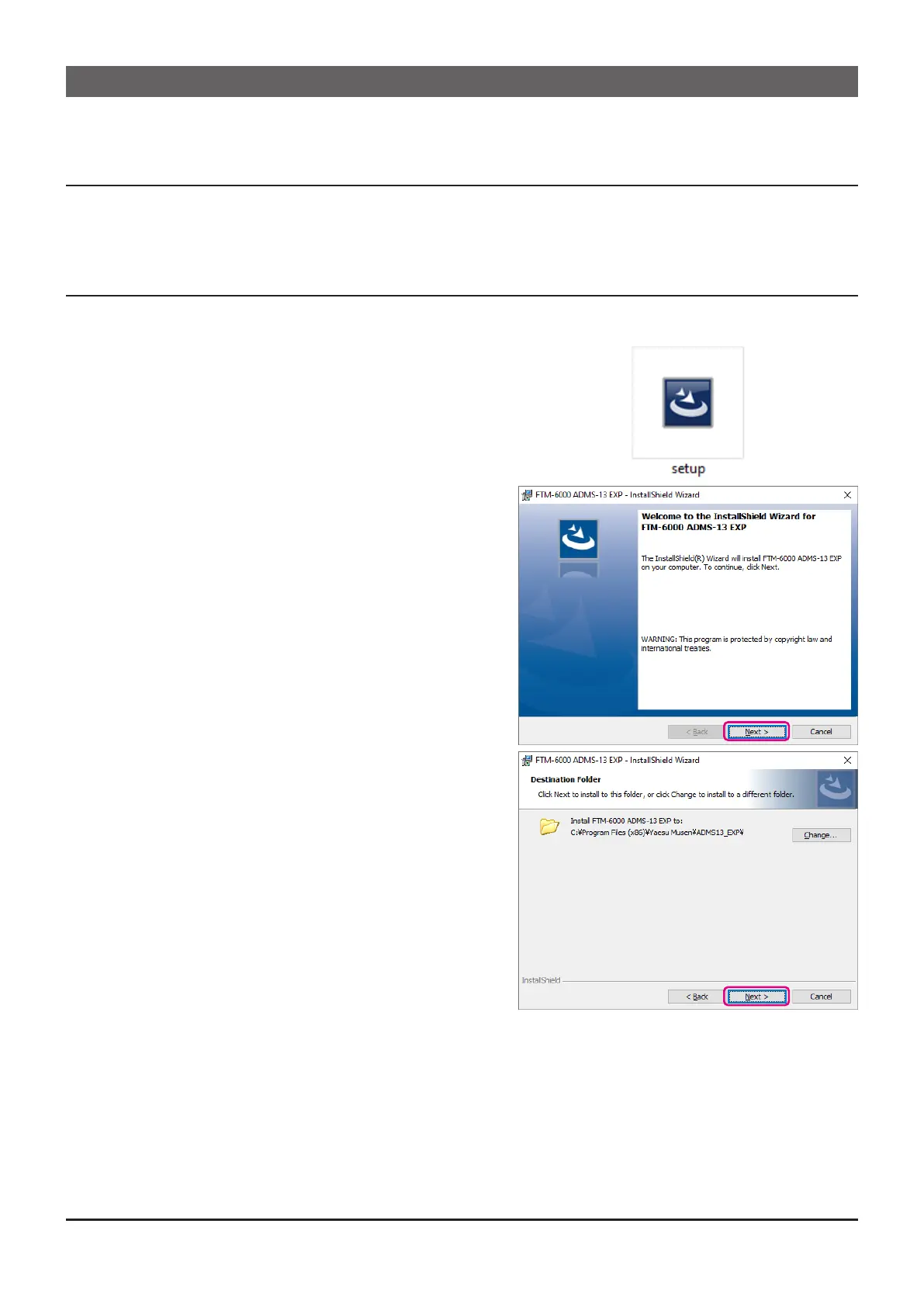
2. Double-click the “setup.exe” in the same folder that
you have unzip the les.
• When the “.NET Framework install” dialog box
opens, follow the on-screen instructions to install.
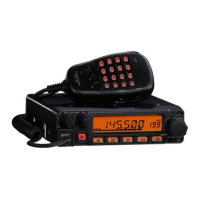
3. The dialog box, which is shown right, will open. Click
the [Next] button.
4. Select the folder to install, then click the [Next] button.
5



 To Next Page