SCU-20 USB Driver Software Installation
Do not connect the transceiver to the computer via the SCU-20 PC Connection Cable until the
driver installation process has been completed. Connecting the SCU-20 to the computer before
installation has been completed may result in the wrong driver being installed, preventing
proper operation.
Before using the SCU-20 PC connection cable, installation of the driver software for the SCU-20 is required.
Download the driver software for the SCU-20 in advance.
Download the designated driver software from the Yaesu website (http://www.yaesu.com/). Read the
installation manual thoroughly and install the driver.
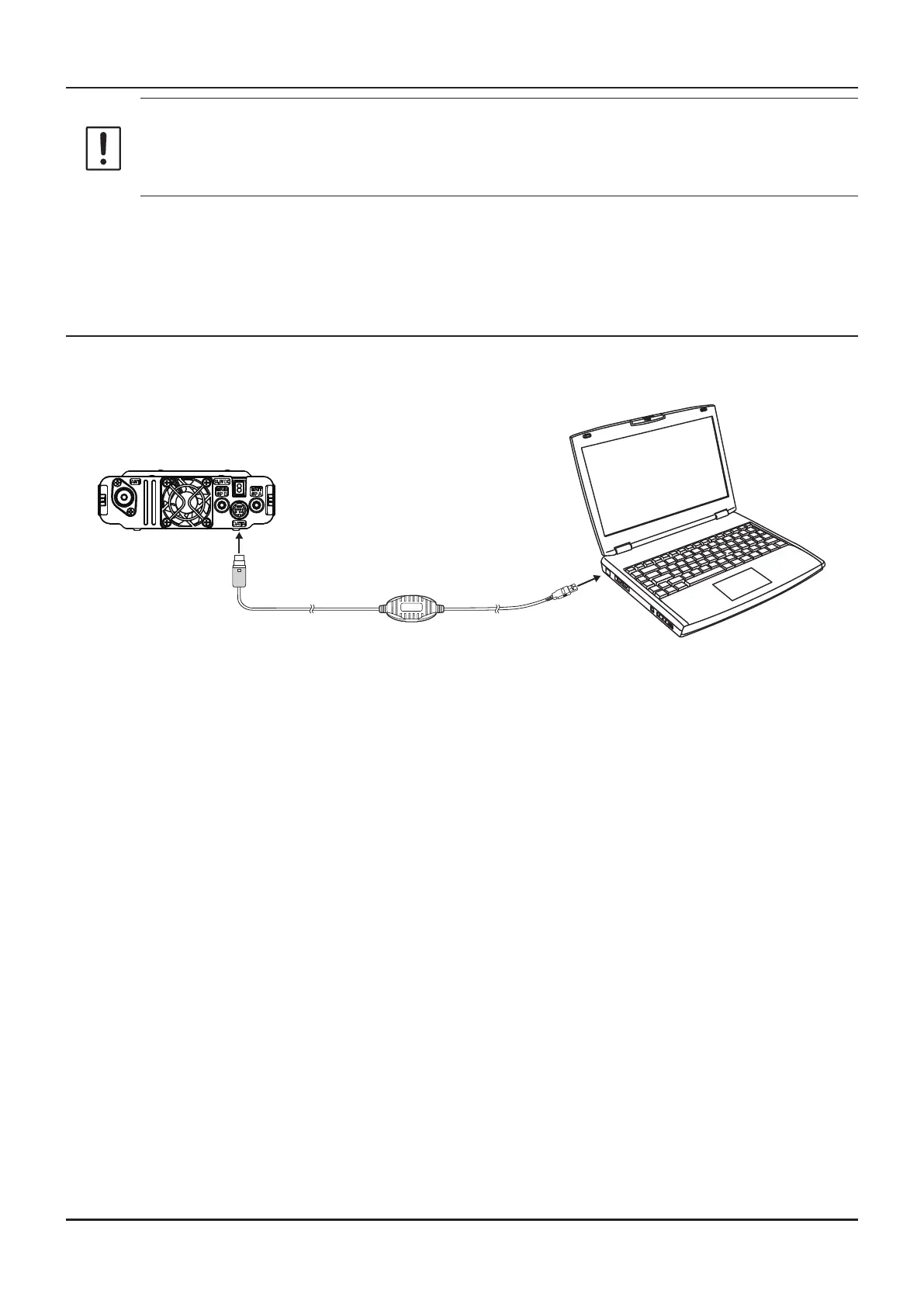
Connect the FTM-6000R/E and the PC
1. Refer to the gure and connect the SCU-20 PC connection cable.
When using the CT-163 cable, connect the D-SUB connector to the COM port of the PC.
USB
DATA
SCU-20
(Included in the optional SCU-40)
7



 To Next Page