20
Clearing Memories
Press and hold
the Function key
→
Press the
or
key
→
Press the Function key
(Conrms the setting)
(Enters the Set mode)
(Select Set Mode "20 MEM DEL")
1. Press the [
] key or [
] key to select the memory channel from which the
data is to be cleared.
2. Press the function key.
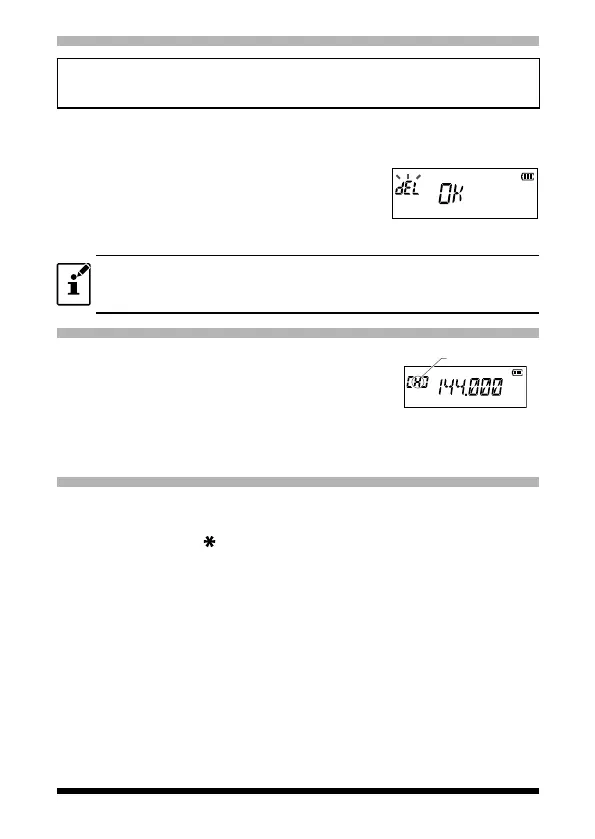
“del OK” appears on the LCD and the memory
channel is cleared.
3. Press the PTT switch to save the setting and re-
turn to the normal operation.
Data on memory channel One, and the Home channel cannot be cleared.
Recalling the Home Channels
1. Press the Function key, and then press the [P1]
key.
“H” and the home channel frequency of the cur-
rently selected band appears on the LCD.
2. Press the [#VFO] key or press the Function key,
and then press the [P1] key to return to the previ-
ous frequency.
Home channel
indication
Changing the Home Channel Frequency
1. Set the frequency and the operating mode that are to be stored as the
home channel.
2. Press and hold the [
MR] key.
A blank memory channel will be displayed automatically.
3. Press the [P1] key.
“HOM-IN” is displayed, the Home channel frequency is changed and the
radio is returned to normal operation.


 To Next Page