3
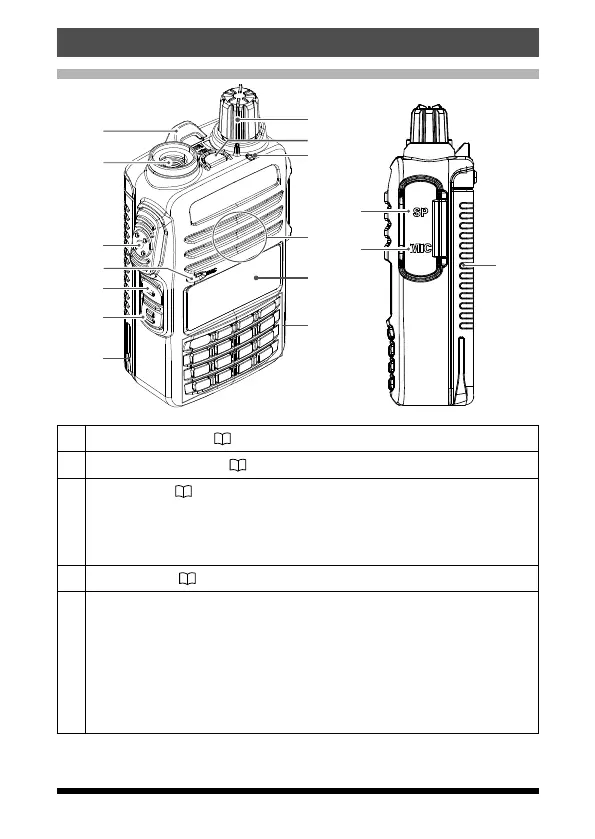
Controls & Connections
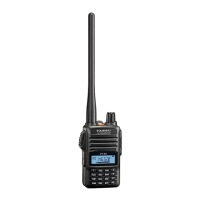
Transceiver
①
②
③
④
⑤
⑥
⑦
⑧
⑨
⑪
⑫
⑬
⑭
⑮
⑩
⑦
①
Strap attachment (
11)
②
Antenna Jack(SMA)
( 11)
③
PTT Switch (
14)
•
Press and hold the PTT switch to transmit, and release it to receive.
•
In the Set mode, press the PTT switch to save the new setting and
return to normal operation.
④
Microphone (
14)
⑤
MONI/T.CALL Switch
•
USA/Asian version
While pressing and holding the MONI/T.CALL Switch, the squelch is
opened temporarily. Press the Function key, then press the MONI/
T.CALL Switch to adjust the squelch level.
•
European version
Press the MONI/T.CALL switch to activate the T-CALL (1750 Hz).


 To Next Page