Page 71FT-897D OPERATING MANUAL
APPENDIX
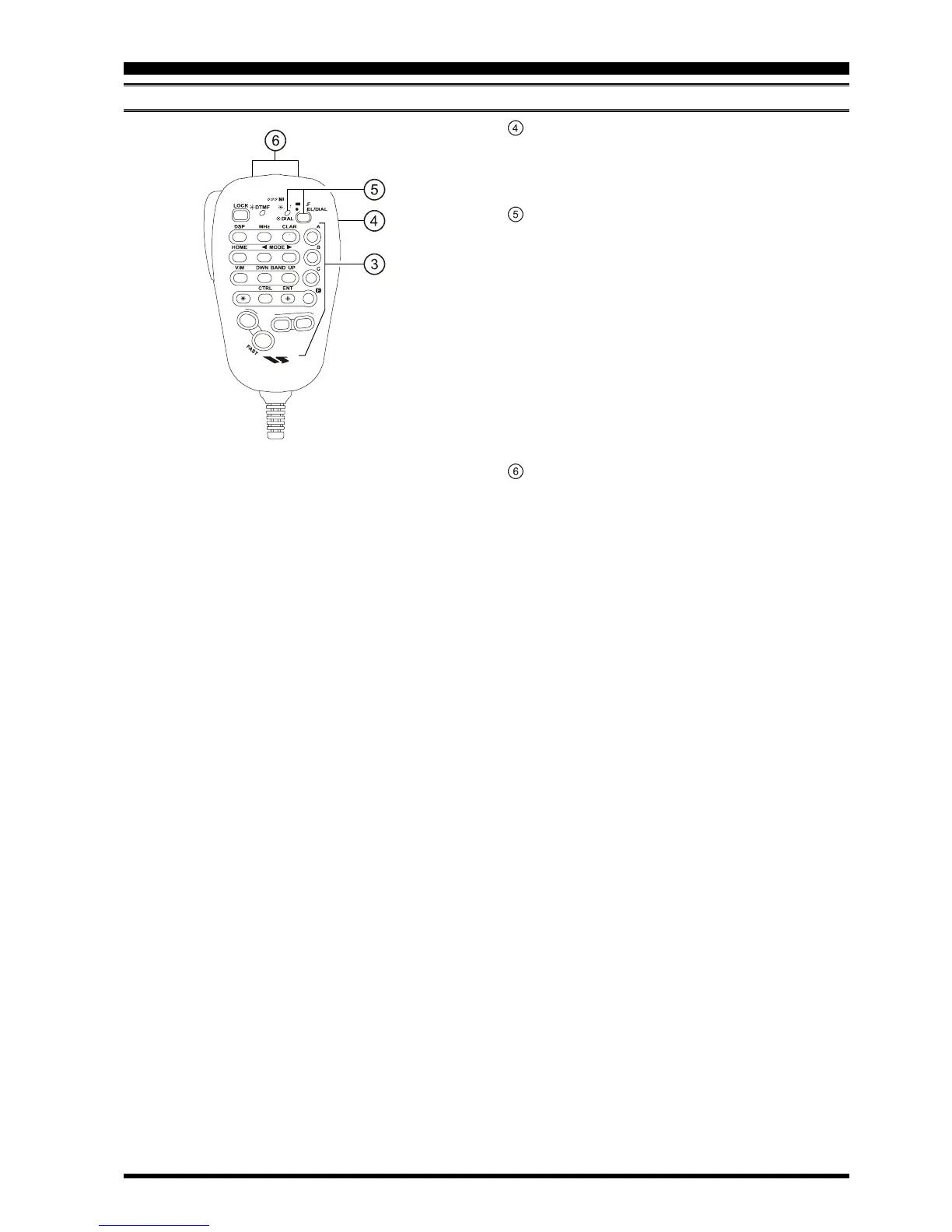
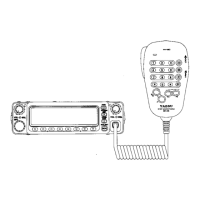
MH-59A8J REMOTE MICROPHONE
[
F
(
D
)]
key
Press this key momentarily to enable the changing of
the function of the Multi Function keys (
[
A
]
,
[
B
]
,
and
[
C
]
) by the MEM/VFO CH knob.
Press and hold in this key for one second to activate
the “Menu” mode.
This key generates the DTMF “D” tone during trans-
mission, and frequency entry digit “point” during
Direct Keypad Frequency Entry.
[
ACC
]
key
Press this key to disable the Noise Squelch.
You may program the configuration of this key, to
enable use of a different function, via Menu Mode
No-068
[
PG ACC
]
.
[
PWR
(
FAST
)]
key
Press and hold in this key for one second to turn the
transceiver on or off.
While the transceiver is turned on, pressing this key
momentarily will engage the “Fast Tuning” mode, to
allow more rapid frequency navigation (a small “run-
ning man” icon will be observed in the bottom right-
hand corner of the LCD).
[
P1
]
key (Quick Split)
Press this key to change the Sub VFO frequency
(Main VFO frequency + 5 kHz) and automatically
engage the ”Split” feature.
You may program the configuration of this key, to
enable use of a different function, via Menu Mode
No-069
[
PG P1
]
.
[
P2
]
key
Press this key to engage the 1750-Hz burst tone for
access of a repeater requiring tone burst (typically in
Europe).
You may program the configuration of this key, to
enable use of a different function, via Menu Mode
No-070
[
PG P2
]
.
P
1
7
1
4
8
2
0
5
9
B
A
C
D
3
6
A
C
C
P
2
DTMF MICROPHONE
MH-59
SEL Knob
This rotary switch is used for VFO frequency tuning,
memory channel selection, and receiver audio volume
level adjustment.
SEL/DIAL Key and Indicator
The SEL key switches the synthesizer steps of the SEL
knob between the fine tuning (same as DIAL knob step)
and coarse tuning (same as SEL knob step) modes.
When the “fine tuning” mode is selected, the SEL LED
glows orange.
Press and hold in this key for one second to enable the
“VOL” feature, which allows adjustment of the receiver
audio volume level (by adjusting the SEL knob). When
the “VOL” feature is engaged, the SEL LED glows
green.
To return to the synthesizer step-selection mode, just
press the SEL key.
[
UP
]
/
[
DWN
]
Keys
Press (or hold in) either of these keys to tune (or scan
up or down) the operating frequency or through the
memory channels. In many ways, these keys emulate
the function of the FT-897D’s DIAL knob.


 To Next Page