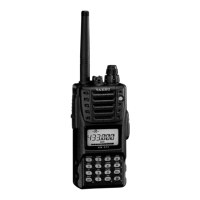
VX-177 OPERATING MANUAL 3
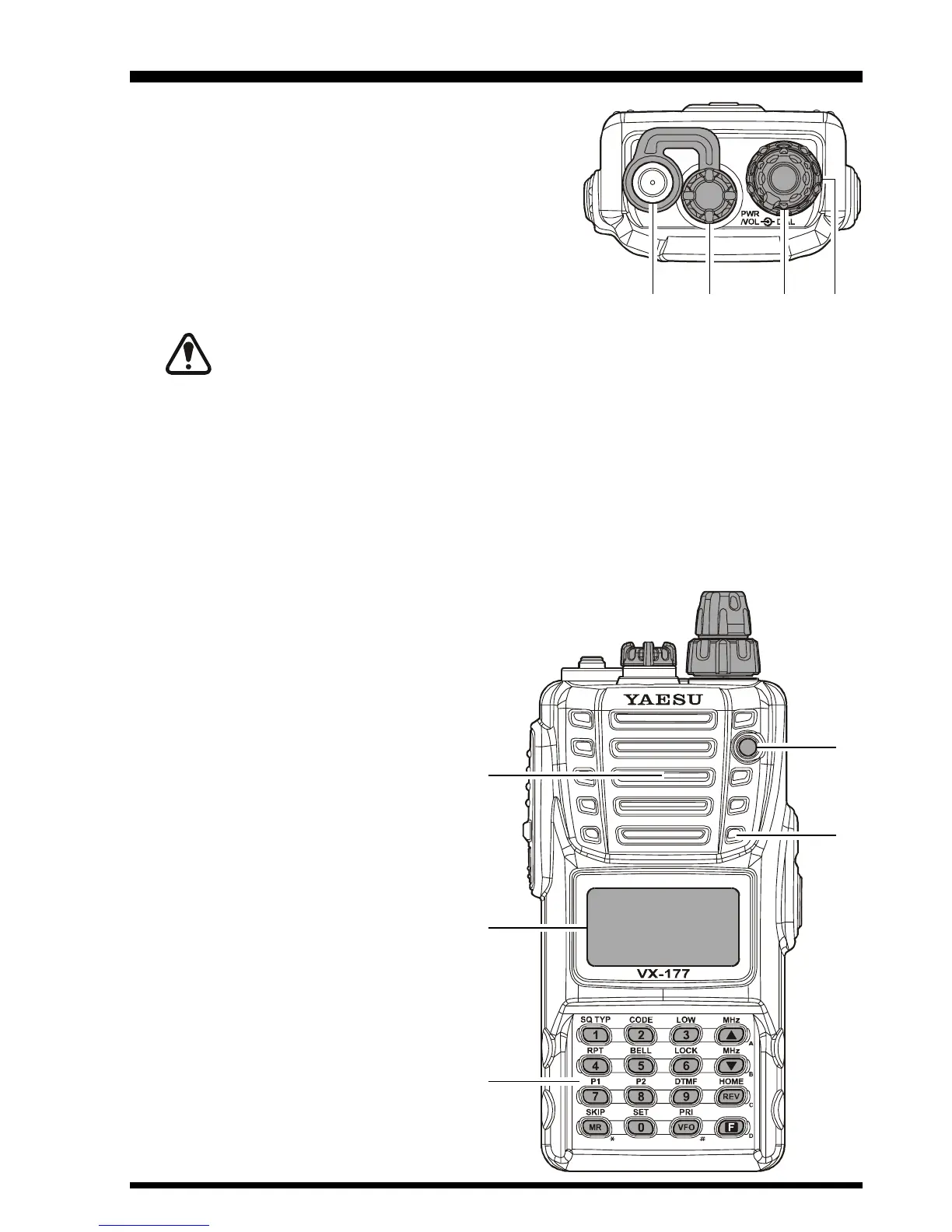
Antenna Jack
Connect the supplied rubber flex antenna (or an-
other antenna presenting a 50-Ohm impedance)
here.
MIC/SP Jack
This four-conductor miniature jack provides con-
nection points for microphone audio, earphone
audio, PTT, and ground.
Do not allow the VX-177 to become submerged in water while the plastic
cover over the MIC/SP jack is removed.
VOL/PWR Knob
Turn this control clockwise to turn the radio on and to increase the volume. Counter-
clockwise rotation into the click-stop will turn the radio off.
DIAL Knob
This (inner) 20-position detented rotary switch is used for setting the operating fre-
quency, and also is used for menu selections and other adjustments.
Speaker
The internal speaker is located here.
LCD (Liquid Crystal Display)
The display shows the current op-
erating conditions, as described on
the next page.
Keypad
These 16 keys select many of most
important operating features on the
VX-177. The functions of the keys
are described in detail on the pages
to follow.
TX/BUSY Indicator Lamp
This indicator glows green when the
squelch opens, and turns red dur-
ing transmit.
MIC
The internal microphone is located
here.
CONTROLS & CONNECTORS
(
T
OP & FRONT PANELS
)


 To Next Page