
 Need help?
Do you have a question about the Yale Essential Series and is the answer not in the manual?
The Yale YDME 100 Essential Series is a smart door lock designed for enhanced security and convenient access. This user guide provides comprehensive instructions for installation, operation, and maintenance of the lock, ensuring a smooth user experience.
The YDME 100 is a digital door lock that offers multiple access methods, including fingerprint recognition and a numeric keypad for password entry. It incorporates a hierarchical authority management system, distinguishing between administrator/master users and normal/ordinary users. The first user registered on the lock automatically becomes the administrator/master, holding the highest authority to manage other users and settings. Subsequent user additions require authentication by the administrator/master.
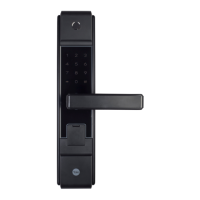
The lock features a biometric scanner for fingerprint authentication, ensuring secure and quick access. For password entry, a numeric keypad is integrated into the front lock surface. The effective password length ranges from 6 to 12 digits, providing a good balance between security and ease of use. A unique "Fake Pin Code" function is included to enhance security against shoulder surfing. This feature allows users to enter a sequence of random numbers before and after their actual password, making it difficult for onlookers to discern the real code. The total length of the virtual password, including the actual password, can be up to 24 digits.
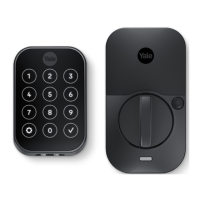
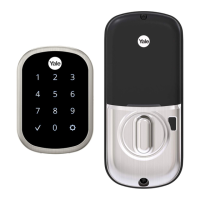
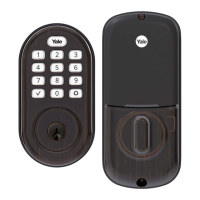
The lock is designed with both an outside handle and an internal handle, which can have their directions adjusted during installation to suit the door's opening orientation. The internal side of the lock includes a thumbturn for manual locking and unlocking from the inside, and a battery cover that houses the power source.
The YDME 100 is designed for intuitive operation. To wake up the keypad when the door lock is closed, any key can be pressed. The '#' key also functions as a doorbell button before the keypad is activated. The '*' key serves as a cancel key, allowing users to return to the previous step within the function menu. After a successful operation, the lock automatically reverts to the previous menu level.
For adding users, the lock provides two dedicated buttons, F1 and F2, on the internal panel. A short press of either button initiates the user addition process. The first user added, whether a fingerprint or a password, becomes the administrator/master. Subsequent user additions, for both password and fingerprint users, require verification of the administrator/master's credentials (fingerprint or PIN code).
Adding a password user involves entering the new user's 6-12 digit password, pressing '#', re-entering the password for confirmation, and pressing '#' again. Only one password user can be added at a time per initiation of the process.
Adding a fingerprint user requires the normal/ordinary user to touch the biometric scanner three times after administrator verification. The lock provides audio feedback for successful registration. Similar to password users, only one fingerprint user can be added at a time per initiation.
The lock automatically locks after 5 seconds of being unlocked, ensuring security even if the door is not manually secured.
Proper maintenance is crucial for the longevity and optimal performance of the Yale YDME 100. Users are advised to keep their fingers clean when using the biometric scanner to ensure accurate and consistent recognition. The scanner itself should also be kept clean to maintain its functionality.
It is important to avoid using corrosive cleaning liquids on the lock's surface, as these can damage the finish and internal components.
In cases where the door may deform, causing issues with opening or the mortise mechanism, the door strike plate should be adjusted. This ensures that the lock components align correctly and function smoothly.
The lock is powered by four 1.5V batteries. An emergency back-up power option is available, though the specific method (e.g., 9V battery terminal) is not detailed in this excerpt. A low battery alert system is integrated: when the battery power drops below 4.8V, the lock will issue an alarm every time the door is opened. While the lock can still be used for a period after the alarm, it is critical to replace the batteries as soon as possible to prevent being locked out.
For emergency access, an override key is provided. Users are strongly advised to keep this key, along with their fingerprint and code, in a readily accessible location in case other access methods become unavailable.
The lock also features a safety lockout mechanism. If user credentials are entered incorrectly five consecutive times, the keypad will flash, and the system will lock out for 3 minutes, during which no operations will be accepted.
A factory reset function is available to clear all user data and initialize the door lock. This is performed by pressing and holding the "F1" button for 5 seconds, followed by successful verification of the administrator's identity (fingerprint or password).
 General
| Handing | Reversible |
|---|---|
| Type | Deadbolt |
| Lock Type | Deadbolt |
| Finish | Satin Nickel, Polished Brass |
| Backset | 2-3/8" or 2-3/4" |
| Keyway | KW1 |



 To Next Page