13
01V96 Editor—Owner’s Manual
Getting Started
Keyboard Shortcuts
Index
Windows
❏ Remote Channels
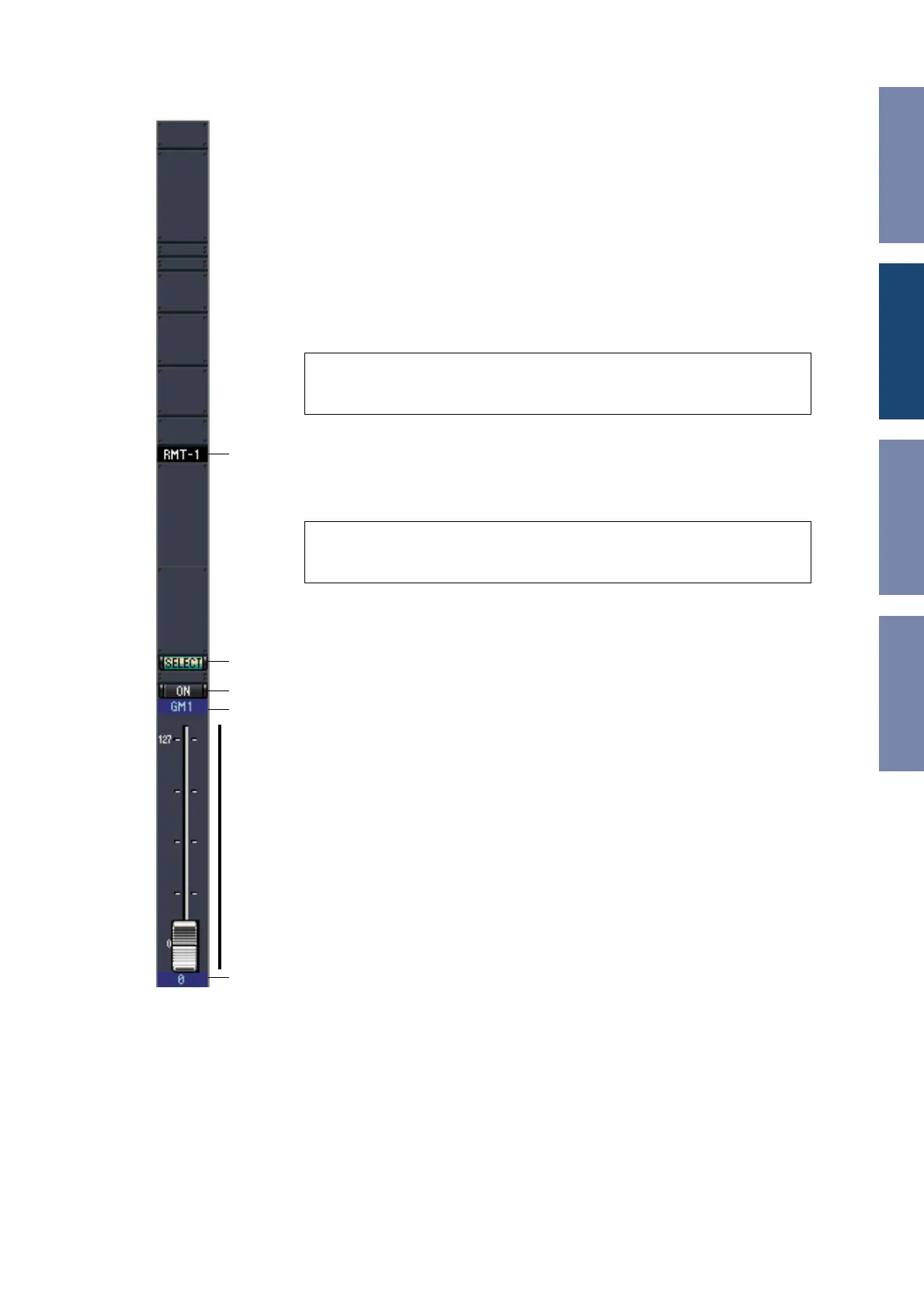
When you select the REMOTE LAYER button in the Master window, Remote Channels
are displayed.
A Channel number
This is the channel number. Double-click the channel number to open the Selected
Channel window.
B [SELECT] button
This button is used to select the Remote Channel.
C [ON] button
This button turns the Remote Channel on and off. It appears orange while the chan-
nel is on.
D Remote target name
This name indicates the remote target assigned on the 01V96.
E Channel fader
This is the Bus Out’s fader.
F Fader value indicator
This indicator indicates the fader position in the range of 0 through 127.
If the remote target is set to User Assignable Layer:
In this case, the assigned channels are displayed. For more information, refer to “Input
Channels” on page 8 and “Output Channels” on page 12. If the Group Master Fader is
assigned, only the [SOLO], and [ON] buttons and channel faders are displayed.
Note: When the remote target setting on the 01V96 is set to User Defined, you can
use the [ON] buttons and channel faders to control the functions specified on the
Remote page.
Note: When the remote target setting on the 01V96 is set to User Defined, you can
use the [ON] buttons and channel faders to control the functions specified on the
Remote page.
A
B
C
D
F
E













 To Next Page