YDP-162/142 Owner’s Manual
Advanced Operations
23
ENGLISH
Practicing a One-Hand Part
All the Songs except for the Demo (page 17) let you turn on or off the left-hand and right-hand Parts individually.
By turning off [+R], for example, you can practice the right-hand Part while the left-hand Part is playing back, and vice
versa.
NOTE
Selecting another Song will
reset the on/off status.
1 Select a Preset Song (page 22) or the User Song (page 24).
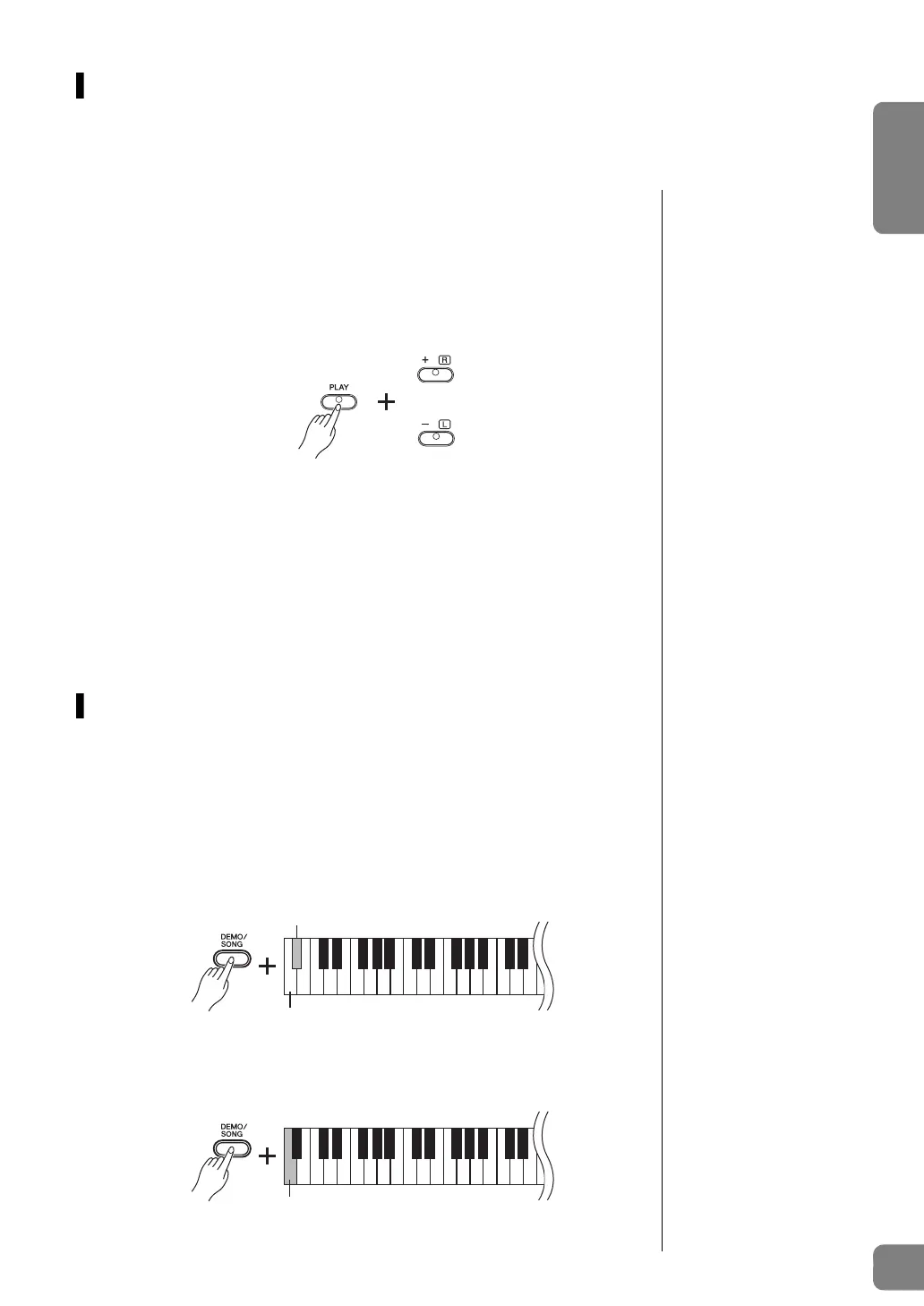
2 While holding down [PLAY], press [+R] or [–L] to turn the Part
on/off.
Pressing the same button repeatedly while holding down [PLAY] toggles playback
on and off. The lamp of the button lights to indicate that the corresponding Part is
on.
3 Practice the Part which is turned off.
To change the Tempo:
If desired, you can change the tempo for your practice convenience. For details,
refer to page 14.
4 Press [PLAY] to stop playback.
Playing from the top of the bar
including a rest or blank
NOTE
Default setting:
On
This Quick Play feature enables you to specify whether a Song should play back
immediately from the very first note, or play back any silence or rests that exist before the
first note.
To turn on Quick Play:
Hold down [DEMO/SONG] and press the A
-1 key to enable immediate playback from the
first note or first pedal operation.
To turn off Quick Play:
Hold down [DEMO/SONG] and press the lowest key (A-1) to play from the top of the first
measure (including a rest or blank).
or
Lamp lights when Part is on.


 To Next Page