11
■ Connecting Headphones
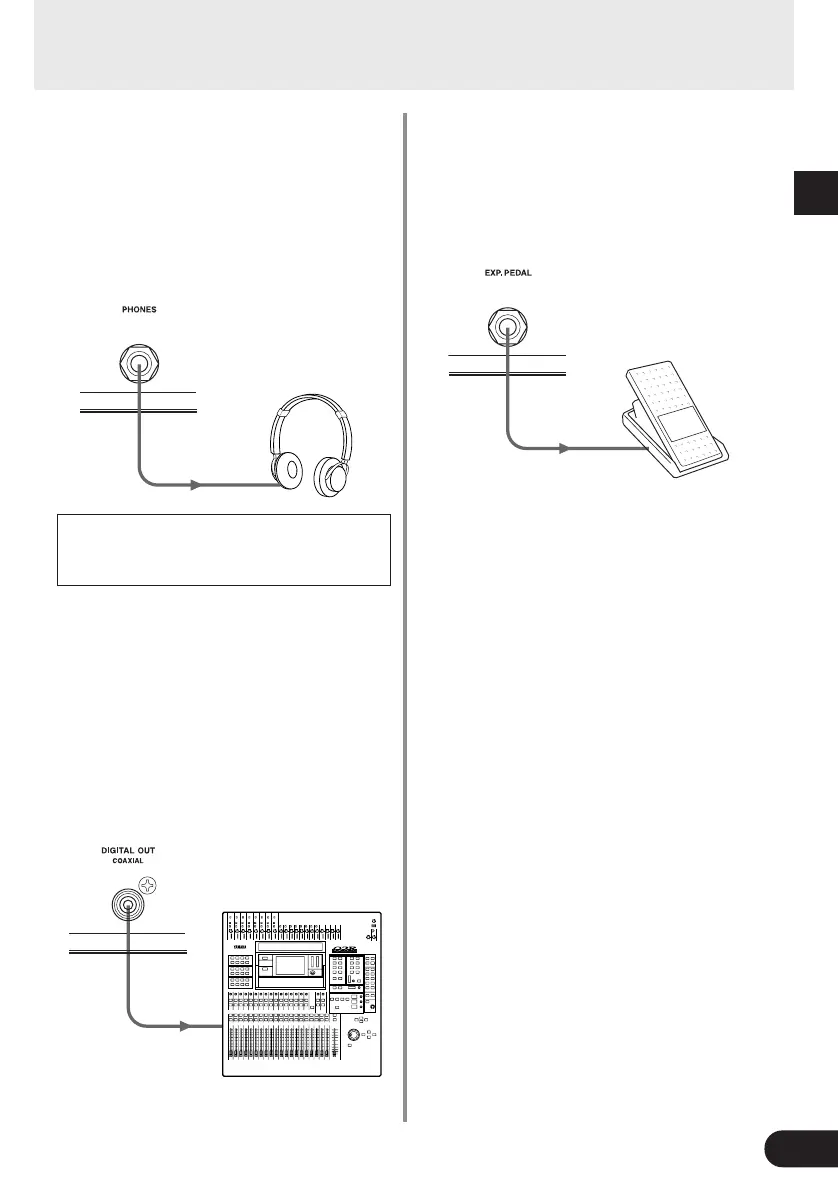
Connect a pair of headphones to the AG-Stomp’s
PHONES jack (standard stereo) for monitoring the
AG-Stomp while practicing privately.
Use the OUTPUT knob to adjust the volume of the
headphones.
* Even when headphones are connected to this jack, the audio
signal is delivered from the OUTPUT Jack and DIGITAL OUT
Jack.
When using headphones, set the volume to
a comfortable level so as not to harm to your
hearing.
■ Digital Output
The AG-Stomp is equipped with a digital output jack
(COAXIAL, 44.1 kHz) that provides direct digital con-
nection to the digital input jack on a digital mixer,
MD recorder, etc.
* The output level of the DIGITAL OUT jack cannot be con-
trolled with the OUTPUT knob (the level is fixed).
Connections
■ Connecting an EXP Pedal
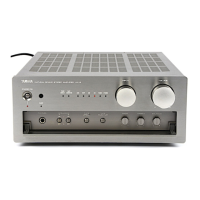
A foot controller (expression pedal) (optional), such
as the YAMAHA FC-7, etc., connected to the AG-
Stomp’s EXP. PEDAL jack allows control of individual
parameters in the AG-Stomp. (→ page 22 and 26)
■ Connecting MIDI Devices
The MIDI IN/OUT jacks allow for the exchange of
MIDI information between the AG-stomp and an
external MIDI device.
This allows data from the AG-Stomp to be stored
(using Bulk Dump) in a MIDI device such as the
YAMAHA MIDI Data Filer MDF3, etc. also, data
stored in an external MIDI device can be loaded into
the AG-Stomp.
Also, a MIDI foot controller, etc., can be used to se-
lect AG-Stomp patches, control individual param-
eters, or set individual effects. External MIDI devices
can also be controlled with the AG-Stomp. Refer to
the “Utility Mode” (→ page 24) for more information
on MIDI functions.
Digital Mixer, MD Recorder, etc.


 To Next Page