Need help?
Do you have a question about the Yamaha AG-Stomp and is the answer not in the manual?
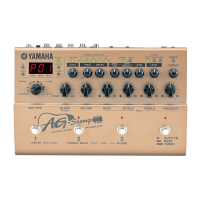
Describes the controls and display on the AG-Stomp's top surface, including buttons, knobs, and screen.
Details the controls for the pre-amplifier, including mic simulation, tone, and volume adjustments.
Explains the controls for the Limiter, Feedback Reduction, Chorus/Delay, and Reverb effects.
Describes the functions of the footswitches and the bank selection switch.
Details all input and output jacks on the rear panel for power, MIDI, audio, and pedals.
Instructions for connecting the power adapter to operate the AG-Stomp.
Guide for connecting the AG-Stomp to external audio equipment like mixers or amplifiers.
How to connect headphones for practice and use the digital output jack.
Instructions for connecting expression pedals and external MIDI devices.
Steps to connect your guitar to the AG-Stomp's input jack.
Details on supplying power to your guitar's built-in pre-amplifier.
Basic steps to power on the unit and get sound from your guitar.
Guide to adjusting parameters and creating custom tones using knobs and buttons.
How to align knobs with patch data and adjust pre-amp parameters.
Adjusts the variable center frequency for Bass, Middle, Treble, and Presence controls.
How to switch effect blocks ON/OFF and modify effect parameters.
Select and adjust different microphone simulation types for authentic tone.
How to use the feedback reduction function to eliminate unwanted resonant frequencies.
Methods for navigating and selecting user and preset patches and banks.
Operating patches and effects using the unit's footswitches and bank switch.
Controlling the AG-Stomp's functions via external MIDI devices.
Procedure for saving edited patches to the USER AREA.
Exploring additional features like footswitch effect control and MIDI functions.
Utilizing the built-in chromatic auto tuner for accurate guitar tuning.
Instructions for resetting the AG-Stomp to its original factory settings.
Details on the Limiter effect and the Feedback Reduction function parameters.
Parameters for Chorus/Delay effects and the different types of Reverb effects.
Step-by-step guide to configuring external controllers like expression pedals and MIDI devices.
Methods to access the AG-Stomp's chromatic auto tuner.
How to use the tuner to play and adjust notes to the correct pitch.
Adjusting the reference pitch (e.g., A=440Hz) for tuning accuracy.
Overview of the Utility Mode and its system setting capabilities.
Configuring footswitches for patch selection or effect ON/OFF control.
Settings for MIDI communication, including program changes and channels.
Mapping MIDI program changes to specific patch recalls on the AG-Stomp.
Configuring MIDI receive and transmit channels for communication.
Transmitting stored patch data and utility settings to external devices.
Receiving stored data from external MIDI devices into the AG-Stomp.
Detailed configuration for controlling parameters via external controllers.
Specific settings for controlling parameters using an expression pedal.
Setting the minimum and maximum values for expression pedal control.
Determining how feedback reduction settings behave across patch changes.
Indicates an issue with receiving too much MIDI data.
Signals a problem during MIDI communication.
Errors related to the integrity or format of received MIDI bulk data.
Troubleshooting steps for resolving issues with no audio output.
Steps to fix problems where knobs do not affect the sound.
Guidance for resolving problems with MIDI transmission or reception.
Details on digital processing, mic simulation, effects, MIDI functions, and converters.
Information on input/output jacks, power requirements, and consumption.
Data on dimensions, weight, and included accessories.
 General
| Technology | Digital |
|---|---|
| MIDI | No |
| EQ | 3-band EQ |
| Effects | Chorus, Delay, Reverb |
| Inputs | 1 x 1/4" (Guitar), 1 x XLR (Mic) |
| Outputs | 1 x XLR (Line Out) |
| Type | Acoustic Guitar Preamp / Multi-Effects Pedal |

 To Next Page