EasyManua.ls Logo

Yamaha A-670 - User Manual

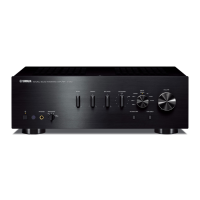
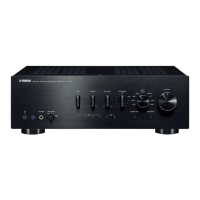
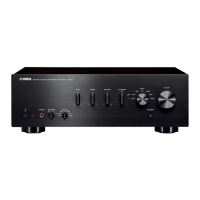
Yamaha A-670
47 pages
Print Icon
To Next Page IconTo Next Page
Loading...
© 2015 Yamaha Corporation
Printed in China ZS21860
Integrated Amplifier / Amplificateur Intég
OWNER’S MANUAL
MODE D’EMPLOI
MANUAL DE INSTRUCCIONES
ULV
English Français Español

Table of Contents

Questions and Answers

  • M
    Mark NorrisAug 17, 2025
    What to do if my Yamaha A-670 Amplifier fails to turn on?
    • J
      Jesse SchroederAug 17, 2025
      If your Yamaha Amplifier fails to turn on, there might be several reasons: * The power cable may not be properly connected. Ensure the power cable is firmly connected. * The protection circuitry may have been activated due to a short circuit. Check that the speaker wires are not touching each other and then turn the power of the unit back on. * There may be a problem with the internal circuitries. Disconnect the power cable and contact the nearest authorized Yamaha dealer or service center. * A speaker with a low impedance might be connected. Use speakers with proper speaker impedance (6 ? or higher).
  • M
    molly55Aug 22, 2025
    What to do if there is no sound from Yamaha Amplifier?
    • M
      Mary ConleyAug 23, 2025
      If there is no sound from your Yamaha Amplifier, consider the following: * Headphones might be connected. Disconnect headphones when you use the speakers or subwoofer. * Incorrect cable connections. Connect the stereo cable for audio units and the speaker wires properly. If the problem persists, the cables may be defective. * Playback has been stopped on the connected component. Turn the component on and start playback. * (A-U670 only) The driver is not installed in the PC connected with the unit via USB. Before connecting a PC to this unit, install the driver on the PC. * The volume of the unit is set to the minimum. Turn up the volume with the VOLUME control so that you can hear sound.
  • K
    kathyrussoAug 25, 2025
    How to fix a Yamaha A-670 that cannot be turned off?
    • M
      Mary HarrisAug 26, 2025
      If your Yamaha Amplifier cannot be turned off, it might be due to the internal microprocessor being frozen because of an external electronic shock or a drop in power supply voltage. To resolve this, press the power button on the front panel of the unit for 10 seconds or more to restart it. If the issue continues, unplug the power cable, wait about 30 seconds, and then plug it back in.
  • F
    Franklin DavisAug 28, 2025
    Why can I only hear the speaker on one side of my Yamaha A-670?
    • E
      edward95Aug 28, 2025
      If you can only hear the speaker on one side of your Yamaha Amplifier, it could be due to: * Incorrect cable connections. Ensure the cables are properly connected. If the problem continues, the cables themselves may be defective. * Incorrect setting for the BALANCE control. Adjust the BALANCE control to the appropriate position.
  • T
    tbrewerAug 31, 2025
    What causes a lack of bass and ambience in my Yamaha Amplifier?
    • W
      William SmithAug 31, 2025
      A lack of bass and ambience in your Yamaha Amplifier setup can be caused by: * (When a subwoofer is connected.) The subwoofer is not properly connected. Connect the cables properly. If the problem persists, the setting for the subwoofer may be incorrect. * The + and – wires are connected in reverse at the amplifier or the speakers. Connect the speaker wires to the correct + and – phase. * Incorrect setting for the BASS control. Set the BASS control to the appropriate position.
  • B
    Barbara MartinezSep 2, 2025
    Why is there a humming sound coming from my Yamaha A-670?
    • P
      perkinsmichaelSep 2, 2025
      A humming sound from your Yamaha Amplifier is usually due to incorrect cable connections. Ensure the audio plugs are firmly connected. If the humming persists, the cables themselves may be defective.
  • P
    Paul MasseySep 5, 2025
    What to do if the sound level is low on Yamaha Amplifier?
    • P
      Patricia SandovalSep 5, 2025
      If the sound level is low on your Yamaha Amplifier, check the following: * The volume of the unit is set to a low level. Turn up the volume with the VOLUME control so that you can hear sound. * (A-U670 only) The volume of the PC connected with the unit via USB is set to a low level. Turn up the volume of the PC.
  • T
    Tammy CainSep 7, 2025
    Why don't the BASS, TREBLE, and BALANCE controls work on my Yamaha A-U670 Amplifier?
    • S
      sandovallisaSep 7, 2025
      If the BASS, TREBLE, and BALANCE controls are not working on your Yamaha A-U670 Amplifier, it is likely because the PURE DIRECT function is turned on. Turn off the PURE DIRECT function to regain control over these settings.
  • M
    Micheal StewartSep 12, 2025
    What if the connected PC does not recognize my Yamaha A-U670 Amplifier?
    • A
      Antonio CoffeySep 12, 2025
      If the connected PC does not recognize your Yamaha A-U670 Amplifier, consider these possibilities: * The operating system of the PC is not supported. Use a PC with an operation-guaranteed operating system. * There is an improper USB cable connection. Ensure the USB cable is properly connected. * The output of the PC or application is muted. Cancel the sound muting of the PC or application.
  • J
    jonessusanSep 13, 2025
    Why can't music files be played on my Yamaha A-U670 Amplifier?
    • K
      Kevin AlexanderSep 13, 2025
      If music files cannot be played on your Yamaha A-U670 Amplifier, it may be due to: * The music data are not properly reproduced, because this unit is connected to the PC or the input of this unit is switched to USB while the music application is running on the PC. Connect this unit to the PC and set the input of the unit to USB in advance. Then launch the music application and start playback. * The dedicated “Yamaha HiFi USB Driver” has not been installed correctly. Install the “Yamaha HiFi USB Driver” again by following the correct procedure. * The audio output destination of the computer is not set to “Yamaha A-U670/A-U671.” Set the audio output destination of the computer to “Yamaha A-U670/A- U671.”

Summary

IMPORTANT SAFETY INSTRUCTIONS

CAUTION: RISK OF ELECTRIC SHOCK

Warning about opening the unit to prevent electric shock.

CAUTION: READ THIS BEFORE OPERATING YOUR UNIT

Operating Precautions and Warnings

Key warnings and precautions for operating the unit safely, including power and cleaning.

Electrical Shock and Fire Hazard Warning

Crucial warning to prevent fire or electric shock by avoiding rain or moisture.

CONNECTIONS

PLAYBACK

PLAYING BACK MUSIC STORED ON A PC (USB DAC FUNCTION)

Installing the Dedicated Driver

Steps to download and install the necessary driver for PC connection.

Connecting and Playing Music

Guide to connecting the PC and selecting the USB DAC input for playback.

TROUBLESHOOTING

Unit Fails to Turn On

Solutions for problems where the unit does not power on.

Unit Turns Off Suddenly

Troubleshooting steps for unexpected power-off issues.

No Sound Output

Common causes and solutions for no audio output from the unit.

Unit Cannot Be Turned Off

How to resolve issues when the unit fails to enter standby mode.

One Speaker No Sound

Solutions for audio output only from one speaker.

Lack of Bass or Ambience

Troubleshooting steps for poor bass response or lack of stereo ambience.

Humming Sound

Solutions for unwanted humming noises from the unit.

PC Not Recognizing Unit (A-U670)

Solutions for when the PC fails to detect the unit via USB.

Music Files Not Playing (A-U670)

Steps to resolve issues with playing music files from a PC via USB.

Yamaha A-670 Specifications

General IconGeneral
TypeIntegrated Amplifier
Signal-to-Noise Ratio100 dB
Input Impedance47 kOhms
Total Harmonic Distortion (THD)0.04 % (20 Hz-20 kHz)
Input Sensitivity200 mV
Dimensions435 x 151 x 400mm
Weight11.5kg
Dimensions (W x H x D)435 x 151 x 400mm

Related product manuals