EasyManua.ls Logo

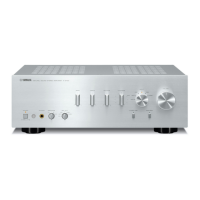
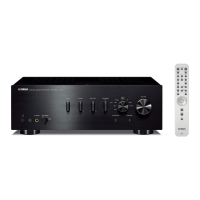
Yamaha A-S501 - User Manual

Yamaha A-S501
39 pages
Print Icon
To Next Page IconTo Next Page
Loading...
OWNER’S MANUAL
MODE D’EMPLOI
Integrated Amplifier
Amplificateur Intégré
U

Other manuals for Yamaha A-S501

Questions and Answers

  • J
    Jasmine EstesAug 14, 2025
    How to fix Yamaha A-S501 Amplifier that fails to turn on?
    • M
      mollybarberAug 14, 2025
      If your Yamaha Amplifier fails to turn on, ensure the power cable is firmly connected. If the A AMP button on the remote was pressed while the unit was off, press the A (power) switch on the front panel. Also, check that the impedance of your speakers is appropriate. If the protection circuitry has been activated, make sure the speaker wires aren't touching. If none of these steps work, disconnect the power and contact a Yamaha dealer.
  • W
    weaverrebeccaAug 18, 2025
    What to do if my Yamaha Amplifier turns off suddenly?
    • P
      Paul FaulknerAug 18, 2025
      If your Yamaha Amplifier turns off suddenly and the power indicator blinks, check the speaker wires to ensure they are not touching each other or shorting against the rear panel. If they are, connect them properly and press the A (power) switch again. If the issue persists, the speaker may be malfunctioning, try replacing it. Also, the protection circuitry could be activated due to excessive input or volume, so decrease the volume. Overheating can also cause this, so allow 30 minutes for the unit to cool down. Ensure the IMPEDANCE SELECTOR switch is correctly positioned. If the unit experienced a strong electric shock, turn it off, disconnect the power cable for 30 seconds, and then plug it back in. If none of these steps work, disconnect the power and contact a Yamaha dealer.
  • J
    Joshua ReedAug 21, 2025
    Why is there no sound coming from my Yamaha A-S501 Amplifier?
    • C
      chenjanetAug 21, 2025
      If there is no sound from your Yamaha Amplifier, first check if the sound is muted by pressing the MUTE button on the remote or rotating the VOLUME control. Then, make sure the stereo and speaker wires are connected properly. If the problem continues, the cables may be defective.
  • J
    Jade TuckerAug 25, 2025
    How to stop humming sound from Yamaha A-S501 Amplifier?
    • E
      eolsonAug 26, 2025
      If you hear a humming sound from your Yamaha Amplifier, first ensure the audio plugs are firmly connected; the cables may be defective. If you are using a turntable, make sure it is properly connected to the GND terminal on the unit.
  • N
    Natalie RichardsonAug 28, 2025
    Why can I only hear sound from one speaker on my Yamaha A-S501?
    • S
      Susan ReevesAug 28, 2025
      If you only hear sound from one speaker with your Yamaha Amplifier, check the cable connections to ensure they are properly connected. If the problem persists, the cables may be defective. Also, verify that the BALANCE control is set to the appropriate position.
  • C
    Courtney DavisAug 31, 2025
    Why is the sound level low on my Yamaha A-S501 Amplifier?
    • J
      John YorkAug 31, 2025
      If the sound level is low on your Yamaha Amplifier, check if the sound is muted by pressing the MUTE button on the remote or rotating the VOLUME control. If the loudness control function is operating, turn down the volume, set the LOUDNESS control to the FLAT position, and then adjust the volume again.
  • G
    Gloria PadillaSep 4, 2025
    Why does the sound suddenly go off on my Yamaha A-S501?
    • T
      Tina HigginsSep 4, 2025
      If the sound suddenly goes off on your Yamaha Amplifier, it may be due to the automatic power down function. Confirm that there are no other issues causing this, and then turn the unit on again. To disable this function, set the AUTO POWER STANDBY switch to OFF on the rear panel.
  • C
    Chloe MendozaSep 7, 2025
    Why is the volume level low on my Yamaha Amplifier when playing a record?
    • R
      Robert HarrisSep 7, 2025
      If the volume level is low while playing a record on your Yamaha Amplifier, ensure the turntable is connected to the PHONO jacks. Also, verify that the turntable is equipped with an MM cartridge, not an MC cartridge.
  • C
    Caitlyn HughesSep 10, 2025
    Why don't BASS, TREBLE, BALANCE and LOUDNESS controls affect the sound on my Yamaha A-S501?
    • A
      Alejandra AllenSep 10, 2025
      If using the BASS, TREBLE, BALANCE, and LOUDNESS controls does not affect the sound on your Yamaha Amplifier, the CD DIRECT or PURE DIRECT function is turned on. Turn off the CD DIRECT function or the PURE DIRECT function to use those controls.

Summary

Controls and Functions

Front Panel Controls

Describes the amplifier's front panel controls and indicators.

Rear Panel Connections and Switches

Details the various input/output jacks and switches on the rear of the amplifier.

Remote Control Operation

Explains the functions of the remote control unit for operating the amplifier.

Connections

Connecting Speakers and Source Components

Guide to connecting speakers and various audio source components to the amplifier.

Connecting Speaker Cables

Step-by-step instructions for connecting speaker cables to the amplifier terminals.

Connecting via Banana Plug

Instructions for connecting speakers using banana plugs for specific models.

Bi-Wire Connection Setup

Explains how to set up bi-wiring connections for enhanced speaker performance.

Connecting the Power Cable

Instructions for connecting the power cable to the amplifier and AC outlet.

Playback

Playing an Audio Source

Steps to select an input source and play audio content on the amplifier.

Adjusting Sound Settings

How to fine-tune audio settings like volume, bass, treble, and loudness for desired sound.

Yamaha A-S501 Specifications

General IconGeneral
Damping factor240
Amplifier class-
Frequency range10 - 100000 Hz
Audio output channels2.0 channels
Peak power per channel120 W
Signal-to-Noise Ratio (SNR)99 dB
Total Harmonic Distortion (THD)0.019 %
RMS power output per channel (8 Ohm)85 W
DC-in jackYes
Audio (L/R) in8
Audio (L/R) out2
Digital audio optical in1
PurposeHome
Product colorBlack
Connectivity technologyWired
Power consumption (standby)0.5 W
Weight and Dimensions IconWeight and Dimensions
Depth387 mm
Width435 mm
Height151 mm
Weight10300 g

Related product manuals