EasyManua.ls Logo

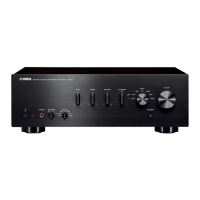
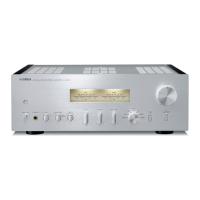
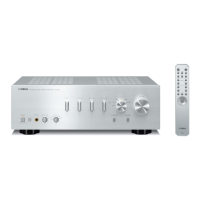
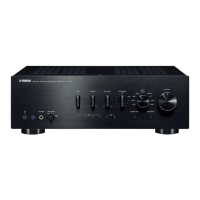
Yamaha A-S801 - User Manual

Yamaha A-S801
30 pages
Print Icon
To Next Page IconTo Next Page
Loading...
OWNER’S MANUAL
MODE D’EMPLOI
MANUAL DE INSTRUCCIONES
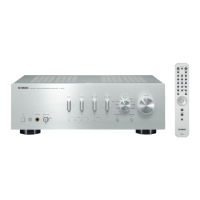
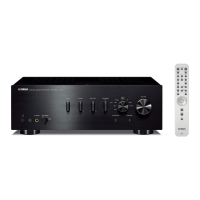
Integrated Amplifier
Amplificateur Intégré
UBL

Other manuals for Yamaha A-S801

Questions and Answers

  • F
    fletcherterriAug 19, 2025
    What to do if my Yamaha Amplifier fails to turn on?
    • D
      Donald ThompsonSep 12, 2025
      If your Yamaha Amplifier fails to turn on, consider these possible solutions: * Ensure the power cable is firmly connected. * If the A AMP button on the remote is pressed while the unit is off, press the A (power) switch on the front panel. * Use speakers with the correct impedance. * Check for short circuits in the speaker wires. * If none of these work, disconnect the power cable and contact an authorized Yamaha dealer or service center.
  • J
    Jamie ReidAug 23, 2025
    What to do if there is no sound from my Yamaha Amplifier?
    • D
      Daniel BarkerAug 25, 2025
      If there is no sound coming from your Yamaha Amplifier, first check if the sound is muted. Press the MUTE button on the remote or rotate the VOLUME control. Also, ensure that the stereo cables for audio units and speaker wires are connected properly. If the problem persists, the cables may be defective.
  • M
    Melanie BowmanAug 26, 2025
    Why does the sound suddenly go off on my Yamaha Amplifier?
    • A
      Anthony TaylorAug 26, 2025
      The sound on your Yamaha Amplifier might be cutting out because the automatic power down function has activated. Confirm that there are no other issues causing this, and then turn the unit back on. To disable this feature, set the AUTO POWER STANDBY switch to OFF on the rear panel.
  • R
    Robert JohnsonAug 27, 2025
    How to fix only one speaker working on Yamaha A-S801?
    • S
      Sandy CooperAug 28, 2025
      If you're only hearing sound from one speaker connected to your Yamaha Amplifier, check the cable connections to ensure they are properly connected. If the problem continues, the cables may be defective. Also, verify that the BALANCE control is set to the appropriate position.
  • J
    Jacob DoyleAug 30, 2025
    How to troubleshoot a humming sound from Yamaha A-S801 Amplifier?
    • L
      lisa19Aug 30, 2025
      If you're hearing a humming sound from your Yamaha Amplifier, make sure the audio plugs are firmly connected. If the issue continues, the cables may be defective. Also, ensure there is a GND connection between the turntable and the unit if you are using one.
  • T
    Tiffany AndersonSep 1, 2025
    What to do if my Yamaha Amplifier has a lack of bass?
    • A
      Autumn MahoneySep 1, 2025
      If your Yamaha Amplifier sounds like it's lacking bass, check that the + and – wires are connected correctly at both the amplifier and the speakers.
  • R
    rebeccaraySep 3, 2025
    Why is the volume level low on my Yamaha A-S801?
    • D
      Darren RobertsSep 3, 2025
      If the sound level on your Yamaha Amplifier is low, first check if the sound is muted by pressing the MUTE button on the remote control or rotating the VOLUME control. Also, if the loudness control function is operating, turn down the volume, set the LOUDNESS control to the FLAT position, and then adjust the volume again.
  • S
    Sean ColeSep 5, 2025
    Why is the sound degraded with headphones connected to Yamaha A-S801?
    • K
      Kristine LambSep 5, 2025
      If the sound quality is degraded when listening with headphones connected through your Yamaha Amplifier, ensure that the unit is powered on and not in standby mode.
  • D
    Danielle RobbinsSep 7, 2025
    Why is volume low when playing record on Yamaha A-S801 Amplifier?
    • R
      Richard PottsSep 7, 2025
      If the volume level is low when playing a record on your Yamaha Amplifier, make sure the turntable is connected to the PHONO jacks. Also, verify that you are using a turntable equipped with an MM cartridge, not an MC cartridge.
  • A
    Amber JensenSep 9, 2025
    Why can't I increase the volume on my Yamaha A-S801?
    • J
      jason18Sep 9, 2025
      If you cannot increase the volume level on your Yamaha Amplifier, check if the component connected to the LINE 2 REC or LINE 3 REC jacks is turned off. If so, turn on the power of that component.

Summary

Important Safety Instructions

Graphical Symbols Explanation

Explains graphical symbols like lightning flash and exclamation point used for safety alerts.

Record Serial Number

Instructions to record the unit's serial number in the provided space for future reference.

FCC and Regional Compliance Information

FCC Compliance for US Customers

Details FCC regulations for US customers regarding modifications, interference, and relocation.

Canadian Compliance

Provides instructions for Canadian customers to prevent electric shock, matching plug to slot.

UK Plug and Wiring Instructions

Guidance for UK customers on fitting a 3-pin plug and wiring colours for mains lead.

Pre-Operation Safety Precautions

General Operating Precautions

Details installation, ventilation, environment, handling, and cleaning precautions for safe operation.

Electrical Safety and Environmental Warnings

Warns against exposing the unit to rain, moisture, or extreme temperatures to prevent shock or damage.

Product Features and Included Accessories

Key Useful Features

Highlights features like USB DAC, CD Direct, Pure Direct, and Auto Power Standby.

Supplied Accessories

Lists the items included with the unit: remote control, batteries, and power cable.

Front Panel Controls and Indicators

Power and Indicator Controls

Describes the power switch, power indicator states (on, standby, off), and remote sensor.

Audio Adjustment Controls

Details the BASS and TREBLE controls for adjusting frequency response.

Speaker and Headphone Connections

Explains the PHONES jack for headphones and the SPEAKERS selector for speaker output.

Additional Front Panel Controls

Sound Balance and Volume Controls

Details the BALANCE, LOUDNESS, and VOLUME controls for sound adjustment.

Input Selection and Special Functions

Explains the INPUT selector, USB DAC indicators, CD DIRECT AMP, and PURE DIRECT functions.

Rear Panel Connections and Switches

Audio and Digital Input Jacks

Details various input jacks including CD, PHONO, Optical, Coaxial, and USB.

Speaker and Accessory Outputs

Describes SPEAKERS A/B terminals, SUBWOOFER OUT, and DC OUT jack.

Auto Power Standby Switch

Explains the function of the AUTO POWER STANDBY switch for automatic power management.

Rear Panel Configuration Details

Impedance Selector Switch

Instructions for setting the IMPEDANCE SELECTOR switch based on speaker impedance.

AC Power Input

Details the AC IN connection for the power cable.

Remote Control Functions

Power and Disc Tray Control

Describes the AMP button for power and the OPEN/CLOSE button for CD player.

Playback and Input Selection

Details CD player control, input selection, and volume adjustment buttons.

Sound Mode and Mute Functions

Explains the MUTE button and PURE DIRECT function for sound control.

Remote Control for External Components

Yamaha Tuner Control

Details buttons for controlling Yamaha tuner functions like BAND, TUNING, MEMORY, PRESET.

Yamaha CD Player Control

Details buttons for controlling Yamaha CD player functions like playback, pause, skip.

Remote Control Operation and Battery Management

Installing Remote Control Batteries

Instructions for installing AA batteries in the remote control and notes on battery care.

Remote Control Operating Range

Specifies the operating range and direction for the remote control sensor.

Connecting Speakers and Source Components

General Connection Guidelines

Provides guidelines for connecting L/R channels, polarity, and using correct cables.

Audio Input and Output Connections

Illustrates connections for turntables, players, tuners, PCs, speakers, and subwoofers.

Detailed Connection Procedures

REC Jacks and Speaker Cables

Explains REC jack output behavior and detailed steps for connecting speaker cables.

Banana Plug and Bi-Wire Connections

Details connecting via banana plugs and setting up bi-wire speaker connections.

Connecting the Power Cable

Instructions for plugging the power cable into the unit and the wall outlet.

Basic Playback Operation

Preparing for Playback

Steps to prepare the unit for playback, including volume setting and turning on.

Selecting and Playing a Source

Guides on selecting input sources, speaker outputs, and adjusting volume.

Turning Off the Unit

Instructions on how to properly turn off the unit or put it into standby mode.

Advanced Sound Adjustment Features

Loudness Control for Low Volume

Explains using the LOUDNESS control to enhance low and high frequencies at low volumes.

Pure Direct Sound Reproduction

Details the PURE DIRECT function for bypassing circuits and achieving pure sound.

CD Direct Amp for High Quality CD Sound

Explains the CD DIRECT AMP function for superior CD audio quality.

PC Music Playback via USB DAC

Installing the Dedicated USB Driver

Steps to download and install the Yamaha Steinberg USB Driver for PC connection.

Supported Operating Systems and Notes

Lists compatible operating systems and important notes for USB DAC functionality.

USB DAC Playback and Volume Adjustment

Playing Music Files from PC

Steps to connect PC, turn on unit, select USB input, and set PC audio output.

Optimizing Sound Volume for USB DAC

Guidance on setting PC volume to maximum and adjusting unit volume for optimal sound.

Troubleshooting Common Issues

Unit Fails to Turn On or Turns Off Suddenly

Addresses issues like no power, sudden power-off, and blinking power indicator.

No Sound or One-Sided Sound

Solutions for situations with no sound, muted sound, or sound only from one speaker.

Protection Circuit Activation

Explains causes and remedies for protection circuitry activation due to short circuits or temperature.

Troubleshooting Sound and Volume Issues

No Sound and Speaker Output Problems

Covers no sound, incorrect speaker connections, and single-speaker output issues.

Sound Quality and Volume Adjustments

Addresses low volume, distorted sound, humming, and issues with tone controls.

Troubleshooting PC and USB DAC Issues

PC Recognition and USB Connection Errors

Solutions for PC not recognizing the unit or improper USB cable connections.

Noisy Playback and Music File Issues

Troubleshooting noisy playback and problems with music files not playing correctly.

Technical Specifications

Audio Section Specifications

Details power output, input sensitivity, impedance, distortion, and frequency response.

General Specifications

Includes power supply, consumption, dimensions, and weight of the unit.

Environmental Disposal Information

Disposal of Old Equipment and Batteries

Provides guidance on proper collection and disposal of electronic products and batteries.

Warranty Information and Contact

EEA and Switzerland Warranty Service

Information on obtaining guarantee details and warranty service for EEA and Switzerland customers.

Yamaha Worldwide Representative Offices

North and Central;South American Offices

Contact details for Yamaha offices in Canada, USA, Mexico, Brazil, Argentina, Panama.

European and African Offices

Contact details for Yamaha offices in Europe (Germany, Russia) and Africa (UAE).

Yamaha Worldwide Representative Offices (Continued)

Middle Eastern, Asian, and Oceanian Offices

Contact details for Yamaha offices in Turkey, China, India, Indonesia, Korea, Malaysia, Singapore, Taiwan, Thailand, Vietnam, Australia/NZ.

Product Registration

Online Product Registration Process

Guide to registering your new Yamaha product online for service and support.

Canada Audio Product Warranty

Warranty Terms and Conditions (Canada)

Details warranty period, exclusions, and conditions for Yamaha audio products in Canada.

Garantie des Appareils Stéréophoniques Yamaha (Canada)

Conditions de Garantie (Canada - Français)

Détaille la période de garantie, les exclusions et les conditions pour les produits audio Yamaha au Canada.

USA Limited Home Audio Product Warranty

USA Warranty Coverage and Exclusions

Outlines warranty terms, coverage against defects, and exclusions for US home audio products.

Yamaha A-S801 Specifications

General IconGeneral
Damping factor240
Amplifier class-
Frequency range10 - 100000 Hz
Audio output channels- channels
Peak power per channel100 W
Signal-to-Noise Ratio (SNR)99 dB
Total Harmonic Distortion (THD)0.019 %
Dynamic power per channel (2 Ohm)290 W
Dynamic power per channel (4 Ohm)220 W
Dynamic power per channel (6 Ohm)170 W
Dynamic power per channel (8 Ohm)140 W
RMS power output per channel (8 Ohm)200 W
Power consumption (standby)0.5 W
USB 2.0 ports quantity1
PurposeHome
On/off switchYes
Product colorBlack
Connectivity technologyWired
Built-in displayNo
Weight and Dimensions IconWeight and Dimensions
Depth152 mm
Width435 mm
Height387 mm
Weight12110 g

Related product manuals