EasyManua.ls Logo

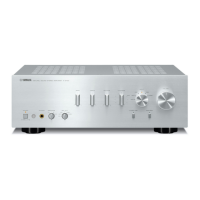
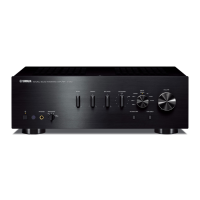
Yamaha A-S701 - User Manual

Yamaha A-S701
40 pages
Print Icon
To Next Page IconTo Next Page
Loading...
OWNER’S MANUAL
MODE D’EMPLOI
Integrated Amplifier
Amplificateur Intégré

Other manuals for Yamaha A-S701

Questions and Answers

  • S
    Susan JohnsonSep 18, 2025
    Why is the volume level low on my Yamaha Amplifier?
    • H
      Heather MccormickSep 18, 2025
      If the volume level is low on your Yamaha Amplifier, first check if the sound is muted by pressing MUTE on the remote control or rotating the VOLUME control. Also, the loudness control function might be operating. Try turning down the volume, setting the LOUDNESS control to the FLAT position, and then adjusting the volume again.
  • K
    Katherine McintoshAug 25, 2025
    Why Yamaha A-S701 Amplifier fails to turn on?
    • B
      Brandon SmithAug 25, 2025
      If your Yamaha Amplifier doesn't turn on, ensure the power cable is firmly connected. Also, check if the A AMP button was accidentally pressed on the remote while the unit was off; if so, press the A (power) switch on the front panel. Verify that the speaker impedance is appropriate. If the protection circuitry has been activated due to a short circuit, ensure the speaker wires aren't touching. If none of these steps work, disconnect the power cable and contact an authorized Yamaha dealer.
  • C
    Cheryl BryantAug 25, 2025
    How to fix no sound on Yamaha Amplifier?
    • M
      Mr. Mark RussoAug 26, 2025
      If there is no sound from your Yamaha Amplifier, first check if the sound is muted by pressing the MUTE button on the remote or rotating the VOLUME control. Also, verify that all cable connections are correct and secure. If the problem continues, the cables may be defective and need replacement.
  • M
    Mary EatonAug 26, 2025
    What to do if my Yamaha A-S701 Amplifier fails to turn on?
    • J
      Jonathan LewisAug 27, 2025
      If your Yamaha Amplifier doesn't turn on, first, ensure the power cable is firmly connected. If that doesn't work, check if the A AMP button was accidentally pressed on the remote while the unit was off; if so, press the power switch on the front panel. Also, verify that the connected speakers have the correct impedance. The issue might also be due to activated protection circuitry; in that case, check the speaker wires for shorts. If none of these steps work, there may be an internal problem, and you should disconnect the power cable.
  • A
    Ashley NelsonSep 18, 2025
    Why is there a lack of bass and no ambience on my Yamaha Amplifier?
    • J
      Joseph WilliamsSep 18, 2025
      If you're experiencing a lack of bass and ambience with your Yamaha Amplifier, check that the + and – wires are connected correctly at both the amplifier and the speakers. Ensure the speaker wires are connected to the correct + and – phase.
  • M
    Michael DelgadoSep 23, 2025
    Why don't the BASS, TREBLE, BALANCE, and LOUDNESS controls affect the sound on my Yamaha Amplifier?
    • A
      Adam GrahamSep 23, 2025
      If the BASS, TREBLE, BALANCE, and LOUDNESS controls are not affecting the sound on your Yamaha Amplifier, it is likely that the CD DIRECT function or the PURE DIRECT function is turned on. To use these controls, you must turn off the CD DIRECT function or the PURE DIRECT function.
  • T
    Thomas Robinson Jr.Sep 8, 2025
    Why don't BASS, TREBLE, BALANCE and LOUDNESS controls affect the sound on my Yamaha A-S701?
    • K
      Kristen TownsendSep 8, 2025
      If using the BASS, TREBLE, BALANCE, and LOUDNESS controls does not affect the sound on your Yamaha Amplifier, the CD DIRECT or PURE DIRECT function is turned on. Turn off the CD DIRECT function or the PURE DIRECT function to use those controls.
  • M
    moorevictorSep 12, 2025
    Why only one speaker is working on my Yamaha Amplifier?
    • W
      William BakerSep 12, 2025
      If you only hear sound from one speaker with your Yamaha Amplifier, check the cable connections to ensure they are properly connected. If the issue persists, the cables might be defective. Also, verify that the BALANCE control is set correctly.
  • M
    michael52Sep 3, 2025
    How to stop humming sound from Yamaha A-S701?
    • C
      Christopher MarshallSep 3, 2025
      If you hear a humming sound from your Yamaha Amplifier, first ensure the audio plugs are firmly connected; the cables may be defective. If you are using a turntable, make sure it is properly connected to the GND terminal on the unit.
  • E
    Ernest GarzaSep 1, 2025
    Why does my Yamaha Amplifier turn off suddenly?
    • J
      jasonwardSep 1, 2025
      Your Yamaha Amplifier might be turning off suddenly due to several reasons. First, check if the speaker wires are touching each other or shorting against the rear panel, and connect them properly. If the speaker is malfunctioning, replace it. The protection circuitry may have been activated due to excessive input or volume, so decrease the volume. If the internal temperature is too high, allow the unit to cool down for about 30 minutes and ensure it's in a well-ventilated area. Also, verify that the IMPEDANCE SELECTOR switch is correctly set. If the unit experienced a strong electric shock, turn it off, disconnect the power, wait 30 seconds, and then plug it back in. If none of these steps work, there may be an internal problem, and you should disconnect the power cable.

Summary

IMPORTANT SAFETY INSTRUCTIONS

WARNING

Abnormalities and Power Supply Safety

Actions for abnormalities and safety rules for power supply.

PRECAUTIONS

Physical Injury CAUTIONS

Power Supply and Installation Safety

Safety rules for power supply, installation, ventilation, and stability.

Precautions for Use

CONTROLS AND FUNCTIONS

CONNECTIONS

Connecting Speakers & Sources

Visual guide and instructions for connecting audio sources and speakers.

REC Jacks & Speaker Cables

Instructions for using REC jacks and connecting speaker cables securely.

Banana Plugs & Bi-Wiring

Guidance on using banana plugs and establishing bi-wiring connections for speakers.

PLAYBACK

TROUBLESHOOTING

Power On;Off Troubleshooting

Solutions for power issues, blinking indicators, and sudden shutdowns.

Sound Quality Troubleshooting

Solutions for issues like intermittent sound, channel imbalance, hum, distortion.

No Sound Troubleshooting

Remedies for situations where no sound is produced by the unit.

Yamaha A-S701 Specifications

General IconGeneral
Damping factor240
Amplifier class-
Frequency range10 - 100000 Hz
Audio output channels2.0 channels
Peak power per channel160 W
Signal-to-Noise Ratio (SNR)99 dB
Total Harmonic Distortion (THD)0.019 %
RMS power output per channel (8 Ohm)100 W
DC-in jackYes
Audio (L/R) in8
Audio (L/R) out2
Digital audio optical in1
PurposeHome
Product colorBlack
Connectivity technologyWired
Power consumption (standby)0.5 W
Weight and Dimensions IconWeight and Dimensions
Depth387 mm
Width435 mm
Height151 mm
Weight10300 g

Related product manuals