EasyManua.ls Logo

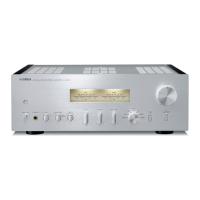
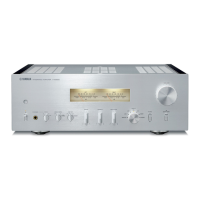
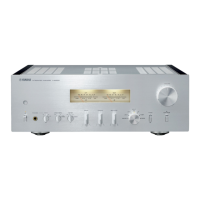
Yamaha A-S201 - User Manual

Yamaha A-S201
34 pages
Print Icon
To Next Page IconTo Next Page
Loading...
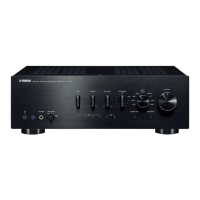
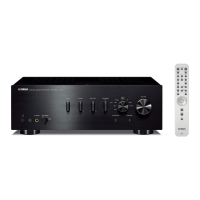
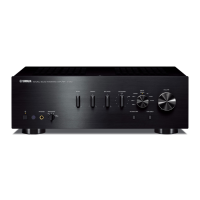
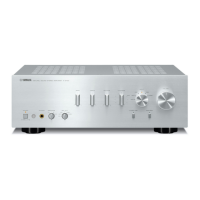
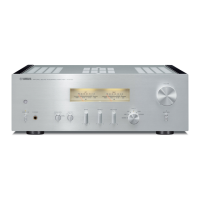
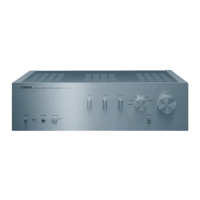
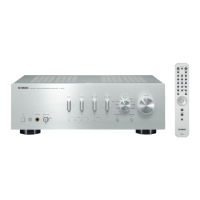
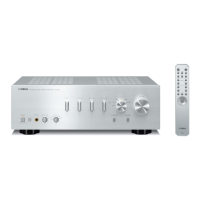
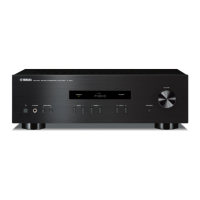
Integrated Amplifier
OWNER’S MANUAL
MANUAL DE INSTRUCCIONES
RABL

Other manuals for Yamaha A-S201

Questions and Answers

  • J
    jorgegomezAug 18, 2025
    Why my Yamaha Amplifier fails to turn on?
    • E
      Emily AndersonAug 18, 2025
      If your Yamaha Amplifier fails to turn on, several factors could be responsible. First, ensure the power cable is securely connected. If that's not the issue, the speaker impedance might be too low; use speakers with the correct impedance. Also, check for short circuits in the speaker wires and correct them before turning the unit back on. Finally, if the unit experienced a strong electric shock, put it in standby mode, disconnect the power for 30 seconds, reconnect, and try again.
  • N
    Natasha DeanAug 20, 2025
    What to do if my Yamaha A-S201 Amplifier has no sound?
    • M
      Marisa LoweryAug 20, 2025
      If there is no sound from your Yamaha Amplifier, begin by checking all input and output cable connections to ensure they are properly connected; the cables may be defective. Next, select the correct input source using the Input selector buttons. Also, verify that the SPEAKERS A/B switches are correctly set. Ensure all speaker connections are secure and that the mute function is deactivated. Finally, check that the MAX VOL or INITIAL VOLUME settings are not set too low, and confirm that the connected component is turned on and playing.
  • S
    sara45Aug 23, 2025
    How to fix Yamaha A-S201 Amplifier remote control that doesn't work?
    • P
      Philip QuinnAug 23, 2025
      If the remote control for your Yamaha Amplifier is not working correctly, make sure you are within a 6-meter range and no more than 30 degrees off-axis from the front panel. If the issue persists, replace all the batteries in the remote, as they may be weak.
  • K
    Kimberly BurnsAug 26, 2025
    Why Yamaha Amplifier sound suddenly goes off?
    • M
      Mark LaneAug 26, 2025
      If the sound from your Yamaha Amplifier suddenly goes off, it could be due to a few reasons. The protection circuitry might have been activated because of a short circuit; check the speaker wires. Also, ensure that the openings on the top panel are not blocked, as the unit may be overheating. Finally, check the AUTO POWER STANDBY or SLEEP function settings and adjust them as needed.
  • L
    Lori HessAug 27, 2025
    What to do if my Yamaha A-S201 Amplifier shows “OVER HEAT”?
    • C
      catherine11Aug 28, 2025
      If “OVER HEAT” appears on the front panel display of your Yamaha Amplifier, ensure that the openings on the top panel are not blocked to prevent overheating.
  • M
    Michael LeeAug 30, 2025
    Why can I hear a “humming” sound from my Yamaha A-S201?
    • W
      William McphersonAug 30, 2025
      If you hear a “humming” sound from your Yamaha Amplifier, check the audio plugs to ensure they are firmly connected; the cables may be defective. Also, make sure the turntable is properly connected to the GND terminal.
  • R
    Richard YoderSep 1, 2025
    Why can I only hear the speaker on one side of my Yamaha Amplifier?
    • M
      Matthew JohnsonSep 1, 2025
      If you can only hear sound from one speaker on your Yamaha Amplifier, first check the cable connections to ensure they are properly connected; the cables may be defective. Then, verify that the BALANCE L/R setting is set to the correct position.
  • A
    Anthony HowardSep 4, 2025
    What does “CHECK SP” mean on my Yamaha A-S201?
    • B
      Brian DavisSep 4, 2025
      If “CHECK SP” appears on the front panel display of your Yamaha Amplifier, twist bare wires of speaker cables firmly, and then connect to this unit and speakers properly.
  • R
    Robyn CunninghamSep 6, 2025
    Why is there a lack of bass and no ambience on my Yamaha A-S201?
    • D
      Deanna WilliamsSep 6, 2025
      If you experience a lack of bass and no ambience with your Yamaha Amplifier, check that the + and – wires are correctly connected at both the amplifier and the speakers. Ensure the speaker wires are connected to the correct + and – phase.
  • J
    Jeremy DeanSep 9, 2025
    Why BASS, TREBLE and BALANCE settings do not applied on my Yamaha A-S201 Amplifier?
    • N
      ncunninghamSep 9, 2025
      If the BASS, TREBLE, and BALANCE settings are not being applied to the sound on your Yamaha Amplifier, turn off the PURE DIRECT function. This function must be off to apply these settings.

Summary

Important Safety and Operating Precautions

Introduction

Front Panel Controls and Indicators

Details about buttons, indicators, and displays on the front panel (items 1-9).

Rear Panel Connections and Controls

Details on input/output jacks, speaker terminals, and voltage selector on the rear panel.

Remote Control Overview

Explains the buttons and functions of the remote control for operating the unit.

Remote Control for Other Yamaha Devices

Details on using the remote to control Yamaha tuners and CD players.

Preparation and Connections

Connecting Speakers and Source Components

Guidance on connecting speakers and audio source components correctly.

Connecting Speaker Cables

Step-by-step instructions for connecting speaker cables, including banana plugs.

Connecting Power Cable

Instructions for connecting the power cable to an AC wall outlet.

Basic Operation

Playing a Source

Steps to turn on the unit and play audio from a selected source.

Pure Direct Sound Quality

Activating the Pure Direct function for enhanced sound fidelity.

Using the Sleep Timer

Setting the unit to automatically enter standby mode after a specified time.

Advanced Operation

Setting Option Menu for Input Source

Configuring settings for each input source using the Option menu.

Additional Information and Troubleshooting

Troubleshooting Common Problems

Guidance to resolve issues like no sound, overheating, or connection problems.

Specifications

Technical details including power output, input sensitivity, and dimensions.

Collection and Disposal Information

Guidelines for the proper disposal of used electronic products and batteries.

Yamaha A-S201 Specifications

General IconGeneral
Amplifier class-
Frequency range10 - 100000 Hz
Input sensitivity500 mV
Audio output channels2.0 channels
Peak power per channel140 W
Signal-to-Noise Ratio (SNR)100 dB
Total Harmonic Distortion (THD)0.2 %
Dynamic power per channel (2 Ohm)180 W
Dynamic power per channel (4 Ohm)165 W
Dynamic power per channel (6 Ohm)150 W
Dynamic power per channel (8 Ohm)125 W
RMS power output per channel (8 Ohm)100 W
Speakers connectivity typeBinding post
PurposeHome
On/off switchYes
Product colorBlack
Connectivity technologyWired
Power consumption (standby)0.5 W
Weight and Dimensions IconWeight and Dimensions
Depth333 mm
Width435 mm
Height141 mm
Weight6700 g

Related product manuals