EasyManua.ls Logo

Yamaha A-S2200 - User Manual

Yamaha A-S2200
32 pages
Print Icon
To Next Page IconTo Next Page
Loading...
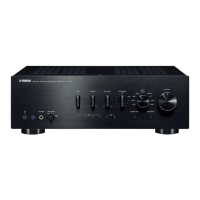
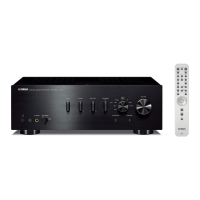
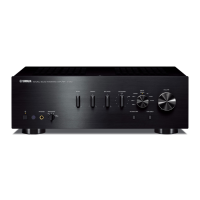
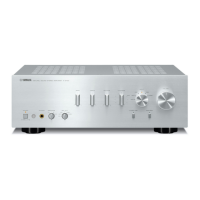
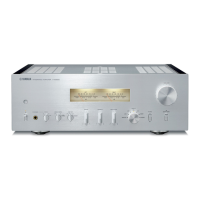
Integrated Amplifier
Owner´s Manual

Questions and Answers

  • N
    nmorganSep 9, 2025
    Why can I only hear one channel speaker on my Yamaha Amplifier?
    • M
      Michael DiazSep 9, 2025
      If you're only hearing sound from one channel speaker on your Yamaha Amplifier, first ensure that the playback component or speakers are connected properly. If the issue continues, the cables might be defective. Also, check the volume level balance between the left and right speakers and adjust it properly using the BALANCE control.
  • K
    Kim RobertsAug 23, 2025
    Why is there no sound coming from my Yamaha A-S2200 Amplifier?
    • M
      Michael ThompsonAug 23, 2025
      If you're not hearing any sound from your Yamaha Amplifier, check these potential causes: * Ensure all input and output cables are correctly connected. If the problem continues, the cables themselves may be defective. * Verify that you've selected the appropriate input source using the INPUT selector on the front panel or the remote control. * Confirm that the SPEAKERS selector is not set to OFF but is in the correct position. * Check that the speaker cables are properly connected.
  • N
    Natasha MosesAug 25, 2025
    What to do if Yamaha Amplifier power does not turn on?
    • D
      David HarrisAug 25, 2025
      If your Yamaha Amplifier isn't powering on, ensure the power cable is securely connected to the AC IN connector on the rear panel and plugged into a working AC outlet. Connect the power cable firmly. Also, if the unit experienced a strong external electric shock, turn it off, unplug it from the outlet, wait about 30 seconds, and then plug it back in.
  • R
    Robert Peterson MDAug 26, 2025
    How to fix Yamaha A-S2200 Amplifier if power does not turn on?
    • Z
      zachary66Aug 27, 2025
      If your Yamaha Amplifier doesn't turn on, first ensure the power cable is firmly connected to the AC IN connector on the rear panel and plugged into a working AC outlet. If it still doesn't power on, the unit might have experienced a strong electrical shock. In that case, turn off the amplifier, unplug it from the AC outlet, wait about 30 seconds, and then plug it back in.
  • M
    Melissa GonzalezAug 27, 2025
    Why is my Yamaha A-S2200 Amplifier remote control not working?
    • P
      Philip ChambersAug 28, 2025
      If the remote control for your Yamaha Amplifier isn't working correctly, make sure you're using it within a maximum distance of 6 meters (20 feet) and no more than 30 degrees off-axis from the remote control sensor on the front panel. Also, check the batteries and replace them if they are weak.
  • Z
    zthompsonAug 29, 2025
    Why is Yamaha A-S2200 sound suddenly muted?
    • T
      Tracy PerezAug 29, 2025
      If the sound from your Yamaha Amplifier suddenly mutes, it's possible the protection circuitry has been activated due to a short circuit. Check that the speaker wires aren't touching each other or shorting against the rear panel of the unit, and then power the unit on again.
  • N
    nelsonjudySep 17, 2025
    Why is the vinyl record volume too low on my Yamaha Amplifier?
    • C
      Chad RuizSep 18, 2025
      If the volume level of your vinyl record is too low when played through your Yamaha Amplifier, check the PHONO switch on the front panel. Ensure it is set to the MM or MC position, depending on the type of magnetic cartridge your turntable uses.
  • T
    Theresa BrownSep 19, 2025
    Why does bass lack depth when BAL is selected on my Yamaha A-S2200 Amplifier?
    • M
      matthewmartinezSep 22, 2025
      If the bass lacks depth when BAL is selected on your Yamaha Amplifier, the polarity might be incorrect. Try selecting the correct polarity using the PHASE selector.
  • D
    Dana ReyesSep 7, 2025
    How to stop a humming noise from my Yamaha A-S2200?
    • C
      Catherine ButlerSep 8, 2025
      If you're hearing a humming noise from your Yamaha Amplifier, it could be due to incorrect input or output cable connections; ensure all cables are properly connected, and if the problem persists, the cables might be defective. Additionally, if you're using a turntable, make sure it is grounded to the GND terminal on the unit.
  • D
    dkellySep 4, 2025
    What to do if the A (Power) indicator on my Yamaha A-S2200 flashes?
    • T
      tiffany92Sep 4, 2025
      If the A (Power) indicator on the front panel of your Yamaha Amplifier is flashing, it indicates that the protection circuitry has been activated, often due to a short circuit. Check that the speaker wires are not touching each other or shorting against the rear panel of the unit. Then, turn the power to the unit back on. If the issue persists, it could indicate a problem with the internal circuitries of the unit. In this case, disconnect the power plug from the AC outlet and contact an authorized Yamaha dealer or service center.

Summary

Things to know before using this product

About this manual

Describes the unit's features and connection procedures.

Part Names and Functions

Front Panel

Details the controls and indicators on the front of the unit.

Rear Panel

Details the input/output jacks and switches on the rear of the unit.

Remote Control

Explains the functions and operation of the remote control unit.

Connections

Connection diagram

Illustrates speaker and audio source component connections.

Speaker connection types

Covers standard, bi-wired, banana plug, and Y-shaped lug cable connections.

Balanced and Trigger Connections

Details connecting via XLR balanced inputs and trigger function.

Remote and Power Connections

Explains remote operation and power cable setup.

Appendix

Specifications

Lists technical specifications for the unit.

Block diagram

Illustrates the internal signal flow and component relationships.

Acoustic characteristics

Presents graphs and data on the unit's audio performance.

Troubleshooting

Provides solutions for common operational problems.

Maintenance

Offers guidance on cleaning and maintaining the unit.

Yamaha A-S2200 Specifications

General IconGeneral
TypeIntegrated Amplifier
Power Output90 W + 90 W (8 ohms, 20 Hz-20 kHz, 0.07% THD)
Input Impedance47 kohms
Frequency Response5 Hz-100 kHz (+0 dB, -3 dB)
Total Harmonic Distortion0.07% (20 Hz-20 kHz, 8 ohms)
Signal-to-Noise Ratio110 dB (CD)
Input Sensitivity200 mV / 47 kohms (CD)
Dimensions435 x 157 x 463 mm
Standby Power Consumption0.3 W

Related product manuals