EasyManua.ls Logo

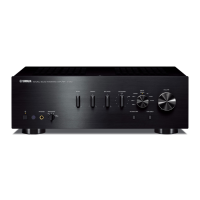
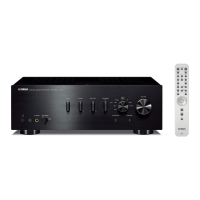
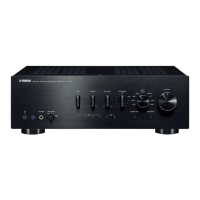
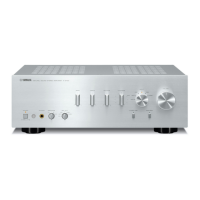
Yamaha A-S2000 - User Manual

Yamaha A-S2000
43 pages
Print Icon
To Next Page IconTo Next Page
Loading...
BLACK
DIC 2181s*
© 2007 All rights reserved.
Printed in Malaysia WM15620-1
YAMAHA ELECTRONICS CORPORATION, USA 6660 ORANGETHORPE AVE., BUENA PARK, CALIF. 90620, U.S.A.
YAMAHA CANADA MUSIC LTD. 135 MILNER AVE., SCARBOROUGH, ONTARIO M1S 3R1, CANADA
YAMAHA ELECTRONIK EUROPA G.m.b.H. SIEMENSSTR. 22-34, 25462 RELLINGEN BEI HAMBURG, GERMANY
YAMAHA ELECTRONIQUE FRANCE S.A. RUE AMBROISE CROIZAT BP70 CROISSY-BEAUBOURG 77312 MARNE-LA-VALLEE CEDEX02, FRANCE
YAMAHA ELECTRONICS (UK) LTD. YAMAHA HOUSE, 200 RICKMANSWORTH ROAD WATFORD, HERTS WD18 7GQ, ENGLAND
YAMAHA SCANDINAVIA A.B. J A WETTERGRENS GATA 1, BOX 30053, 400 43 VÄSTRA FRÖLUNDA, SWEDEN
YAMAHA MUSIC AUSTRALIA PTY, LTD. 17-33 MARKET ST., SOUTH MELBOURNE, 3205 VIC., AUSTRALIA
G
Stereo Amplifier
Amplificateur Stéréo
OWNER’S MANUAL
MODE D’EMPLOI
BEDIENUNGSANLEITUNG
BRUKSANVISNING
MANUALE DI ISTRUZIONI
MANUAL DE INSTRUCCIONES
GEBRUIKSAANWIJZING
ИНСТРУКЦИЯ ПО ЭКСПЛУАЦИИ

Questions and Answers

  • M
    Mr. Jared RodriguezAug 16, 2025
    How to fix Yamaha A-S2000 Amplifier that fails to turn on?
    • A
      Allison KleinAug 17, 2025
      If your Yamaha Amplifier fails to turn on, first, ensure the AC power cable is firmly connected to both the AC IN inlet on the rear panel and the AC wall outlet. If it still doesn't turn on, check the speaker wires for any shorts. If the speaker wires are not touching each other or shorting out against the rear panel of the unit, try turning the power back on. Finally, if the unit has been exposed to a strong external electric shock, turn it off, disconnect the AC power cable, wait 30 seconds, plug it back in, and then use it normally.
  • U
    uyoderAug 19, 2025
    What to do if the POWER indicator on my Yamaha Amplifier flashes?
    • D
      Daniel JordanAug 20, 2025
      If the Yamaha Amplifier's POWER indicator flashes, it usually indicates that the protection circuitry has been activated due to a short circuit. Check that the speaker wires are not touching each other or shorting out against the rear panel, and then turn the power back on. If the problem persists, disconnect the AC power cable and contact an authorized Yamaha dealer or service center, as there may be an issue with the internal circuitry.
  • J
    Jacqueline WoodAug 22, 2025
    Why is there no sound coming from my Yamaha A-S2000?
    • G
      greenchristopherAug 22, 2025
      If you are not getting any sound from your Yamaha Amplifier, check the input and output cable connections to ensure they are properly connected. If the problem continues, the cables may be defective. Make sure that you have selected the appropriate input source using the INPUT selector on the front panel or the remote control. Also, verify that the SPEAKERS switch is in the correct position and that all speaker connections are secure.
  • J
    Jessica MasonAug 25, 2025
    What to do if the sound suddenly goes off on my Yamaha A-S2000?
    • C
      Crystal Harris DDSAug 25, 2025
      If the sound suddenly goes off on your Yamaha Amplifier, it is likely that the protection circuitry has been activated due to a short circuit. Check that the speaker wires are not touching each other or shorting out against the rear panel of the unit, and then turn the power back on.
  • T
    theresagarrettAug 27, 2025
    Why is my Yamaha A-S2000 Amplifier remote control not working?
    • D
      David PalmerAug 27, 2025
      If the remote control for your Yamaha Amplifier isn't working properly, make sure you are within a 6 m (20 ft) range and no more than 30 degrees off-axis from the front panel. Check whether direct sunlight or lighting is interfering with the remote control sensor, and reposition the unit if necessary. Finally, replace all the batteries in the remote control.
  • P
    Patrick BatesAug 30, 2025
    Why is the INPUT indicator flashing on my Yamaha Amplifier?
    • N
      nreedAug 30, 2025
      If the INPUT indicator on your Yamaha Amplifier flashes and the volume is turned down when you turn on the unit, the protection circuitry has likely been activated due to a short circuit. Check that the speaker wires are not touching each other or shorting out against the rear panel of the unit, and then turn the power back on.
  • L
    Luke PerrySep 2, 2025
    Why can I only hear the speaker on one side of my Yamaha Amplifier?
    • R
      Rachel ContrerasSep 2, 2025
      If you only hear sound from one speaker when using your Yamaha Amplifier, ensure that all cable connections are correct. If the issue persists, the cables may be defective. Also, check the BALANCE control and adjust it to the appropriate position.
  • D
    Deborah WilsonSep 4, 2025
    Why is there a lack of bass and no ambience in my Yamaha A-S2000 Amplifier?
    • A
      Amy AlvarezSep 4, 2025
      If you experience a lack of bass and no ambience with your Yamaha Amplifier, check the speaker wire connections. Ensure that the + and – wires are connected correctly at both the amplifier and the speakers.
  • J
    jennifer37Sep 7, 2025
    Why is a “humming” sound heard from my Yamaha A-S2000 Amplifier?
    • H
      Heather MurraySep 7, 2025
      If you hear a humming sound from your Yamaha Amplifier, ensure that the audio cable plugs are firmly connected. If the problem persists, the cables may be defective. Also, if you are using a turntable, make sure it is connected to the GND terminal of the unit.
  • D
    Darlene DixonSep 10, 2025
    Why is the sound degraded when listening with headphones connected to the CD player connected to my Yamaha A-S2000?
    • M
      Martin JonesSep 10, 2025
      If the sound is degraded when listening with headphones connected to a CD player through your Yamaha Amplifier, ensure that the power of the unit is turned on.

Summary

Controls and Functions

Front Panel Controls

Details front panel controls like Power, Volume, Input, Tone, Balance, and Speaker selection.

Rear Panel Terminals and Connections

Describes rear panel speaker terminals, input/output jacks, grounding, and AC power input.

Remote Control Operation and Setup

Explains remote control functions, operation, and battery installation.

Connections

Connecting Audio Components

Guides on connecting speakers, CD players (RCA & XLR), tuners, and turntables to the amplifier.

Advanced Speaker Connection Methods

Instructions for bi-wiring, banana plugs, and Y-shaped lugs for speaker setup.

Power Cable and Voltage Configuration

Procedures for connecting the power cable and setting the voltage selector for safe operation.

Specifications

Audio Performance Specifications

Technical data on output power, input sensitivity, frequency response, and signal-to-noise ratio.

Distortion and Tone Control Characteristics

Graphs illustrating tone control characteristics and total harmonic distortion measurements.

Troubleshooting and Care

Problem Solving Guide

A table listing common operating issues, their causes, remedies, and relevant page references.

Unit Maintenance and Handling

Advice on cleaning the unit, handling the remote control, and battery replacement.

Safety Precautions

Essential Safety Guidelines

Crucial warnings and instructions for safe installation, operation, and handling to prevent hazards.

Yamaha A-S2000 Specifications

General IconGeneral
Frequency range20 - 20000 Hz
Maximum input power320 W
Total Harmonic Distortion (THD)0.015 %
Connectivity technologyWired
Headphone connectivity3.5 mm
Product colorSilver
Dimensions (WxDxH)435 x 465 x 137 mm
Weight and Dimensions IconWeight and Dimensions
Weight22700 g

Related product manuals