EasyManua.ls Logo

Yamaha A-S300 - User Manual

Yamaha A-S300
20 pages
Print Icon
To Next Page IconTo Next Page
Loading...
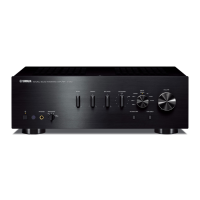
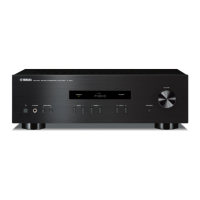
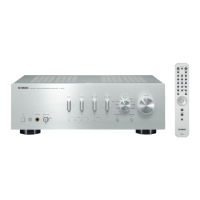
Integrated Amplifier
OWNER’S MANUAL
AB

Other manuals for Yamaha A-S300

Questions and Answers

Summary

Important Safety Precautions

Controls and Functions

Front Panel and Remote Control Layout

Overview of the front panel controls and the remote control's layout.

Remote Control Operation and Battery Installation

Instructions for using the remote control and installing its batteries.

Rear Panel Connections and Settings

Details on rear panel jacks, selectors, and impedance settings.

Audio Connections

Connecting Speakers and Source Components

Diagrams and instructions for connecting audio sources and speakers.

Power Cable Connection

Steps for connecting the unit's power cable to the wall outlet.

Playing and Recording Audio

Playing an Audio Source

How to select an input source and adjust volume for playback.

Adjusting Tonal Quality and Pure Direct

Using tone controls and the Pure Direct switch for sound customization.

Adjusting Bass, Treble, and Balance

Detailed guide on adjusting bass, treble, and balance for desired sound.

Loudness Control Operation

Using the loudness control to maintain tonal range at low volumes.

Recording an Audio Source

Guide to selecting recording sources and using REC OUT jacks.

iPhone and iPod Playback

Connecting iPod Accessories

Connecting optional Yamaha Universal Dock or Wireless System for iPod.

Supported iPhone;iPod Models

List of compatible iPhone and iPod models for accessories.

Operating iPhone;iPod via Universal Dock

Operating iPhone/iPod using the remote control via the Universal Dock.

Remote Control Functions for iPhone;iPod

Mapping remote control buttons to iPhone/iPod playback functions.

Wireless System Operation and Status

Details on wireless connection, control, and unit interaction.

Universal Dock Operation Details

Operating iPhone/iPod via the remote control, including menu and playback functions.

Wireless System Operation Details

Details on wireless connection stability, charging, and unit behavior.

Troubleshooting Common Issues

Power and Unit Shutdown Problems

Solutions for unit not turning on, sudden shutdowns, or protection circuit activation.

Audio Playback Issues

Troubleshooting no sound, sound cutting off, single speaker issues, and low volume.

Tone Controls and Remote Issues

Diagnosing ineffective tone controls and remote control functionality problems.

iPhone;iPod Connectivity Troubleshooting

Resolving issues with iPhone/iPod connectivity, charging, and wireless system interruptions.

Remote Control Troubleshooting

Remote Control Not Functioning Properly

Solutions for remote control not working, including range, tilt, and battery issues.

Battery and Handling Precautions

Guidelines for battery replacement, care, and proper handling of the remote control.

Technical Specifications

Audio Section Specifications

Details on output power, input sensitivity, frequency response, and distortion.

General and iPod Specifications

Information on power supply, consumption, dimensions, weight, and iPod compatibility.

Summary

Important Safety Precautions

Controls and Functions

Front Panel and Remote Control Layout

Overview of the front panel controls and the remote control's layout.

Remote Control Operation and Battery Installation

Instructions for using the remote control and installing its batteries.

Rear Panel Connections and Settings

Details on rear panel jacks, selectors, and impedance settings.

Audio Connections

Connecting Speakers and Source Components

Diagrams and instructions for connecting audio sources and speakers.

Power Cable Connection

Steps for connecting the unit's power cable to the wall outlet.

Playing and Recording Audio

Playing an Audio Source

How to select an input source and adjust volume for playback.

Adjusting Tonal Quality and Pure Direct

Using tone controls and the Pure Direct switch for sound customization.

Adjusting Bass, Treble, and Balance

Detailed guide on adjusting bass, treble, and balance for desired sound.

Loudness Control Operation

Using the loudness control to maintain tonal range at low volumes.

Recording an Audio Source

Guide to selecting recording sources and using REC OUT jacks.

iPhone and iPod Playback

Connecting iPod Accessories

Connecting optional Yamaha Universal Dock or Wireless System for iPod.

Supported iPhone;iPod Models

List of compatible iPhone and iPod models for accessories.

Operating iPhone;iPod via Universal Dock

Operating iPhone/iPod using the remote control via the Universal Dock.

Remote Control Functions for iPhone;iPod

Mapping remote control buttons to iPhone/iPod playback functions.

Wireless System Operation and Status

Details on wireless connection, control, and unit interaction.

Universal Dock Operation Details

Operating iPhone/iPod via the remote control, including menu and playback functions.

Wireless System Operation Details

Details on wireless connection stability, charging, and unit behavior.

Troubleshooting Common Issues

Power and Unit Shutdown Problems

Solutions for unit not turning on, sudden shutdowns, or protection circuit activation.

Audio Playback Issues

Troubleshooting no sound, sound cutting off, single speaker issues, and low volume.

Tone Controls and Remote Issues

Diagnosing ineffective tone controls and remote control functionality problems.

iPhone;iPod Connectivity Troubleshooting

Resolving issues with iPhone/iPod connectivity, charging, and wireless system interruptions.

Remote Control Troubleshooting

Remote Control Not Functioning Properly

Solutions for remote control not working, including range, tilt, and battery issues.

Battery and Handling Precautions

Guidelines for battery replacement, care, and proper handling of the remote control.

Technical Specifications

Audio Section Specifications

Details on output power, input sensitivity, frequency response, and distortion.

General and iPod Specifications

Information on power supply, consumption, dimensions, weight, and iPod compatibility.

Yamaha A-S300 Specifications

General IconGeneral
Amplifier classA/B
Frequency range10 - 100000 Hz
Audio output channels2.0 channels
Peak power per channel95 W
Signal-to-Noise Ratio (SNR)100 dB
Total Harmonic Distortion (THD)0.015 %
Dynamic power per channel (4 Ohm)140 W
Dynamic power per channel (8 Ohm)100 W
RMS power output per channel (8 Ohm)60 W
DC-in jackYes
Audio (L/R) in6
Audio (L/R) out2
USB 2.0 ports quantity0
Speakers connectivity type-
PurposeHome
Product colorBlack
Connectivity technologyWired
Weight and Dimensions IconWeight and Dimensions
Depth387 mm
Width435 mm
Height151 mm
Weight9000 g

Related product manuals